
Nagi Construction Management Suite
Progress billing software for contractors
Nagi Construction Management Suite builds each application for payment from the client contract's schedule of values, so work completed and stored to date, retainage, earlier applications and the current payment due all come from one set of numbers. Approved change orders update the contract, the budget and the billing together, and the next application already includes them.
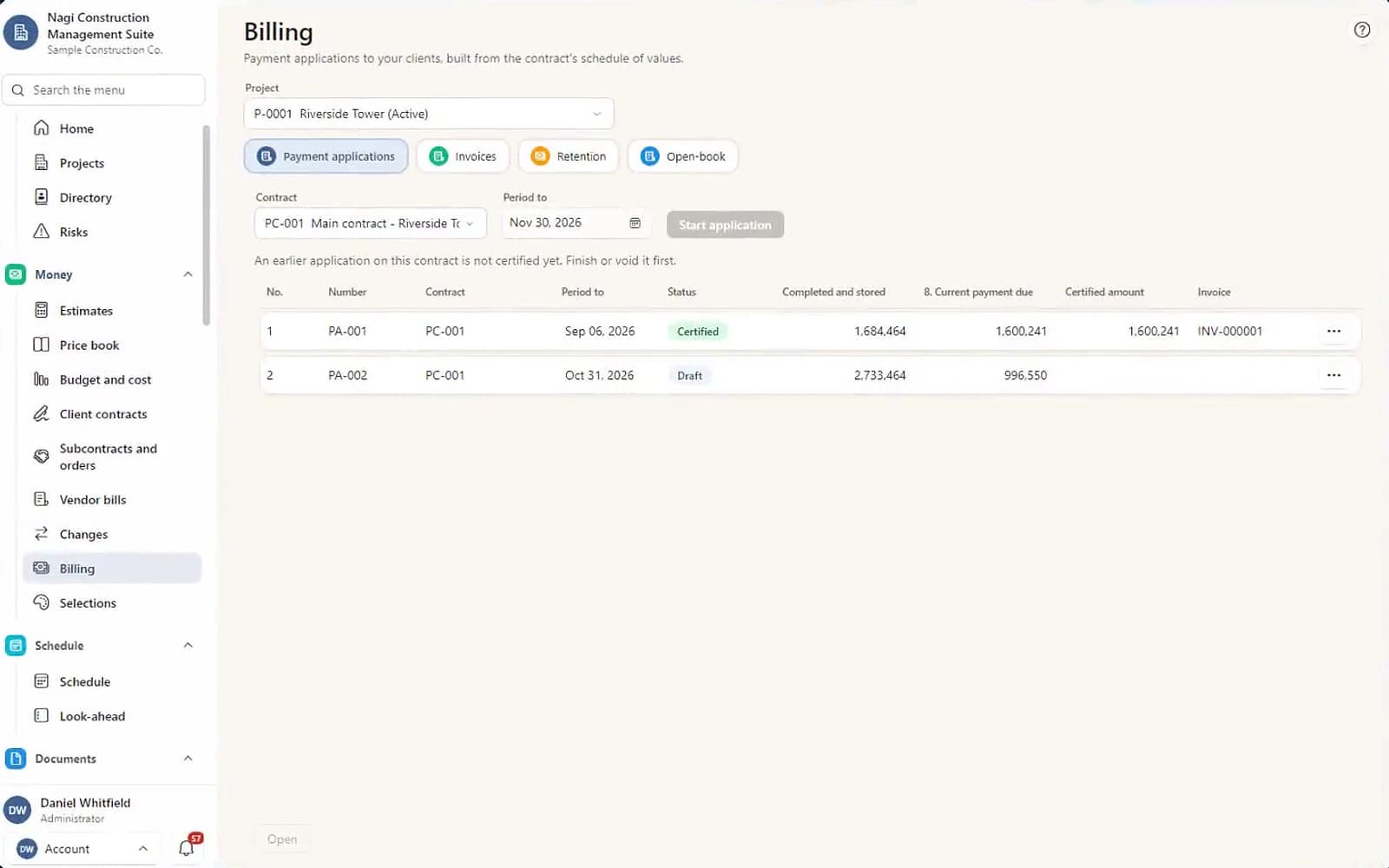
How progress billing works in Nagi
Five steps, from the signed contract to the certified invoice. The screens are the program's sample company.
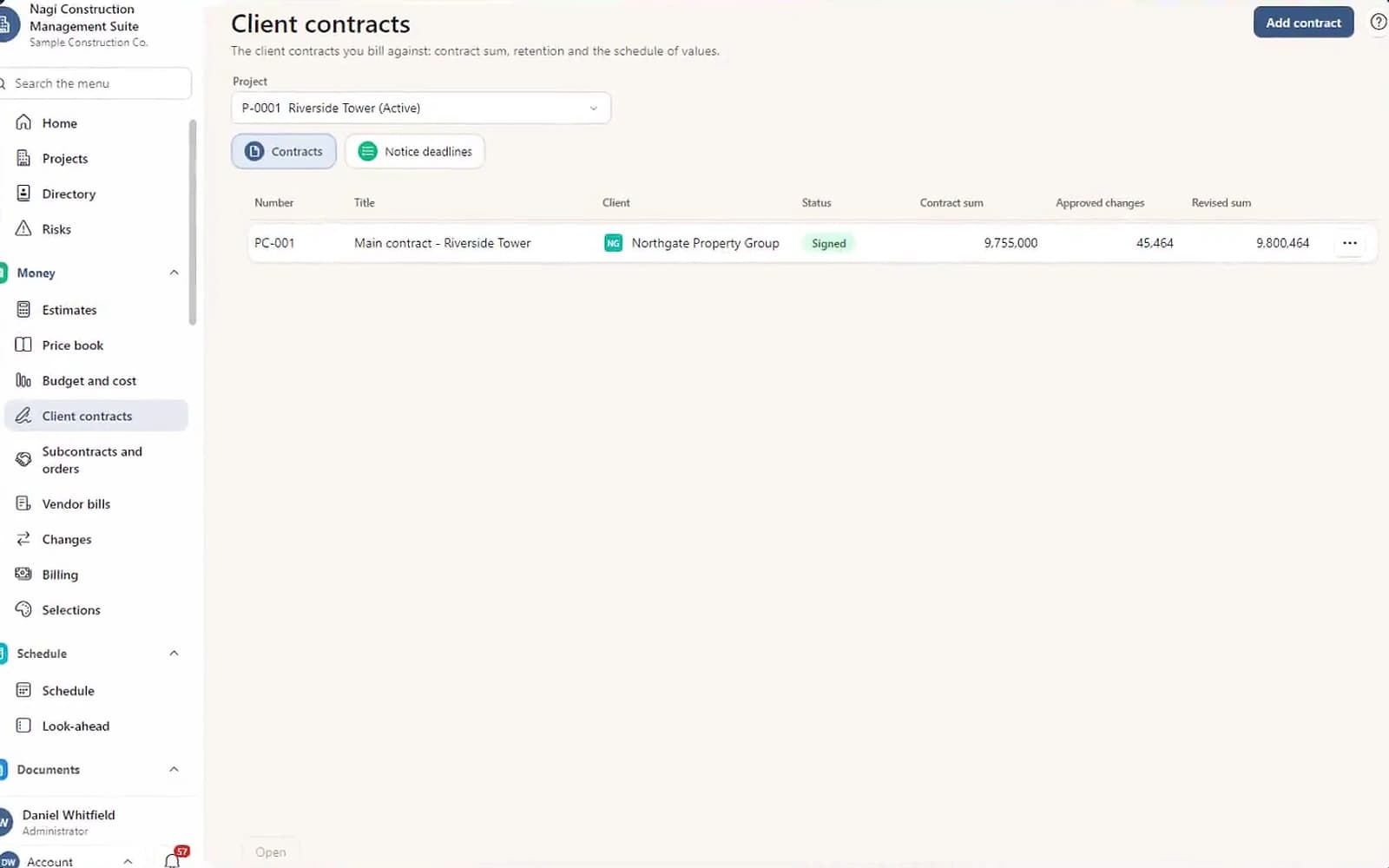
Set up the client contract
Enter the contract sum, the retention rate and the schedule of values once. A bill of quantities can be imported from Excel or CSV instead of typed.
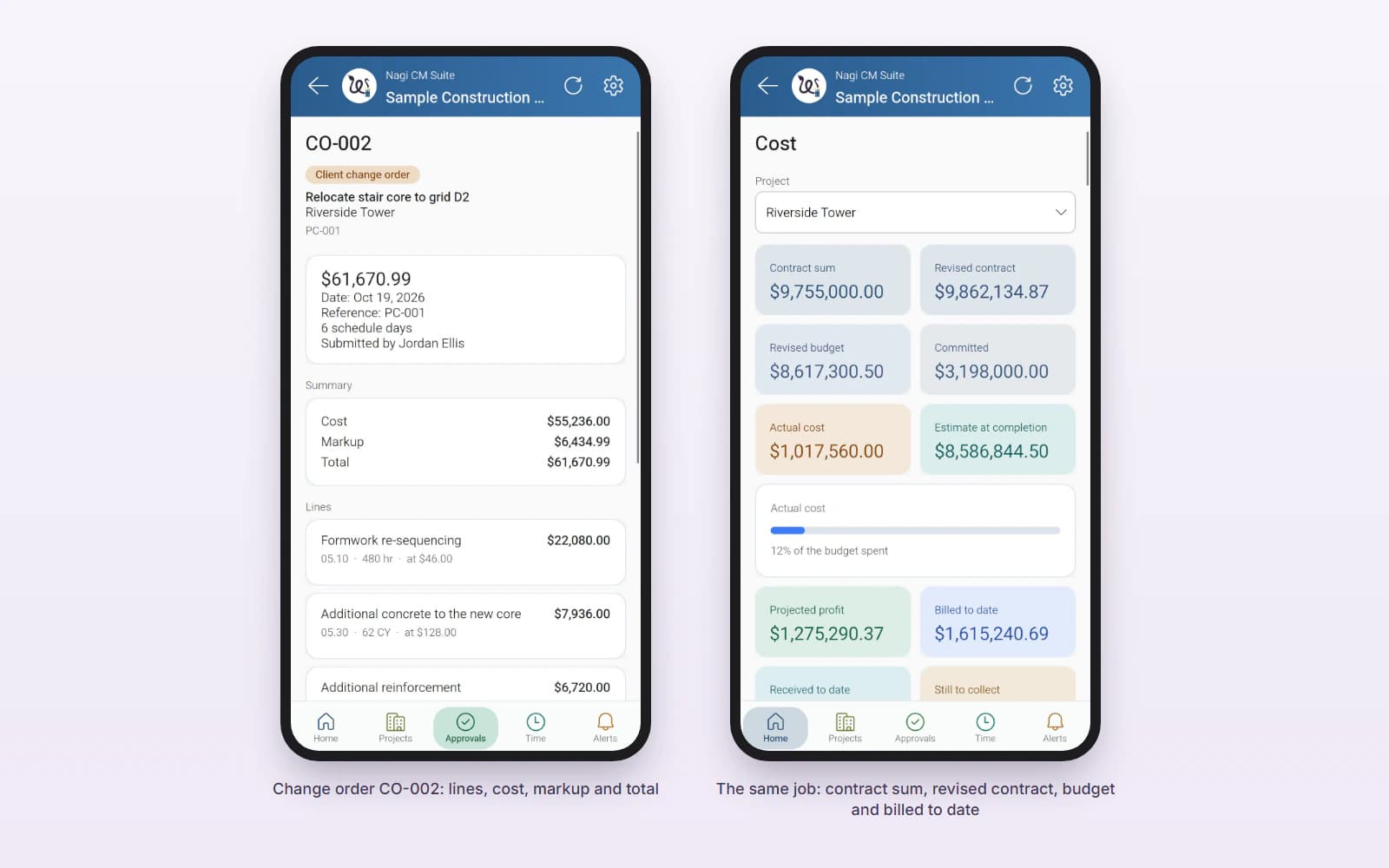
Record changes as they happen
A potential change becomes a change order. Once it is approved, the contract sum, the budget and the billing move together, so nobody re-keys it.
Start the application for the period
Pick the contract and the period end date. Previous applications are already in, so you enter only this period's work and any stored materials. An earlier application must be certified or voided before the next one starts.
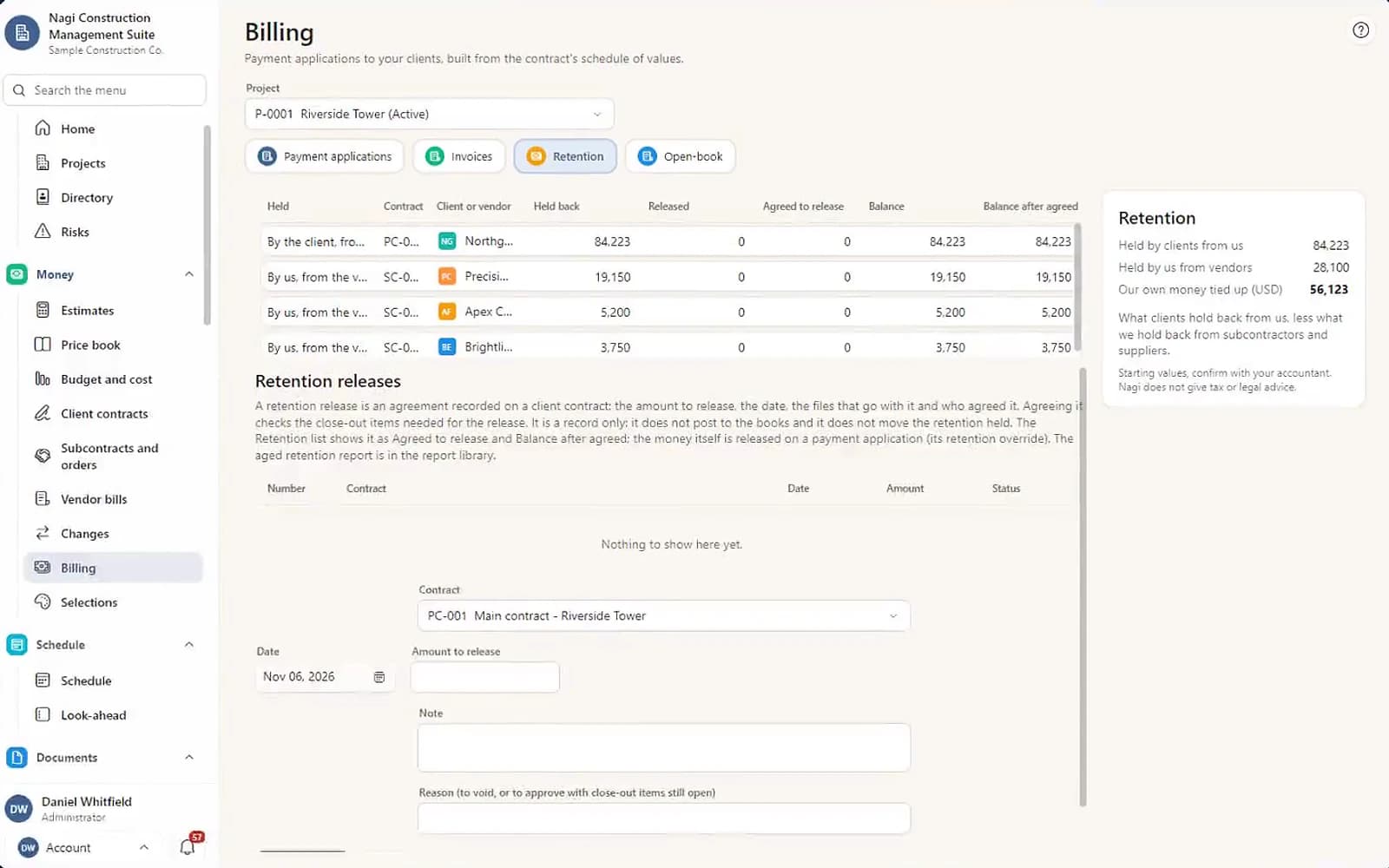
Hold retention, then release it
Retention is held on every application. Stored materials can carry their own rate, and the contract can step retention down at a set percent complete, for example from 10% to 5% at 50%. Releases follow a plan of up to six stages and are paid on a later application.
Certify and invoice
A certified application is invoiced and printed on your letterhead, with your tax number, the subtotal, tax and total. The Android app can approve pay applications too.
What's included
Schedule of values
Lines on each client contract, typed or imported from an Excel or CSV bill of quantities.
Applications for payment
Completed and stored to date, previous applications, retention and the current payment due, period by period.
Retainage (retention) receivable
A rate per contract, a separate rate for stored materials, a step-down at a percent complete, and a release plan of up to six stages.
Retention you hold from subs
Subcontracts and purchase orders carry their own retention. It is held when you approve their bills and paid on a retention release bill.
Change orders
Potential changes and change orders, with their effect on the contract, the budget and the billing.
Aged retention report
Receivable and payable per contract, in age buckets, held and released, as PDF, CSV or a spreadsheet.
Books in the same program
Chart of accounts, journals, bank reconciliation, P&L, balance sheet and trial balance, with separate retention receivable and payable accounts.
Your currency and language
Each company bills in its own currency, with tax codes at its own rate. Printed documents work in Arabic, right to left, as well as English, Spanish, French and German.
What it doesn't do
Plan around these before you switch.
- There is no client or subcontractor portal. Applications, approvals and lien waivers still travel by email or on paper.
- It doesn't collect lien waivers, and it writes no legal release wording for retention.
- It doesn't print the official AIA G702 and G703 documents. If your contract names them, buy them from AIA Contract Documents.
- Tax codes use the rates you enter. It doesn't decide when VAT, GST or sales tax applies.
- There is no QuickBooks link. The program keeps its own books instead.
One price per company, not per user
A company license covers one Administrator PC and 10 employee seats (a seat is a PC, not a person), with 11 phone connections. Pay monthly, yearly or once for a lifetime license. Current prices, including any sale, are on the pricing page.
Guides with worked examples
Step-by-step articles on our blog, with real numbers you can check.
- Progress Billing in Construction: How It Works, With a Worked Example
- Free G702/G703-Style Pay Application Template (Excel) and How to Fill It
- Free Schedule of Values Template (Excel) With Retainage
- Retainage in Construction: How to Calculate, Track and Release It
Questions about progress billing
What is progress billing software?
Software that builds each progress invoice, or application for payment, from the contract's schedule of values. It tracks the work completed and stored on each line, holds retainage, subtracts earlier applications and works out the payment due. In Nagi Construction Management Suite this sits in the same program as the contract, the budget and the books.
Does it print AIA G702 and G703 forms?
No. It builds its own application for payment from the schedule of values. The AIA documents are copyrighted, so if your contract requires them, buy the official forms from AIA Contract Documents.
How does it handle retainage?
You set the retention rate on the client contract, with a separate rate for stored materials if you need one. The contract can reduce retention at a set percent complete. Releases follow a plan of up to six stages, and the released money goes on the next application. Retention you hold from subcontractors is tracked on their subcontracts and purchase orders.
Can I bill change orders?
Yes. An approved change order updates the contract sum, the budget and the billing together, so the next application includes it.
Can my client approve applications online?
No. There is no client portal. You send the printed application the way your client asks for it. Inside your company, an application can be approved on the desktop or in the Android app.
Does it work without an internet connection?
Yes. The desktop program works offline after activation. It needs the internet for a few seconds at least once every 14 days to check the license, to install updates, and for Nagi Cloud if you add it.
Check it against last month's application
Enter one real contract, its change orders and the work to date, and see whether the payment due matches yours.