
Nagi Construction Management Suite
Construction job costing software
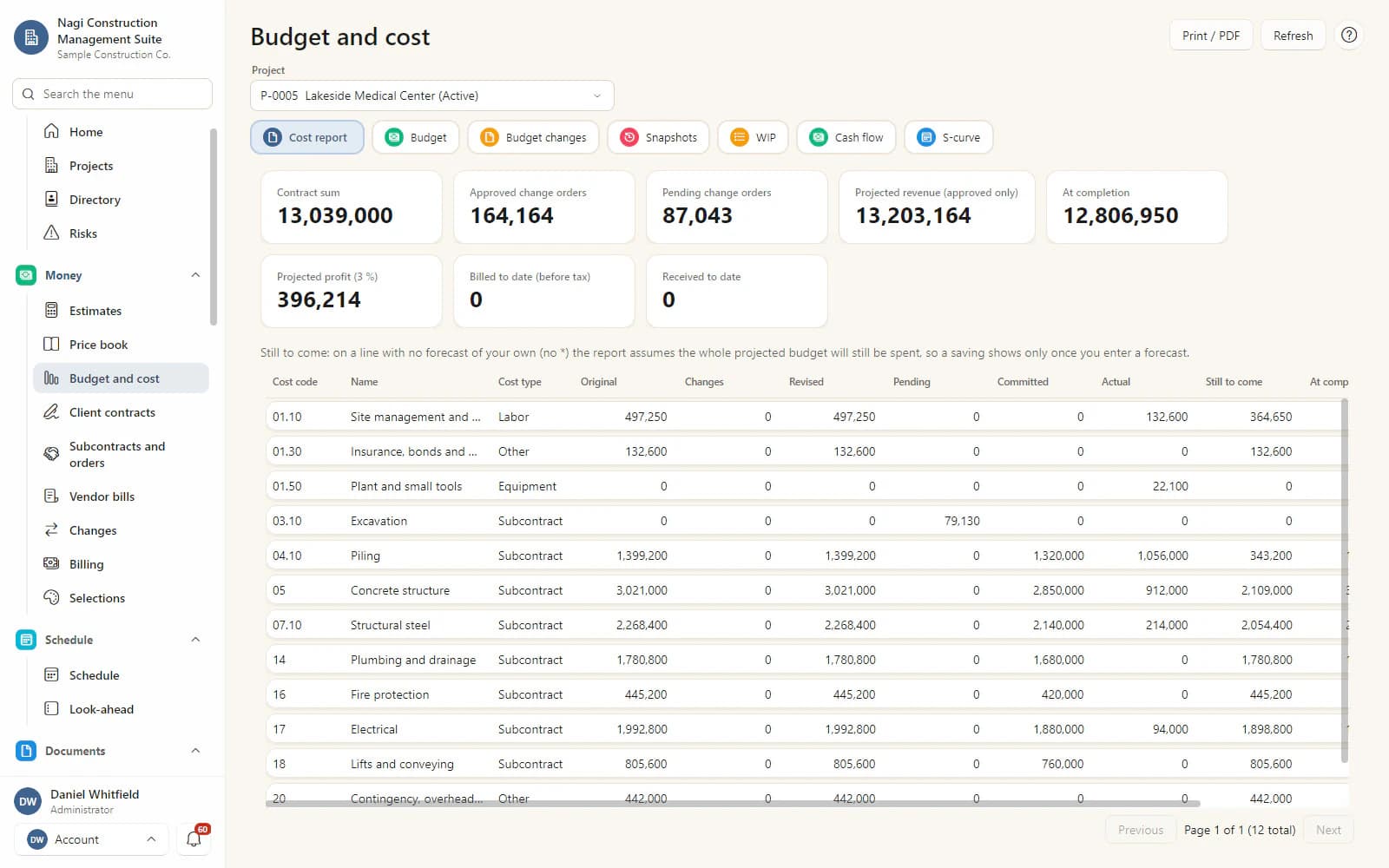
Nagi Construction Management Suite shows budget, committed, actual and forecast cost for every cost code on a job, filled in from the estimate, subcontracts, purchase orders, vendor bills and approved timesheets. Change orders, progress billing and the books read the same figures, so a code running over budget shows up while the job is still open.
How job costing works in Nagi
Each figure comes from an entry you already make. The screens are the program's sample company.
Turn the estimate into the budget
Build the estimate from your own price book with reusable assemblies. It becomes the budget by cost code and cost type. Cost codes and price books can be imported from Excel or CSV.
Commit cost when you sign
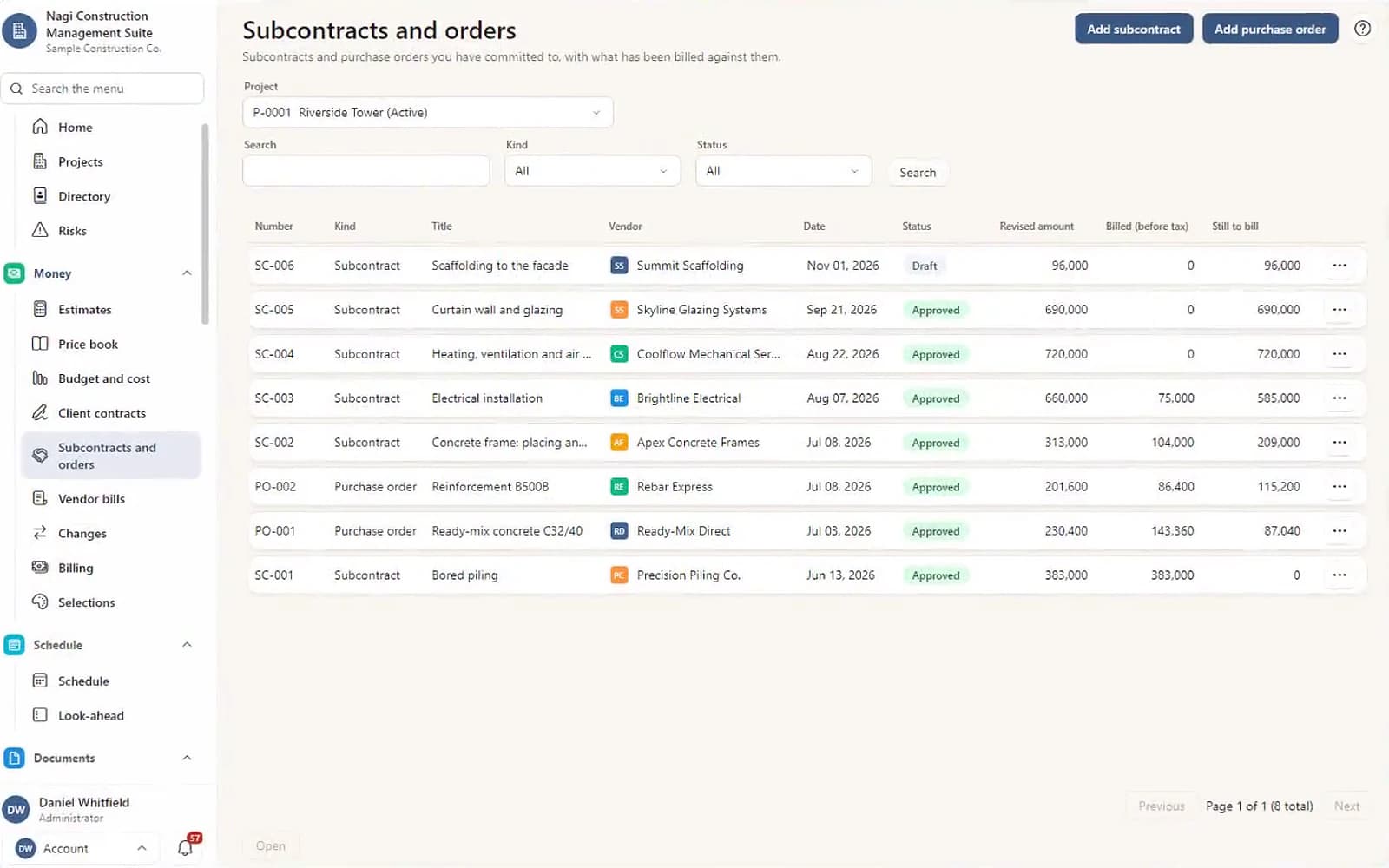
Subcontracts and purchase orders become committed cost when they are issued. The list shows what each one is worth, what has been billed and what is still to bill.
Match vendor bills
Each vendor bill is matched to the commitment it belongs to, so the actual column fills in and the open balance on every order stays in view.
Cost your own crews
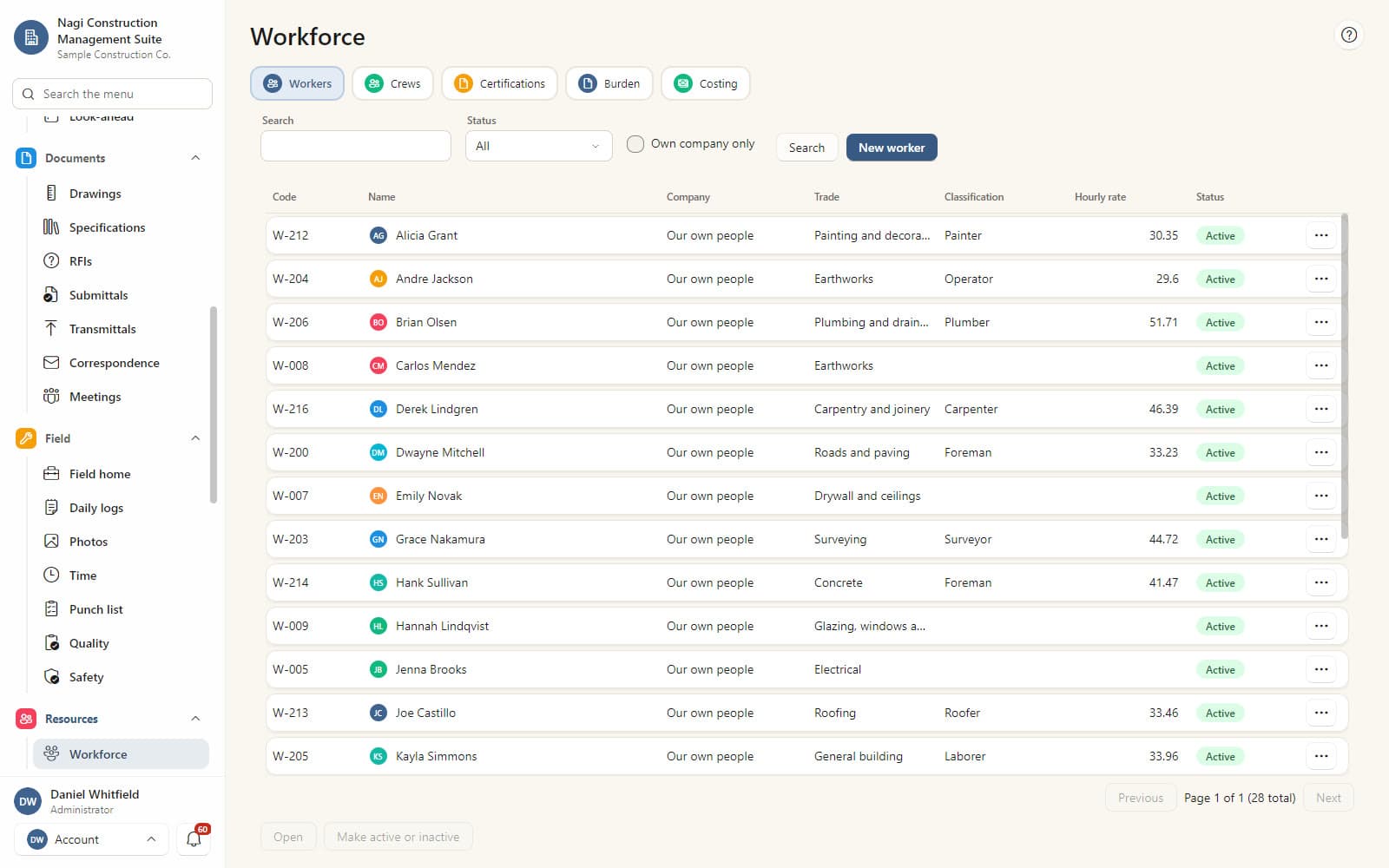
Each worker has an hourly rate, effective-dated, with an overtime multiplier. Burden profiles add the percentages you enter for payroll tax, workers' comp, benefits or union fringe. An approved timesheet posts wages plus burden to the job by cost code, and to the books.
Watch the forecast
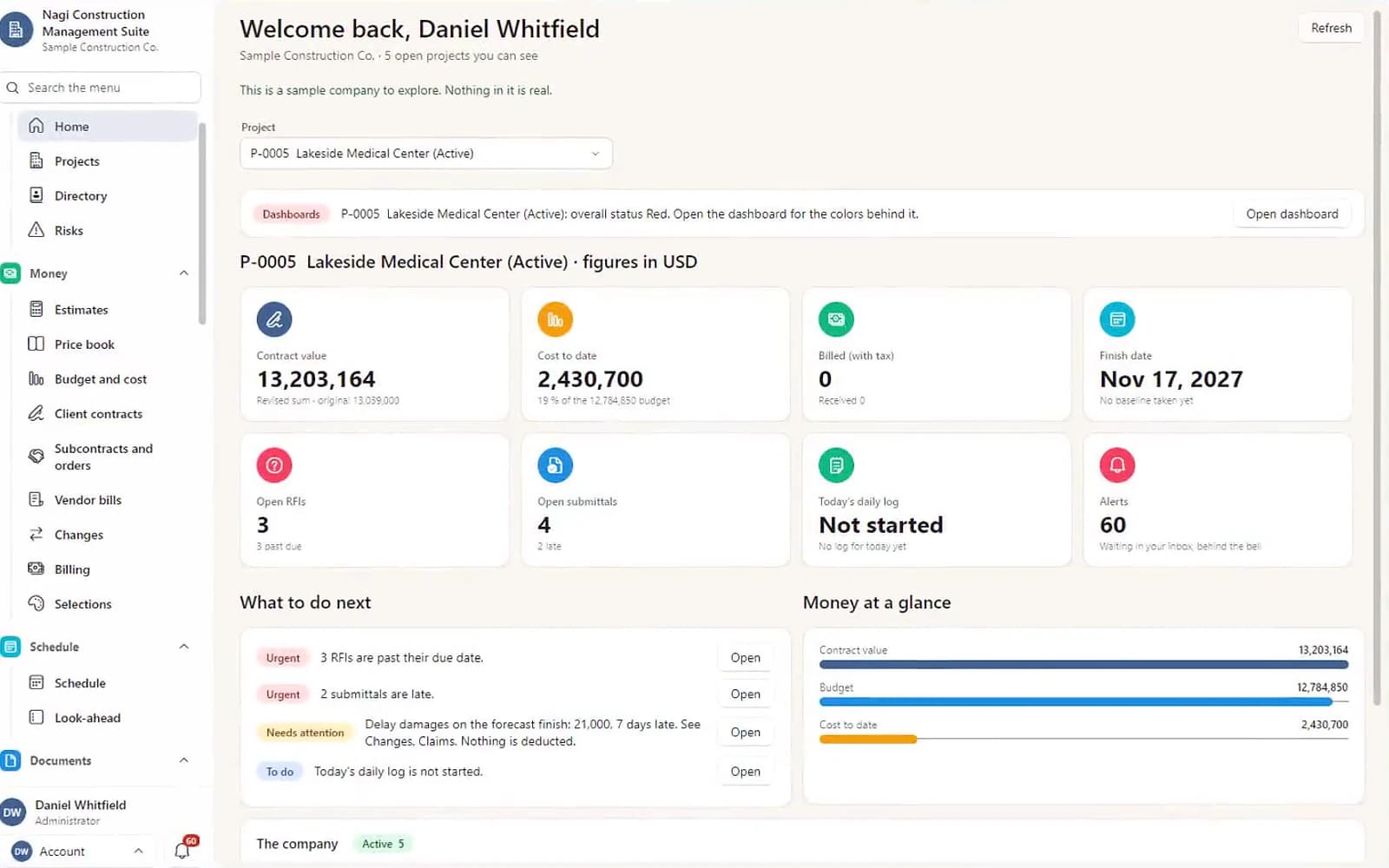
The cost report shows original budget, changes, pending, committed, actual, still to come and cost at completion for every code. The home page lists what is late or needs attention.
What's included
Cost codes and cost types
Your own code list, or an imported cost code library, with a cost type on each line, such as labor, subcontract or equipment.
Budget from the estimate
Estimates from your own price book with reusable assemblies, carried into the budget.
Committed cost
Subcontracts and purchase orders count against the budget the moment they are issued.
Actual cost
Vendor bills matched to commitments, and approved timesheets of your own crews costed at the worker's rate plus burden.
Forecast at completion
Still to come and cost at completion for each code, next to the projected profit for the job.
Change orders
Approved and pending change orders shown separately, with their effect on the contract, the budget and the billing.
Hours from the field
The Android app records hours, daily logs and photos. New entries wait in the phone's outbox with no signal and are sent once it is back online.
Books in the same program
Chart of accounts, journals, bank reconciliation, P&L, balance sheet and trial balance. Labor cost posts to the books when a timesheet is approved.
What it doesn't do
Plan around these before you switch.
- There is no payroll. Paying people and filing payroll taxes stay with your payroll provider.
- No statutory burden rates come built in. Enter the percentages your payroll provider and insurer give you.
- Subcontractor crews aren't costed from timesheets. Their cost comes in through subcontracts and vendor bills.
- Only approved timesheets are costed. A worker without a rate or burden profile lands on a "not costed" list until you fix it.
- There is no QuickBooks link. If QuickBooks must stay your system of record, a construction tool that syncs with it is the better fit.
One price per company, not per user
A company license covers one Administrator PC and 10 employee seats (a seat is a PC, not a person), with 11 phone connections. Pay monthly, yearly or once for a lifetime license. Current prices, including any sale, are on the pricing page.
Guides with worked examples
Step-by-step articles on our blog, with real numbers you can check.
- Job Costing in Construction: A Worked Example by Cost Code
- Construction Bookkeeping Software for Small Contractors (With or Without QuickBooks)
- Progress Billing in Construction: How It Works, With a Worked Example
Questions about job costing
What is construction job costing software?
Software that tracks what each job was budgeted to cost, what you have committed to, what you have spent and what it will cost at the end, line by line on your cost codes. Nagi Construction Management Suite fills those columns from the estimate, subcontracts, purchase orders, vendor bills and approved timesheets.
What is the difference between committed and actual cost?
Committed cost is money you have agreed to spend: a signed subcontract or an issued purchase order. Actual cost is money already incurred: a vendor bill or an approved timesheet. The gap between them is what is still to bill against your orders.
Does it include labor burden?
Yes. Burden profiles add the percentages you enter on top of wages, for example payroll tax, workers' comp, benefits or union fringe. There is a default profile and a per-worker override. No statutory rates come built in.
Can it replace QuickBooks?
It keeps its own books: chart of accounts, journals, bank reconciliation, P&L, balance sheet and trial balance. It has no payroll and no QuickBooks link. If your accountant needs QuickBooks as the system of record, keep QuickBooks and ask them before you switch.
Can I import my cost codes?
Yes. The import wizard reads Excel (.xlsx) or CSV files for cost codes, the price book, projects, the directory, the chart of accounts and opening balances.
Is it priced per user?
No. It is priced per company: one company license covers one Administrator PC and 10 employee seats, with 11 phone connections. You can pay monthly, yearly or once. Current prices are on the pricing page.
Cost one real job in it
Enter one job's budget, its orders and last week's bills, and read the cost report.