
Project management software for small business that you own
Schedule with the critical path, resources, timesheets, budgets, earned value and risks in one Windows app on your own PCs, priced per company, not per user. Launch price: 50% off yearly and lifetime.
In short
Nagi Project Management Suite is desktop business software that runs on your own computers. You buy one license per company, not one per employee. Plans start at $99.00. Each company license includes 10 employee seats; a seat is a PC, not a person. Your data stays on your Administrator PC unless you choose Nagi Cloud.
No card · 7-day free trial in your browser · Data stays on your PC · Works offline · 4 languages
Know what drives every date
A WBS with unlimited levels, all four link types, constraints and baselines. When a date looks wrong, the app shows the path behind it.
People, time and cost on one plan
One shared pool of people across every project, timesheets built from the plan, budgets and earned value from your own numbers.
Your plans stay with you
Runs on your own PC and keeps working offline. Exchange plans as Microsoft Project XML or Primavera XER, and export everything to open CSV or JSON.
Nagi Project Management Suite pricing
Monthly
Renew month by month
$99.00/month
7-day refund window.
Each company license covers one company on its own Administrator PC and includes 10 employee seats. More seats and companies can be added later from your account.
$99.00/mo
Yearly
Renew once a year
50% off
Was $399.00$199.50
14-day refund window.
Each company license covers one company on its own Administrator PC and includes 10 employee seats. More seats and companies can be added later from your account.
$199.50/yr
LifetimeBest value
One payment, no expiration
Sale: 64% off
Was $699.00$249.00
You save $450.00Sale ends December 15, 2026, 23:59 UTC
14-day refund window.
Each company license covers one company on its own Administrator PC and includes 10 employee seats. More seats and companies can be added later from your account.
$249.00
Try Nagi Project Management Suite free for 7 days, in the web portal at pm.nagisoftware.com. Nothing to install and no card.
Start my free trialOne price per company, not per user. 10 employee seats included.
Launch price: 50% off the yearly and lifetime plans. The struck-through price is the regular price.
See it in action
The real program, on Windows and in the web portal.
Real pictures and videos of the running program with a sample company: project plans, the critical path, resources, time and cost. No mock-ups.
Full walkthrough
A quick look
Screens
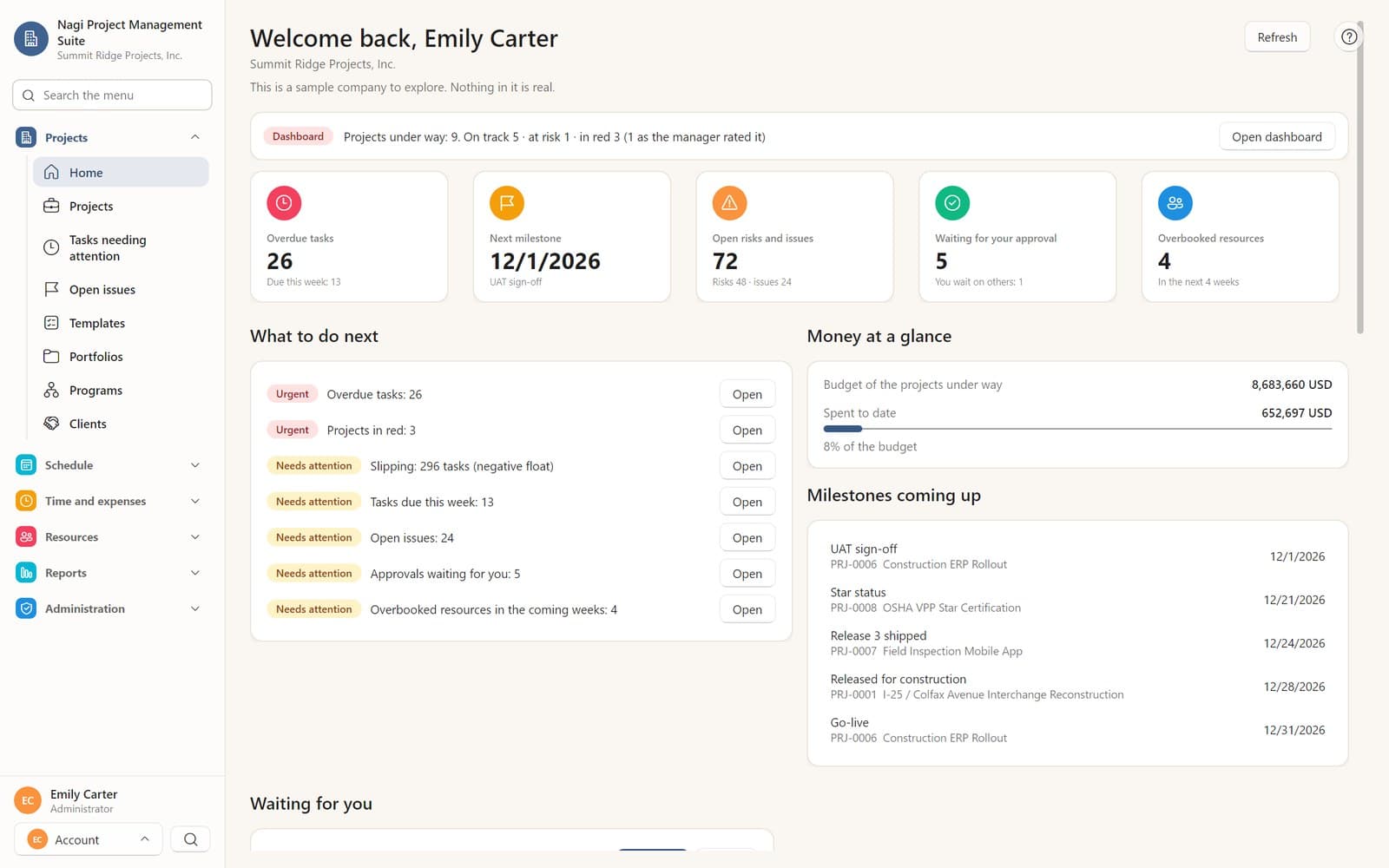
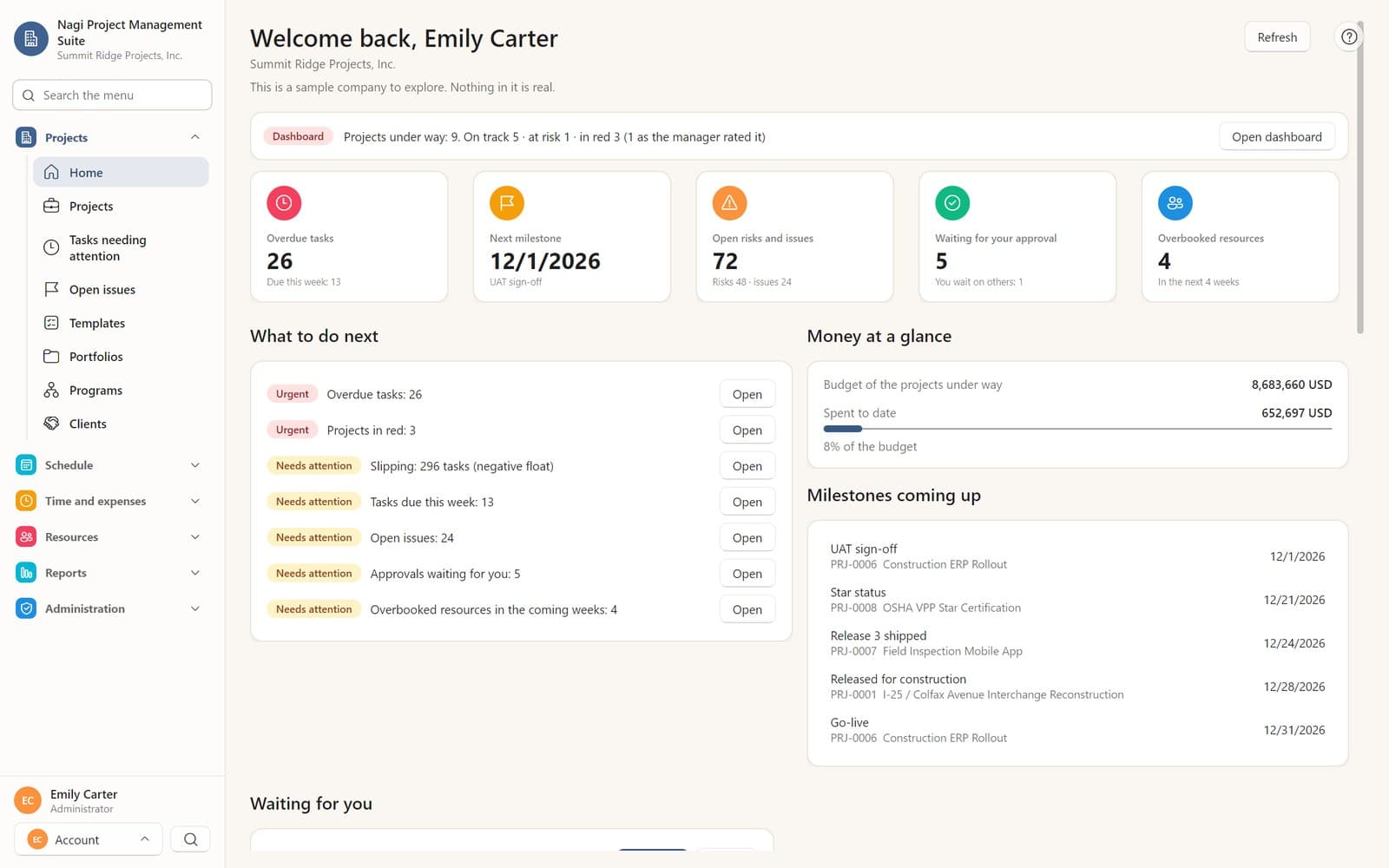
Home: your day on one page, with every item one click from its screen. 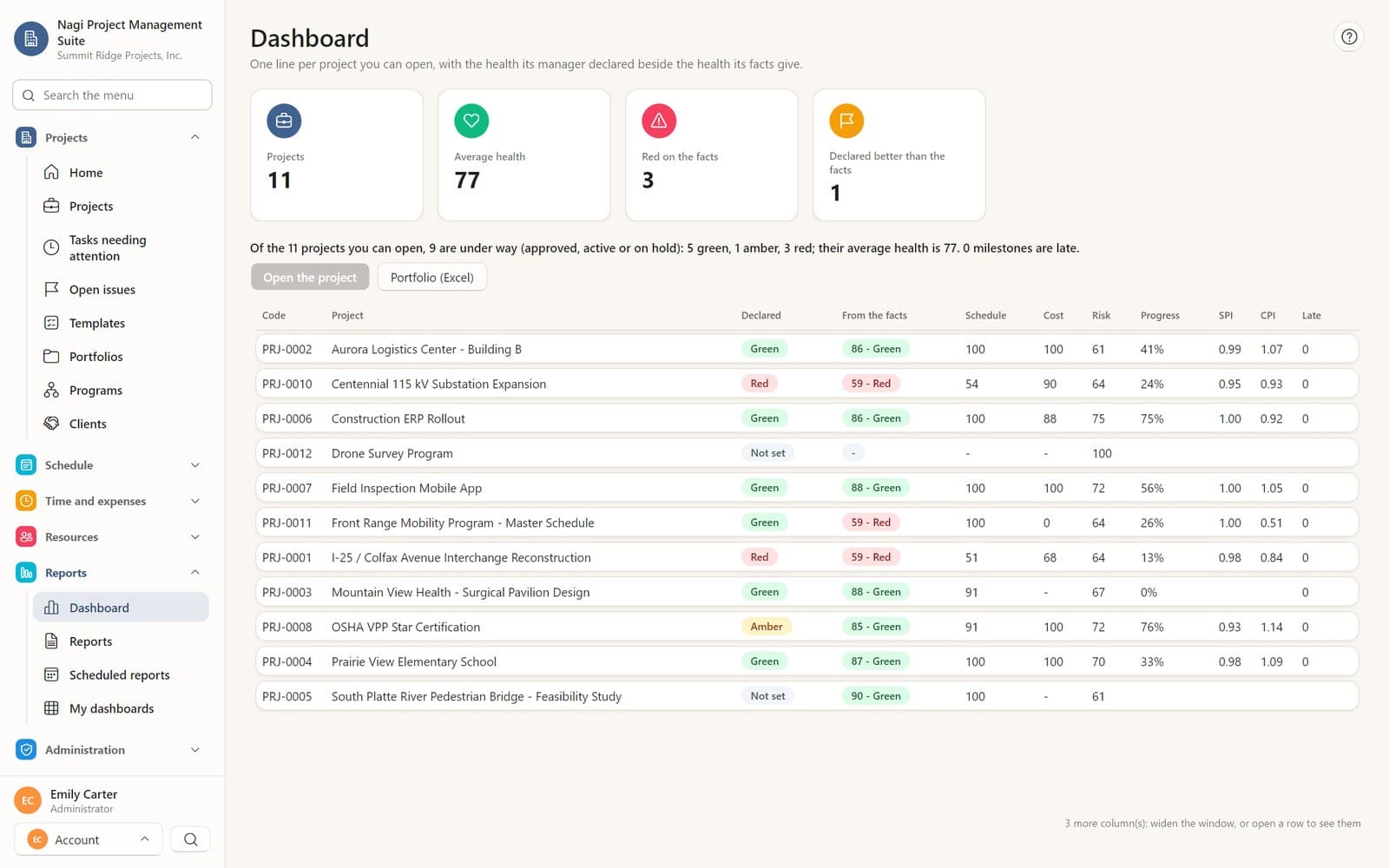
Portfolio dashboard: health worked out from the facts, beside the manager's own rating. 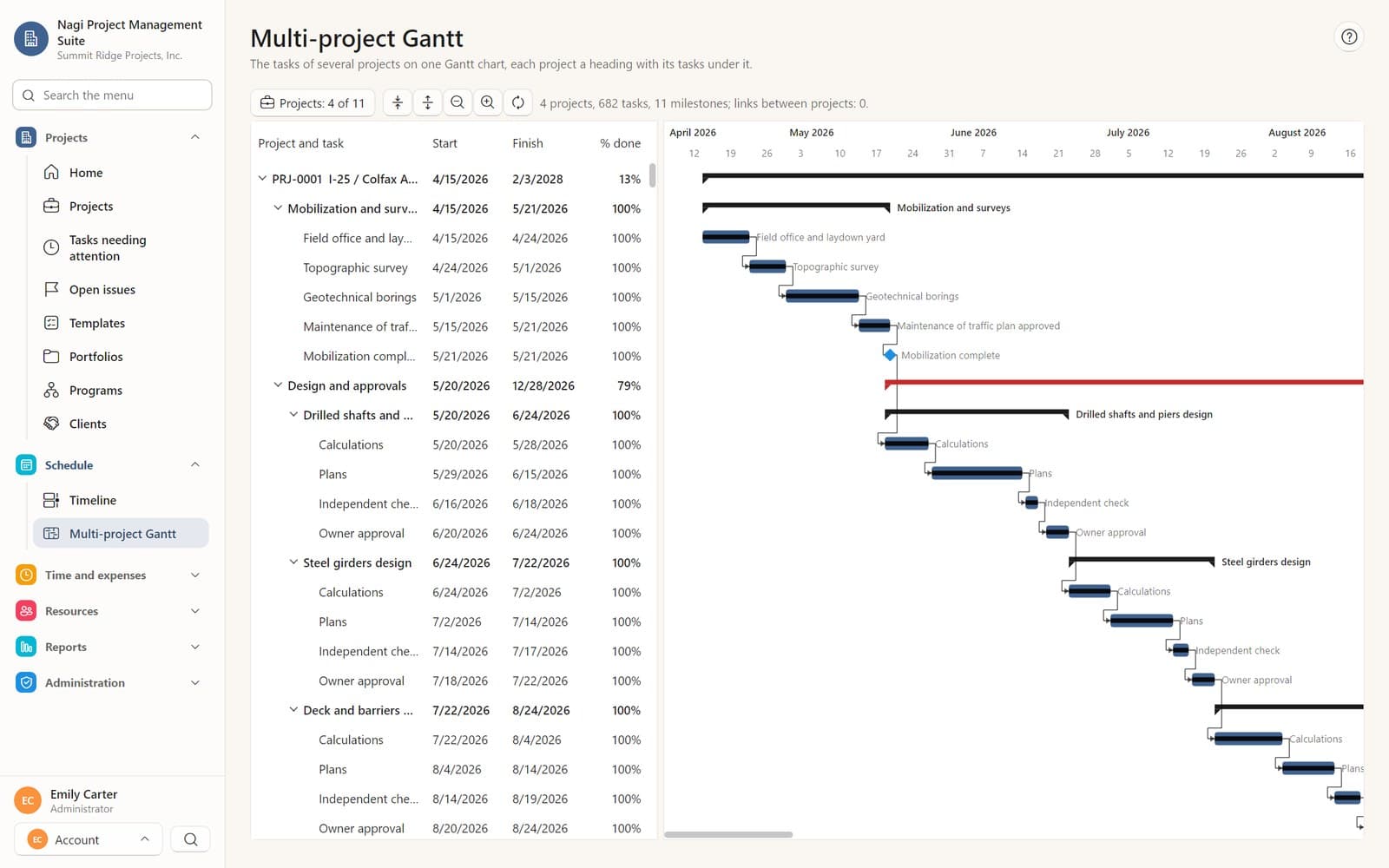
Every project on one Gantt chart. 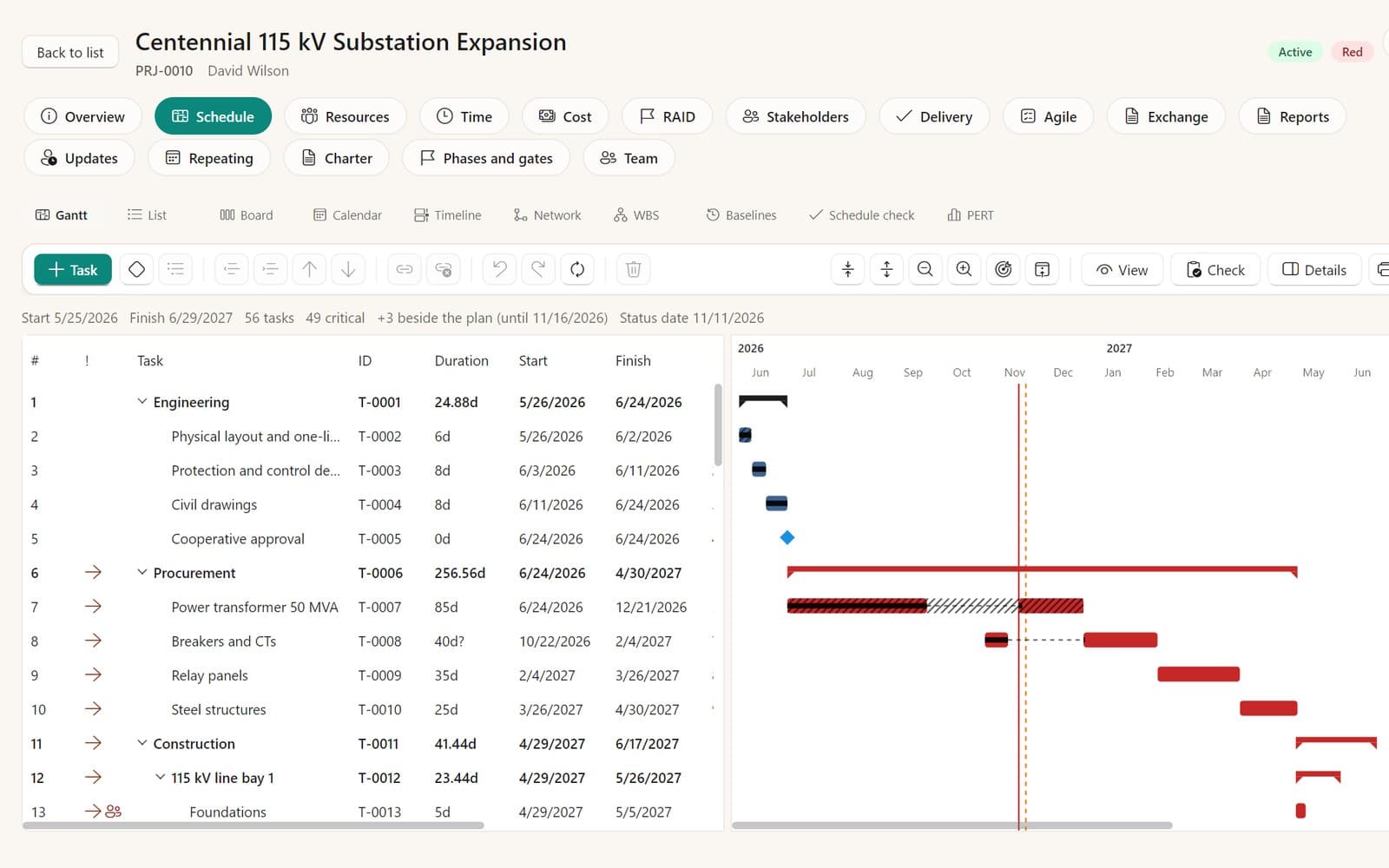
The critical path, with slipping tasks in red. 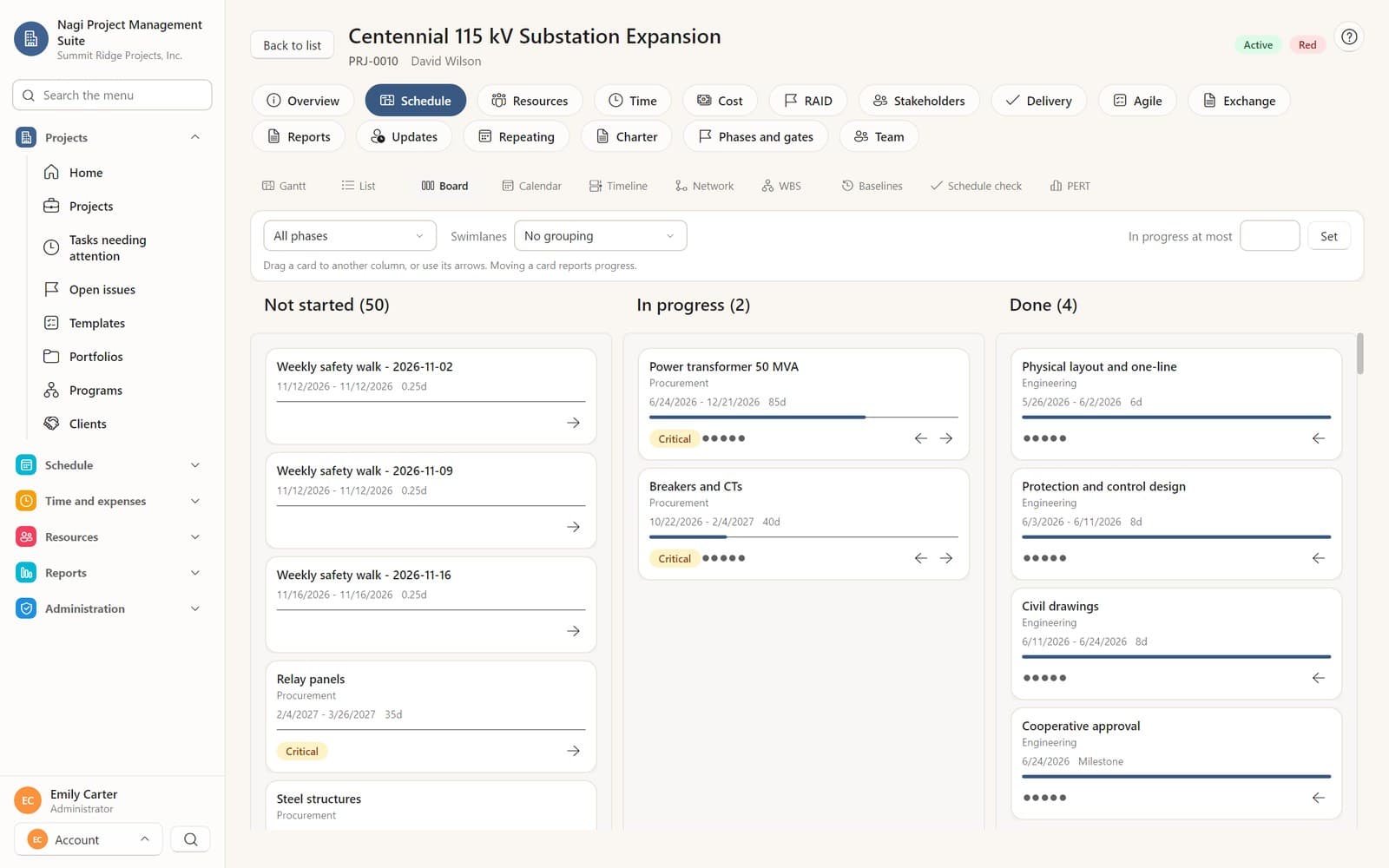
Board: move work through stages, with swimlanes and limits on work in progress. 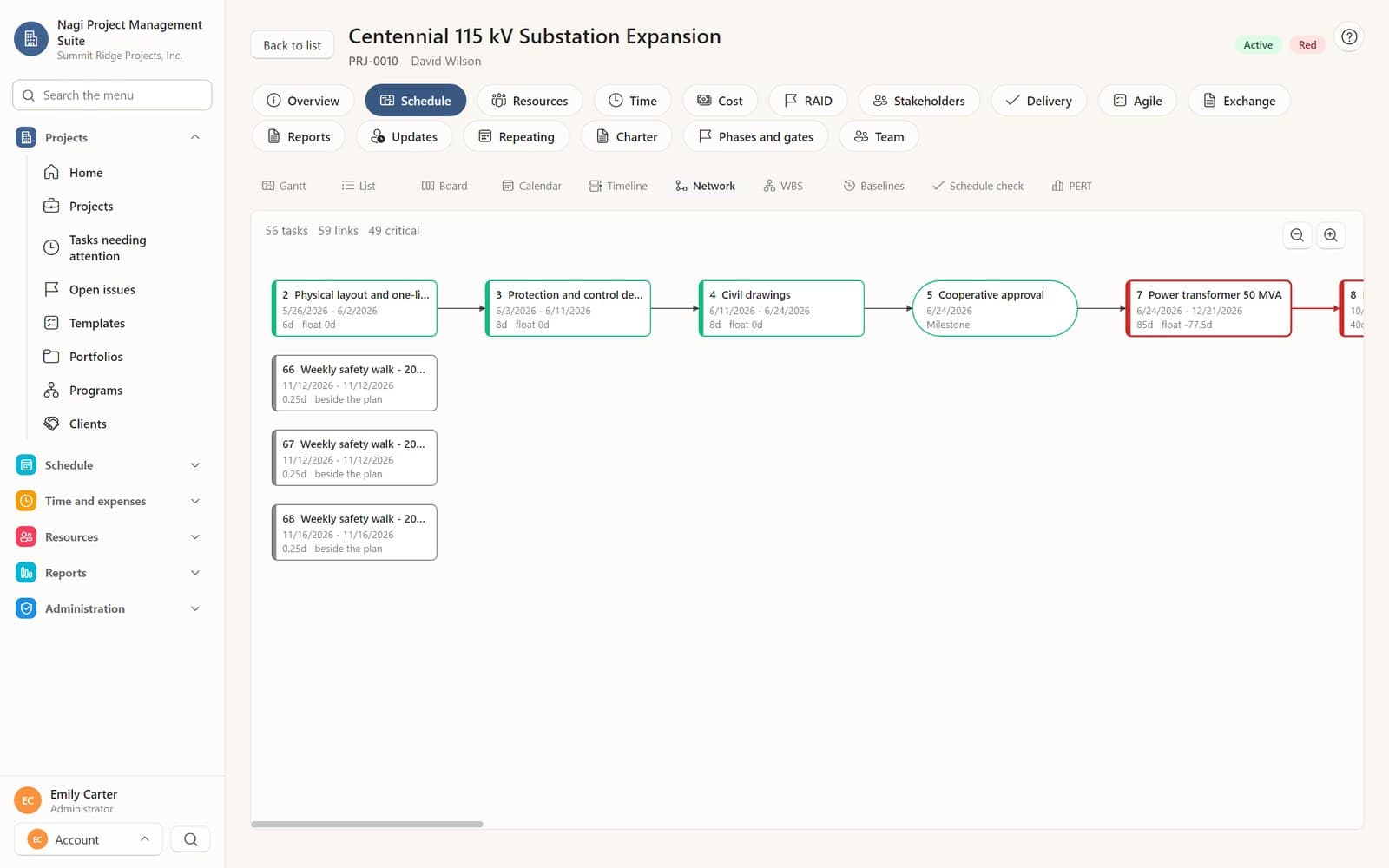
Network diagram: see how tasks depend on each other. 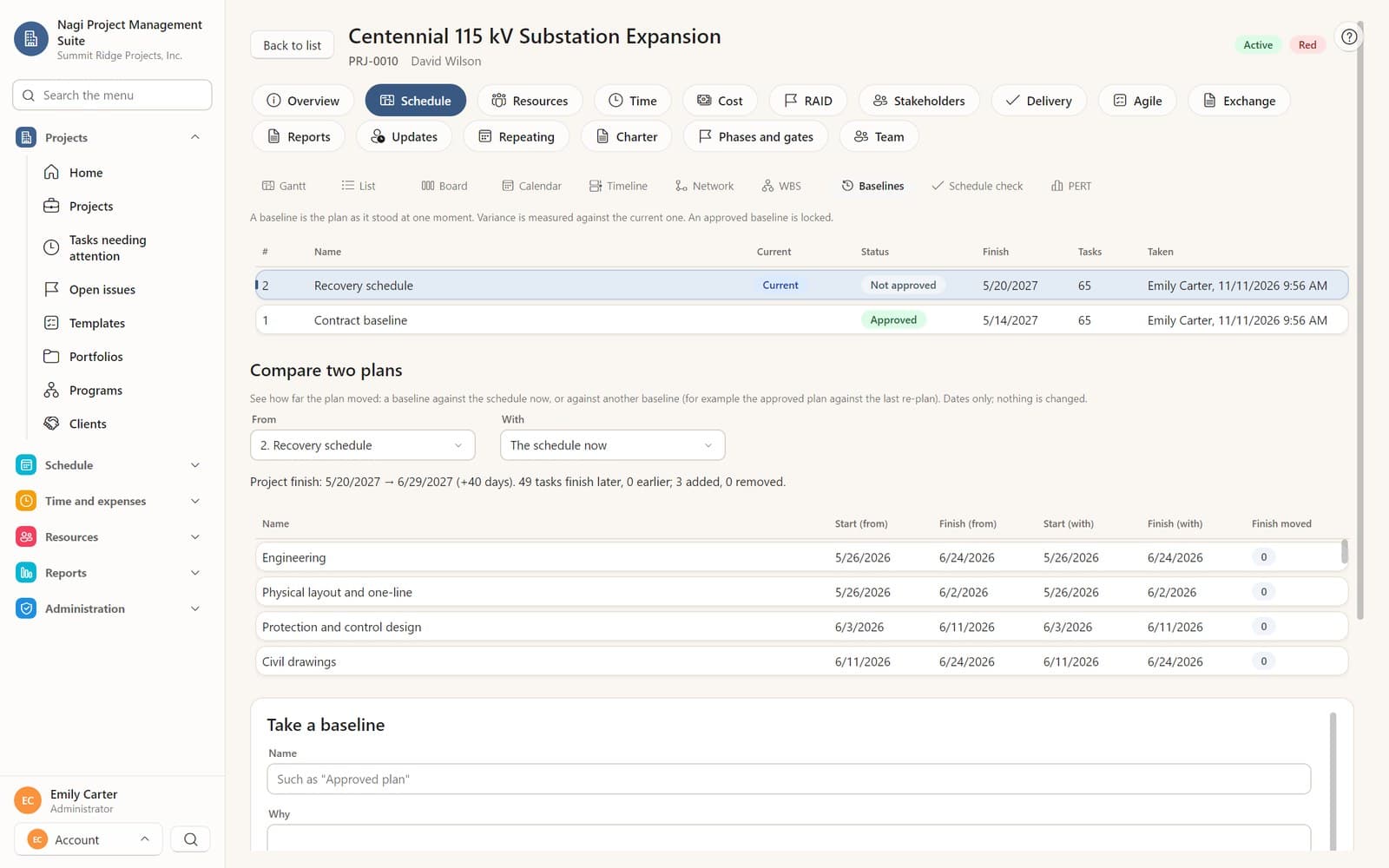
Baselines: save a plan and compare any two versions. 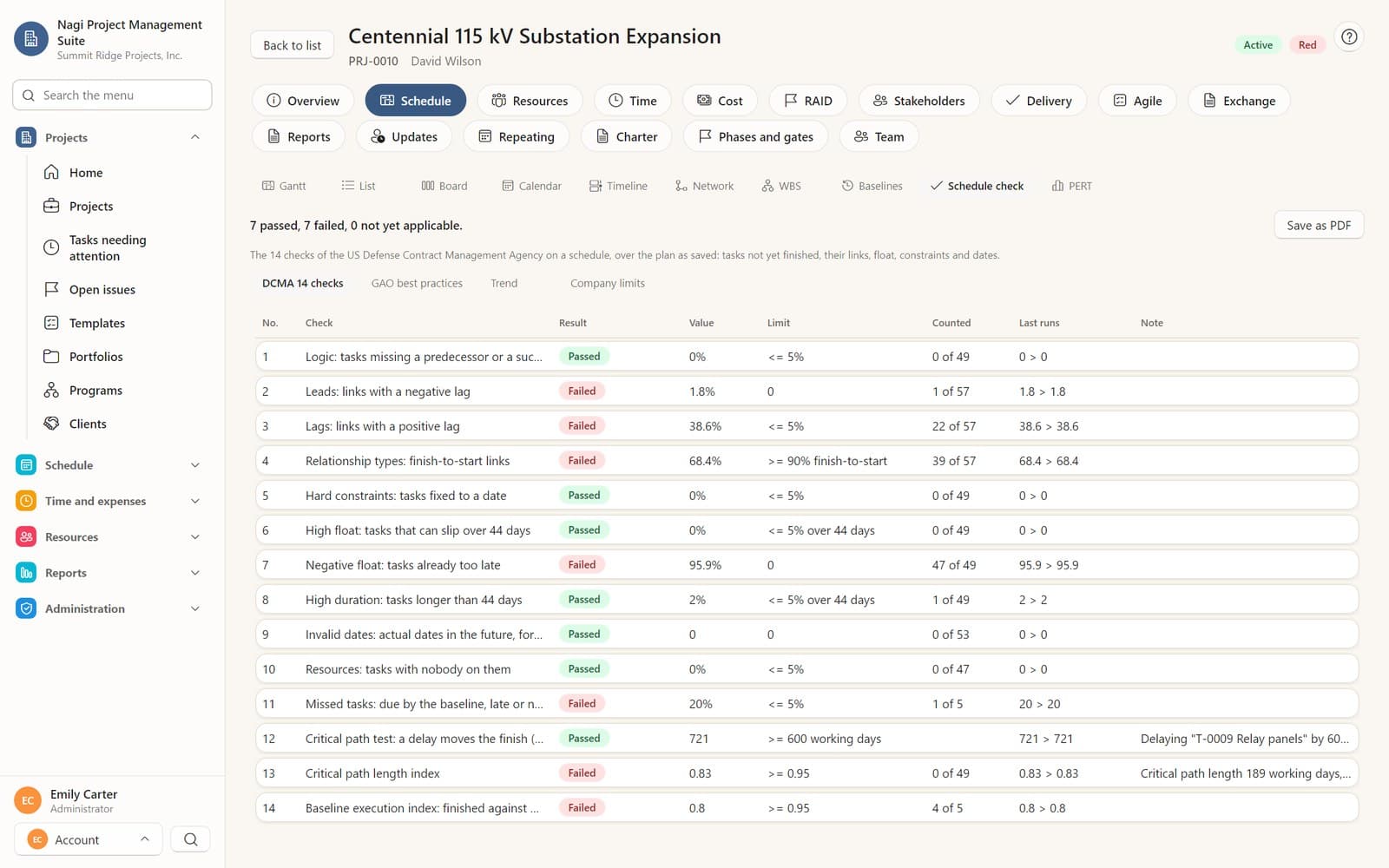
Schedule check: the DCMA 14 points, with the limit and the count for each test. 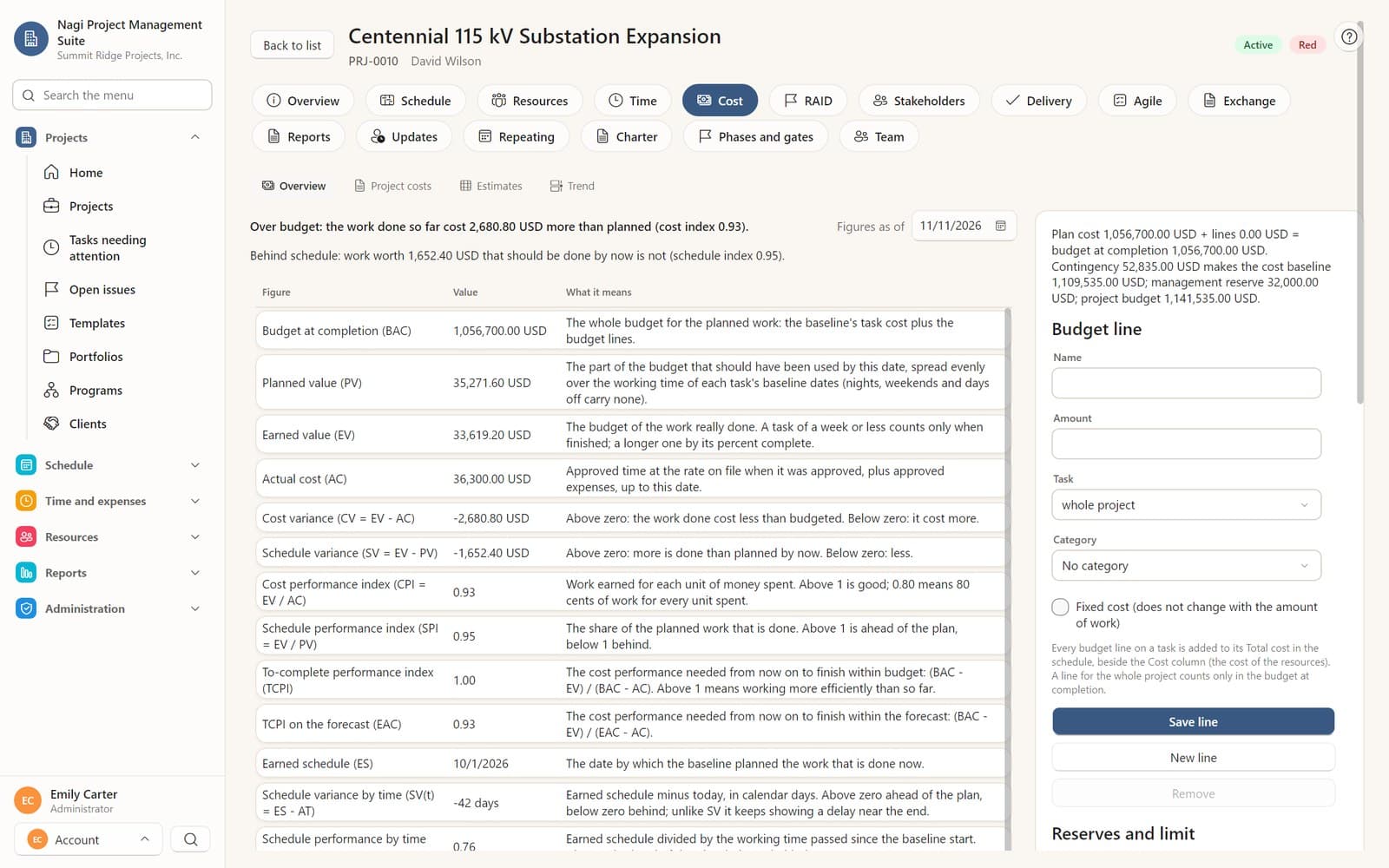
Earned value: CPI, SPI and forecast at completion, each explained in plain words. 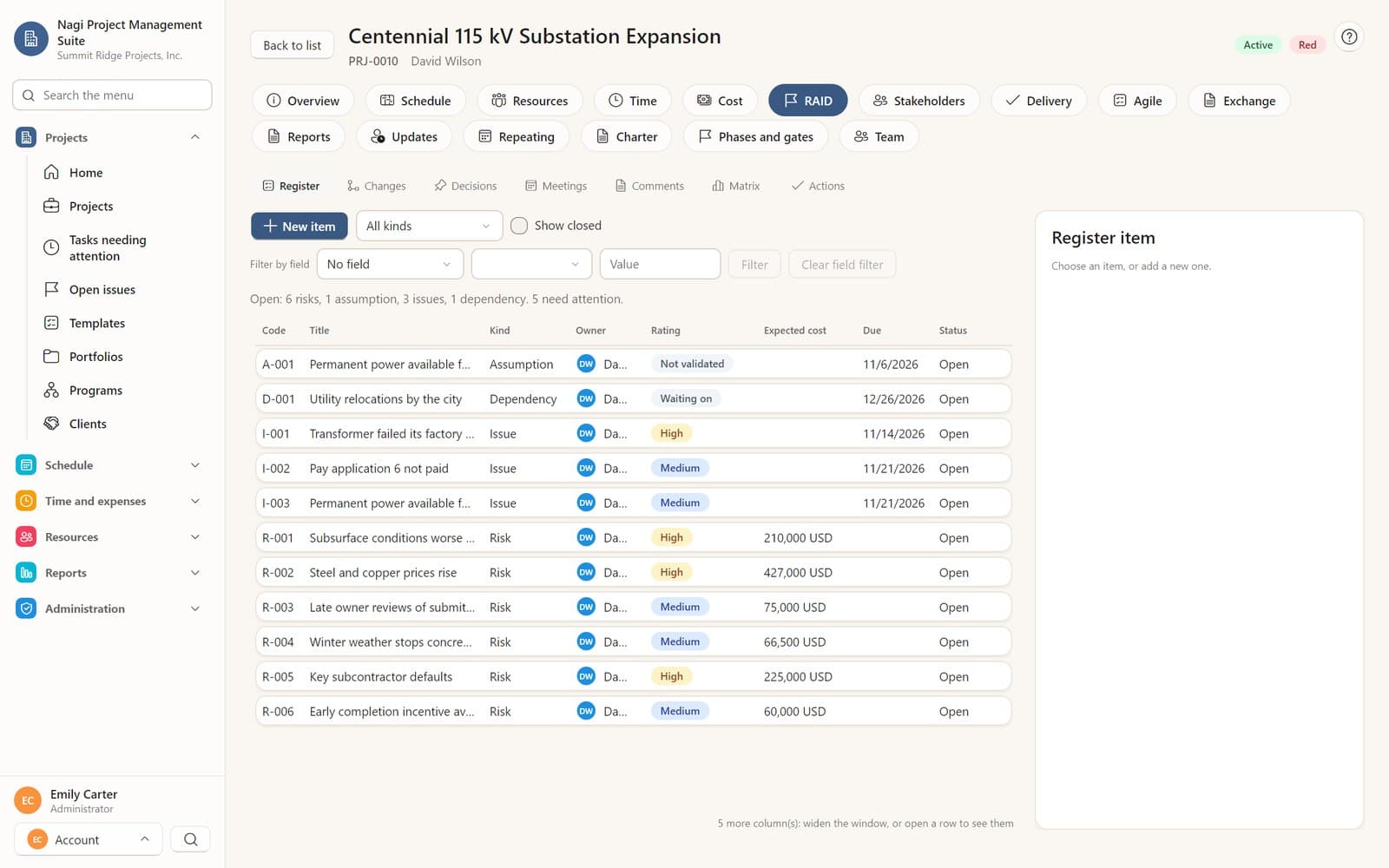
RAID register: risks, issues and dependencies with owners and scores. 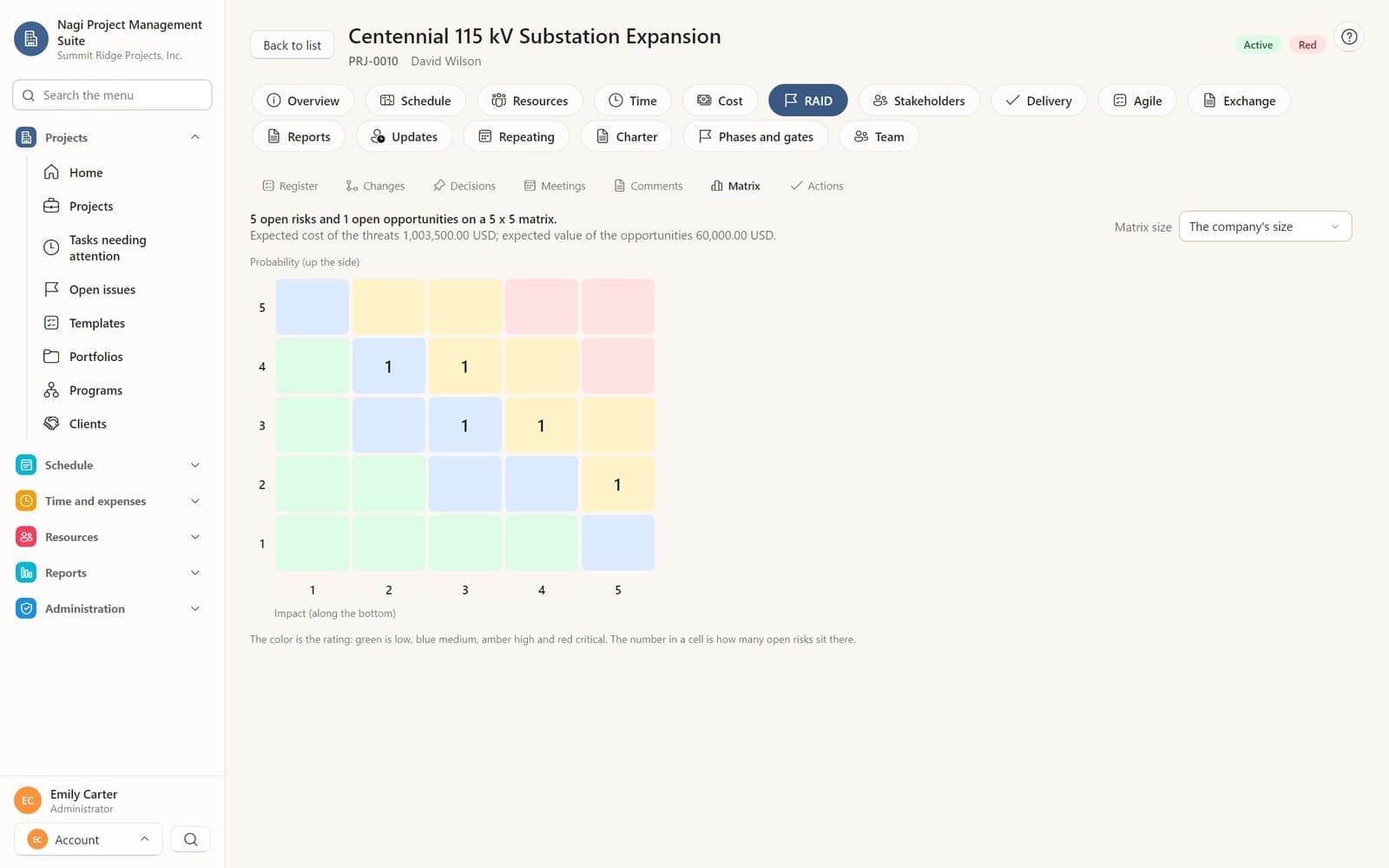
Risk heat map: see which risks are likely and costly, and tune the scale. 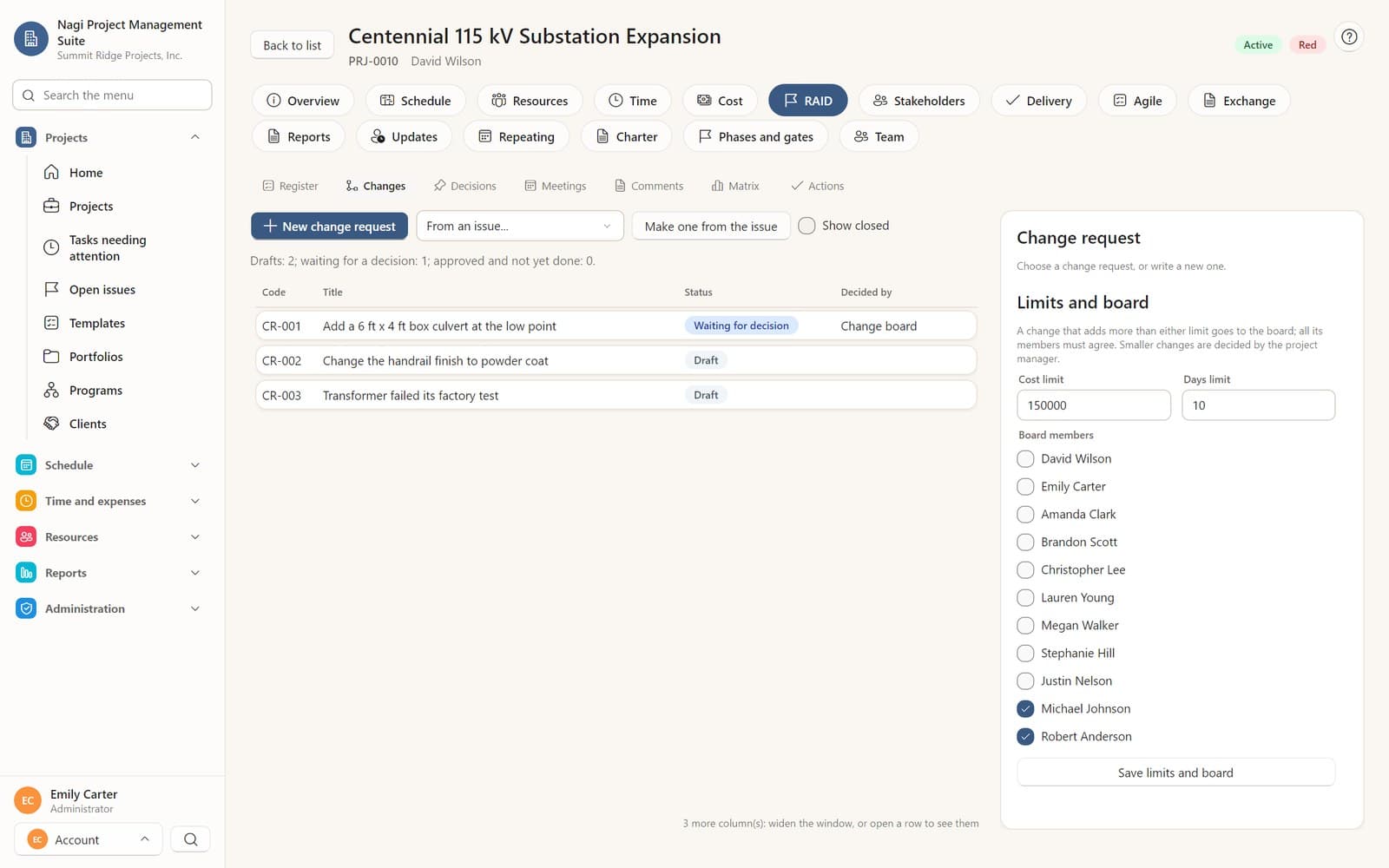
Change requests: cost and schedule impact, with a named change board. 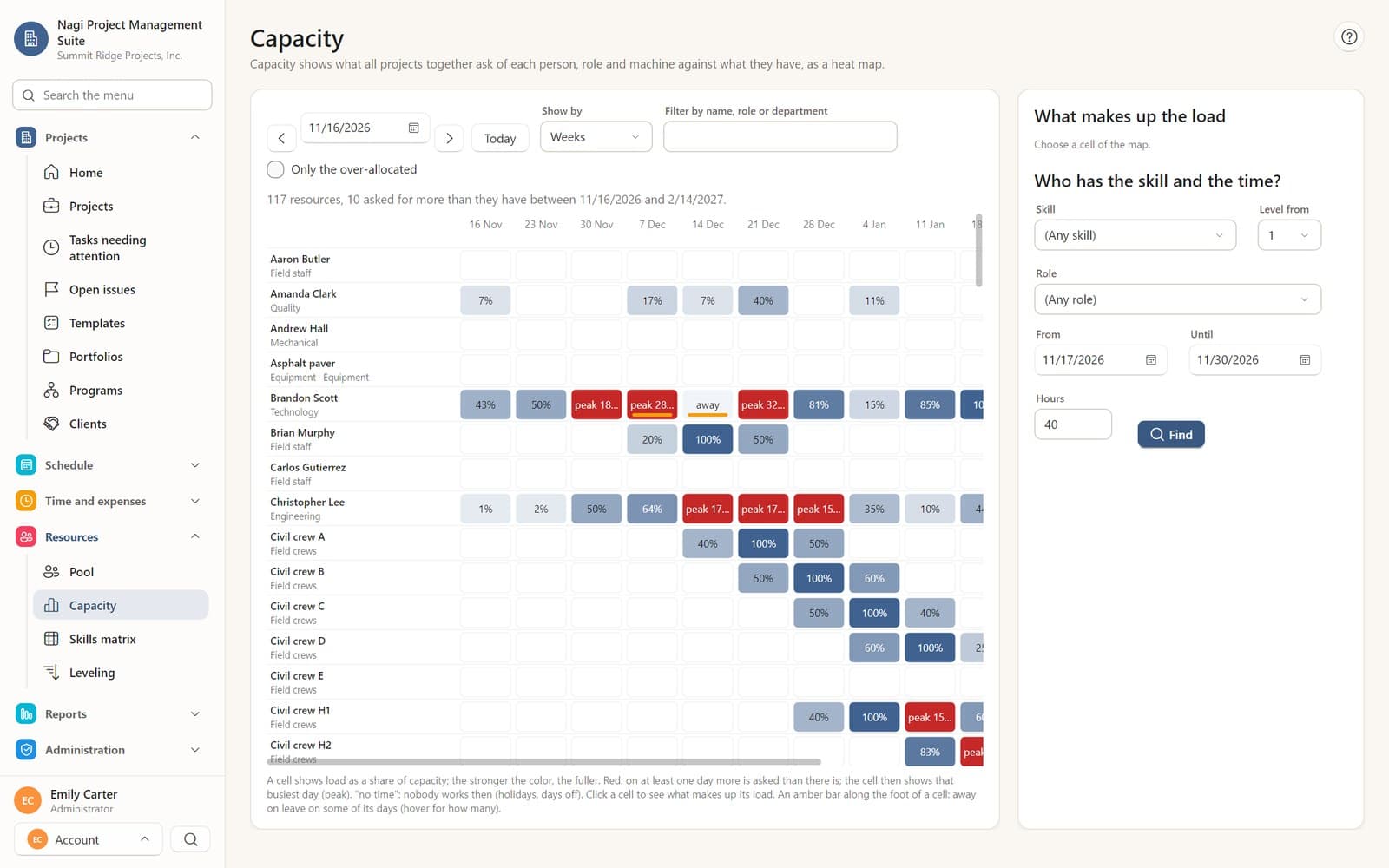
Capacity: who is overbooked, by person and week. 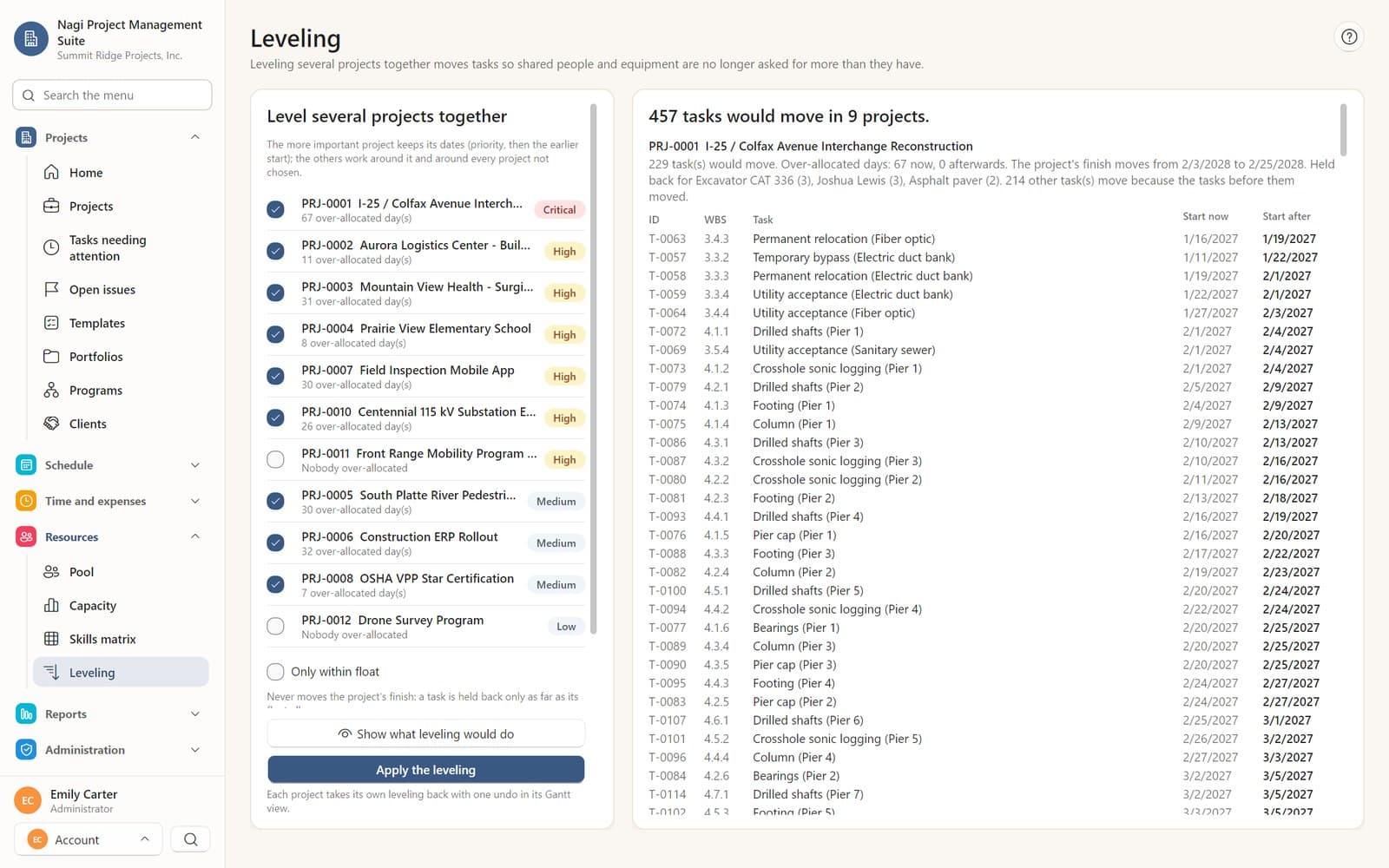
Leveling: balance work across projects and preview every move before you apply it. 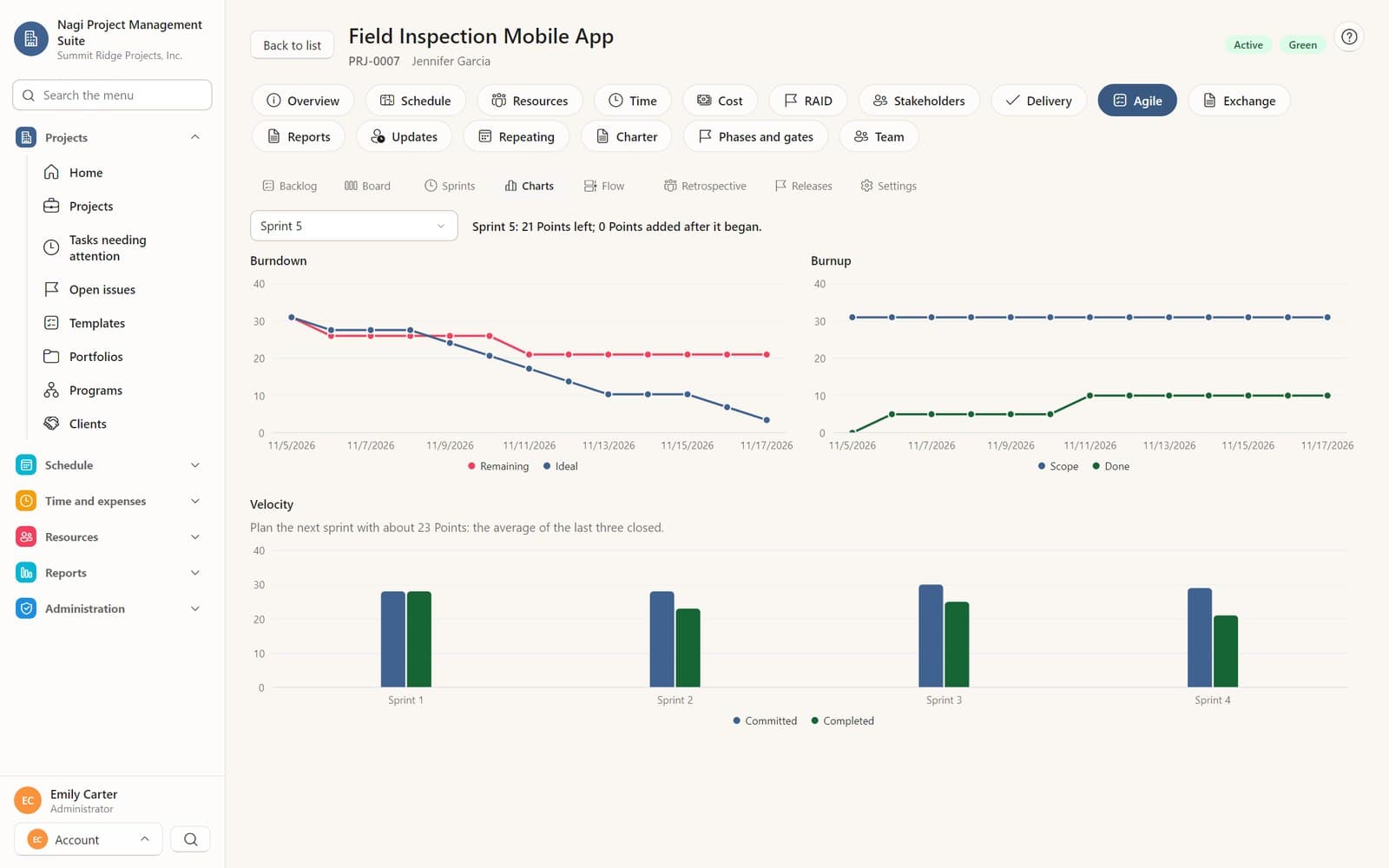
Agile: burndown, burnup and velocity for sprint-based projects. 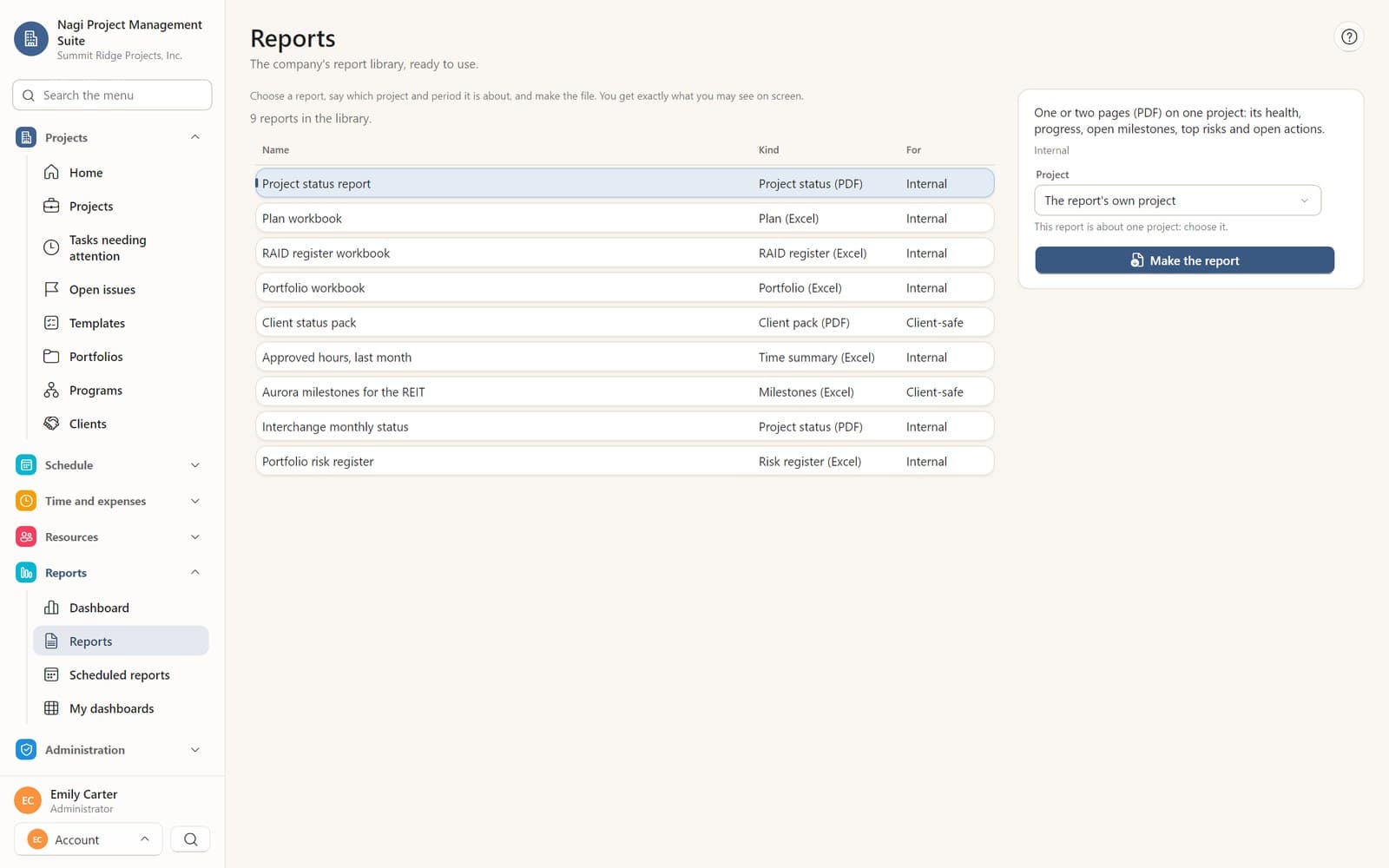
Reports: pick a report, make it, and save it as PDF or Excel.
Phone tour
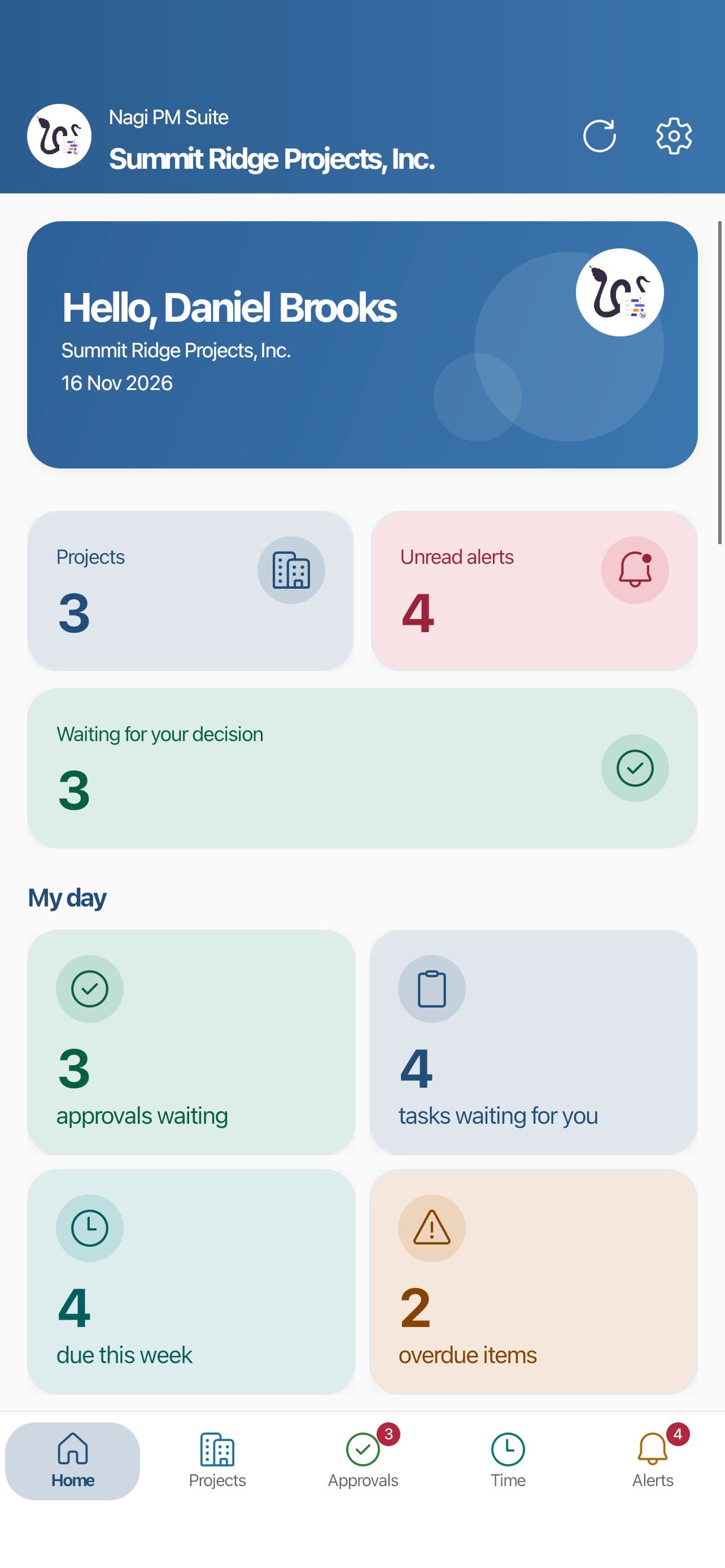
Phone Home: projects, approvals, tasks and alerts at a glance.
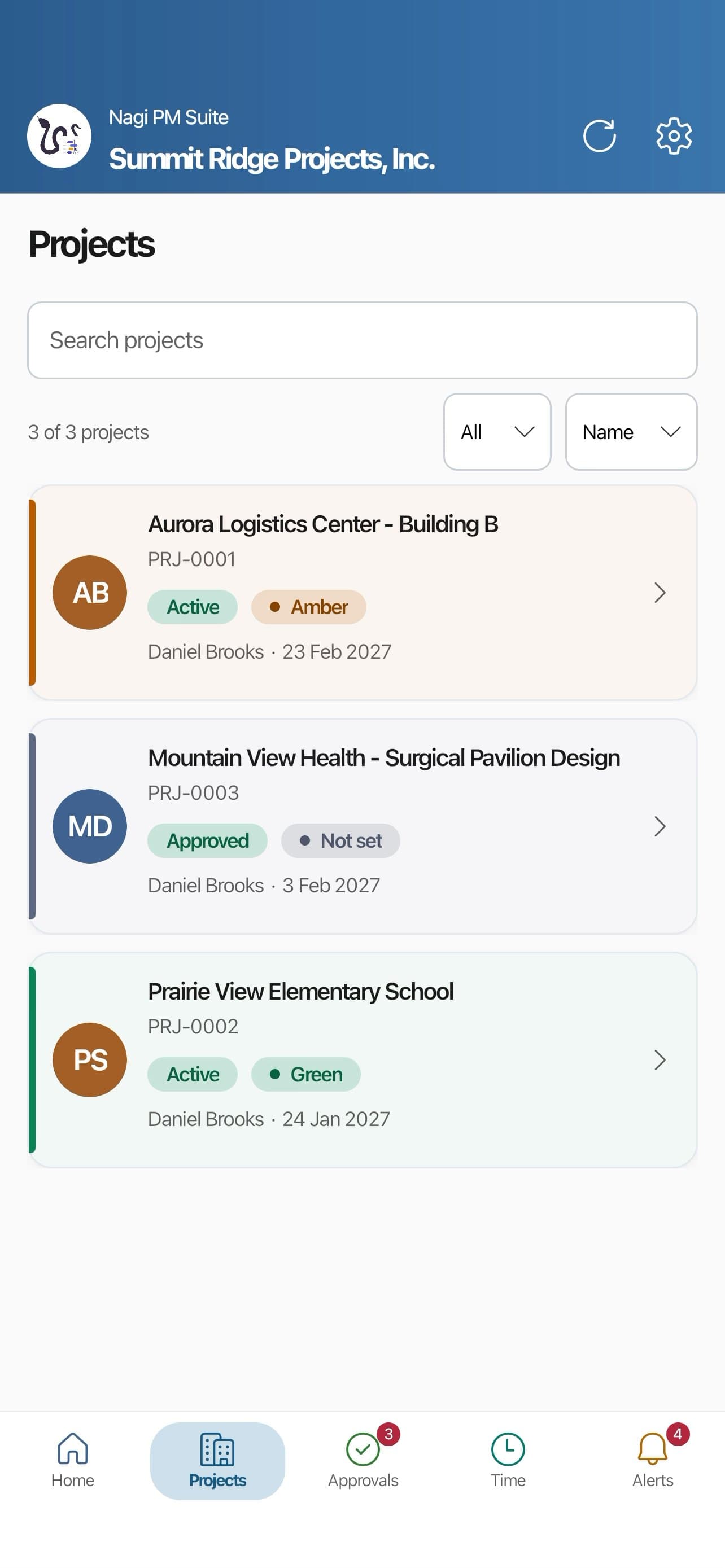
Projects: search and open any project from your phone.
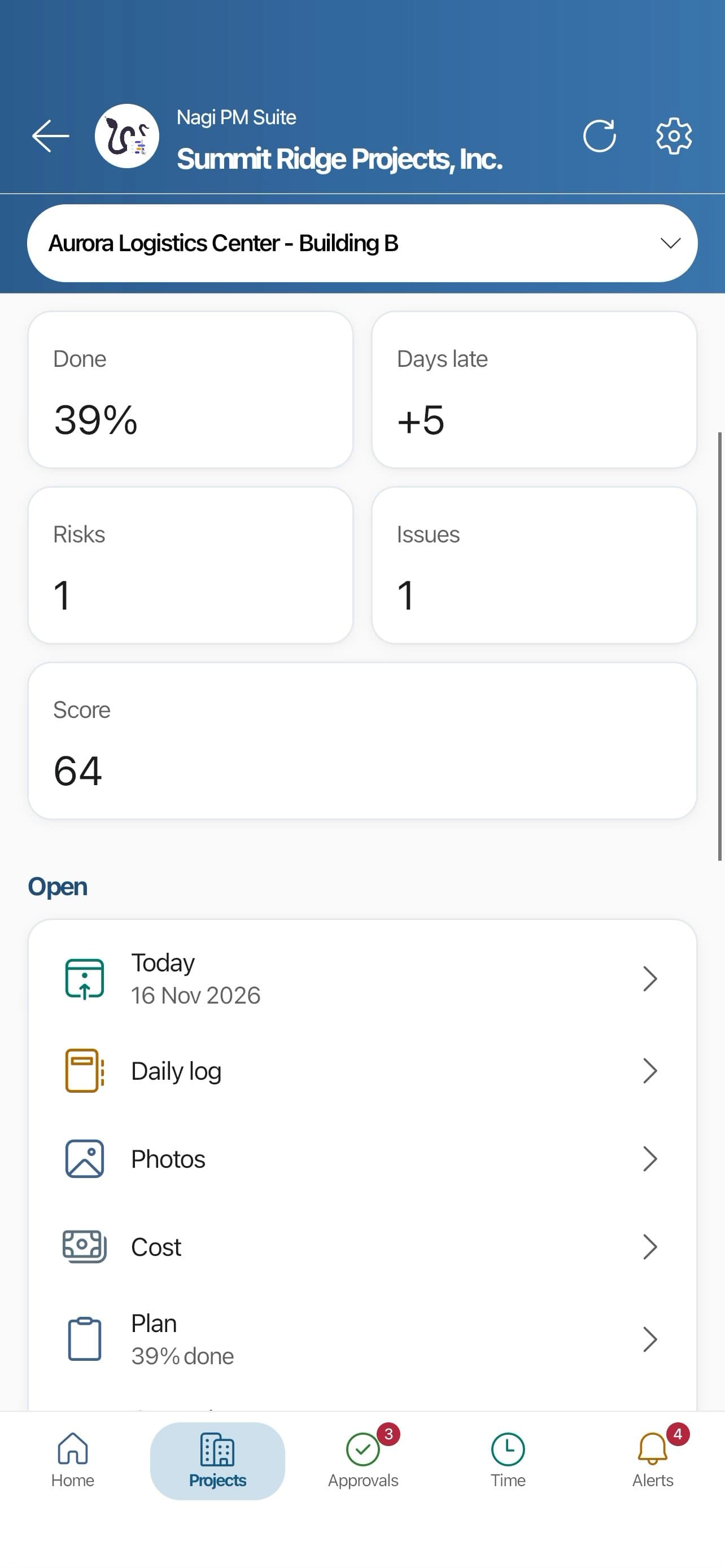
Project page: progress, risks and issues, with the project's areas below.
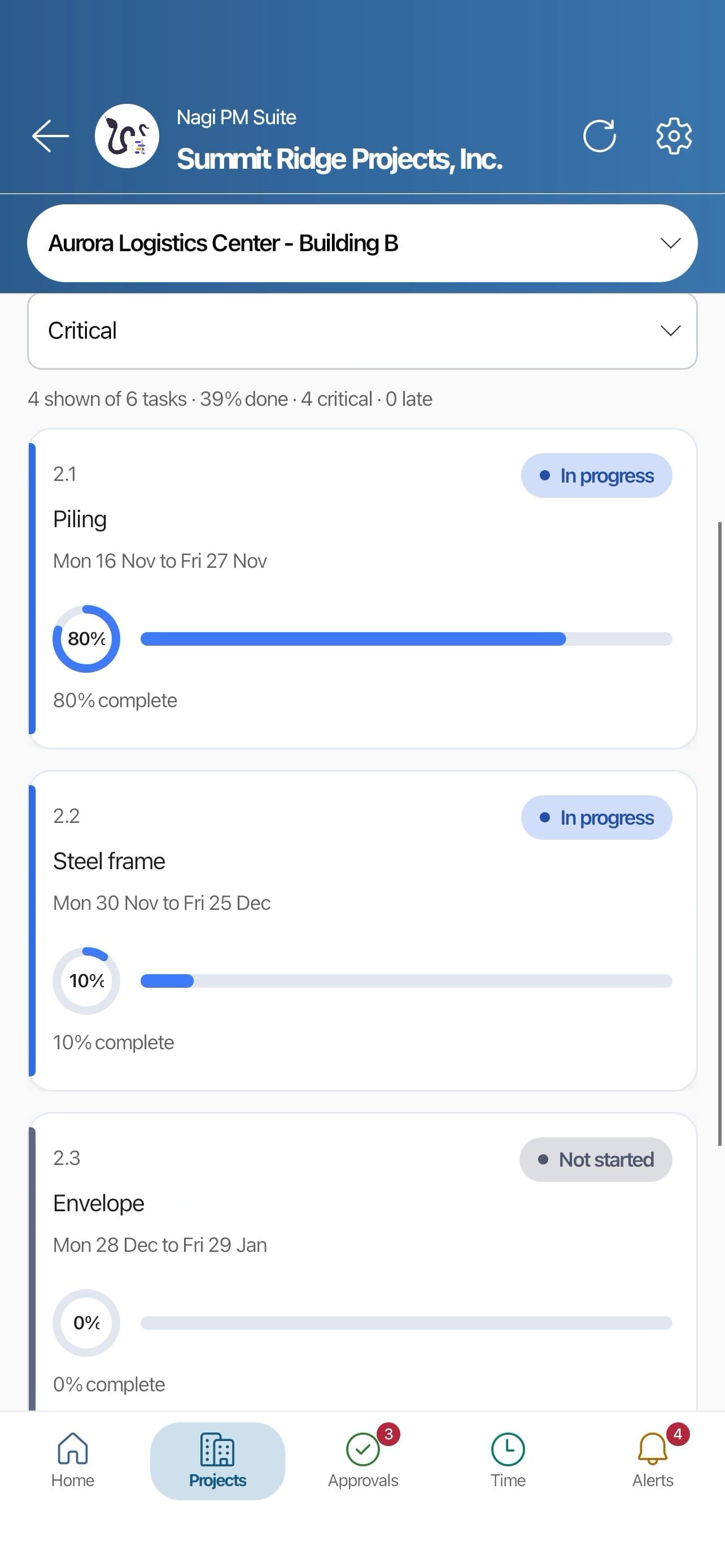
Plan: the critical tasks and how far along each one is.
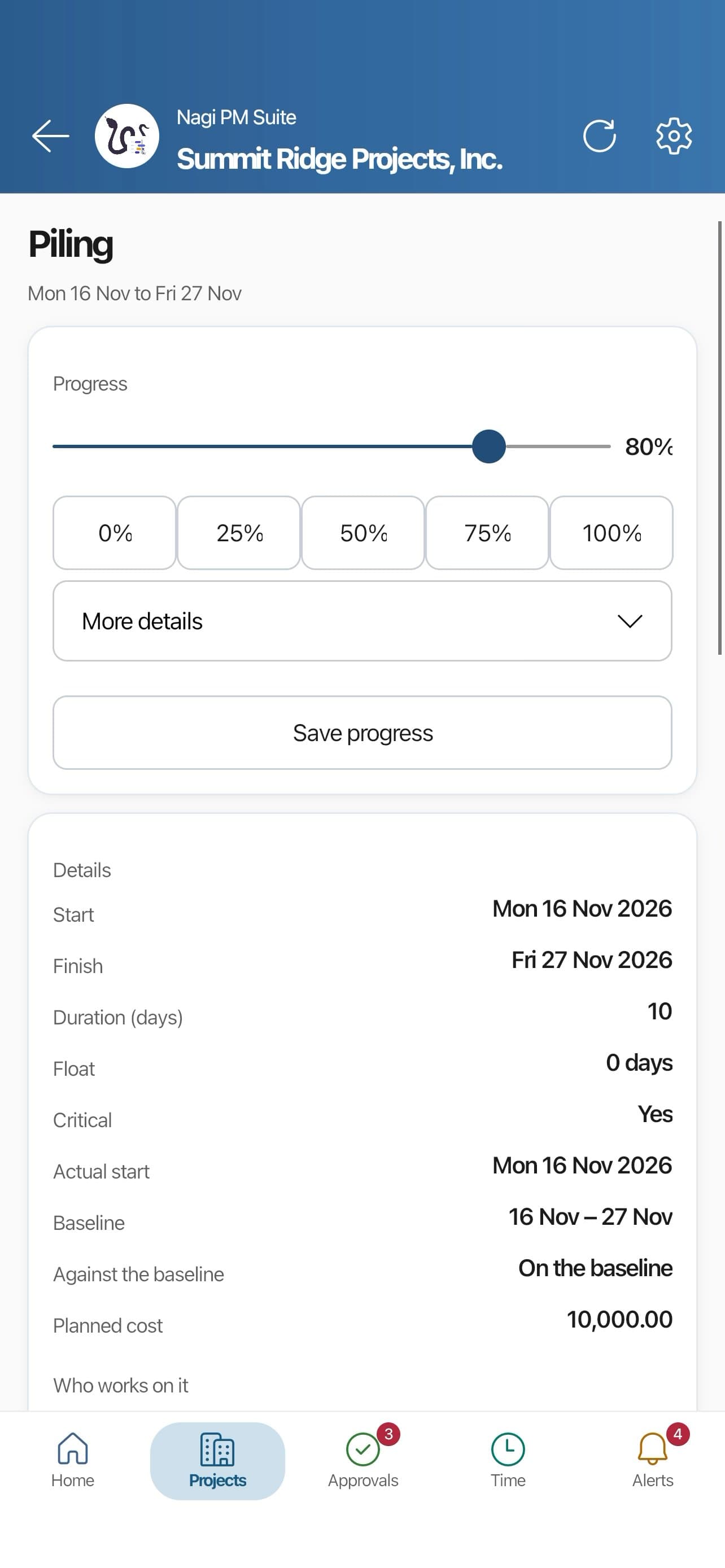
Task: update progress with a slider and see its dates and float.
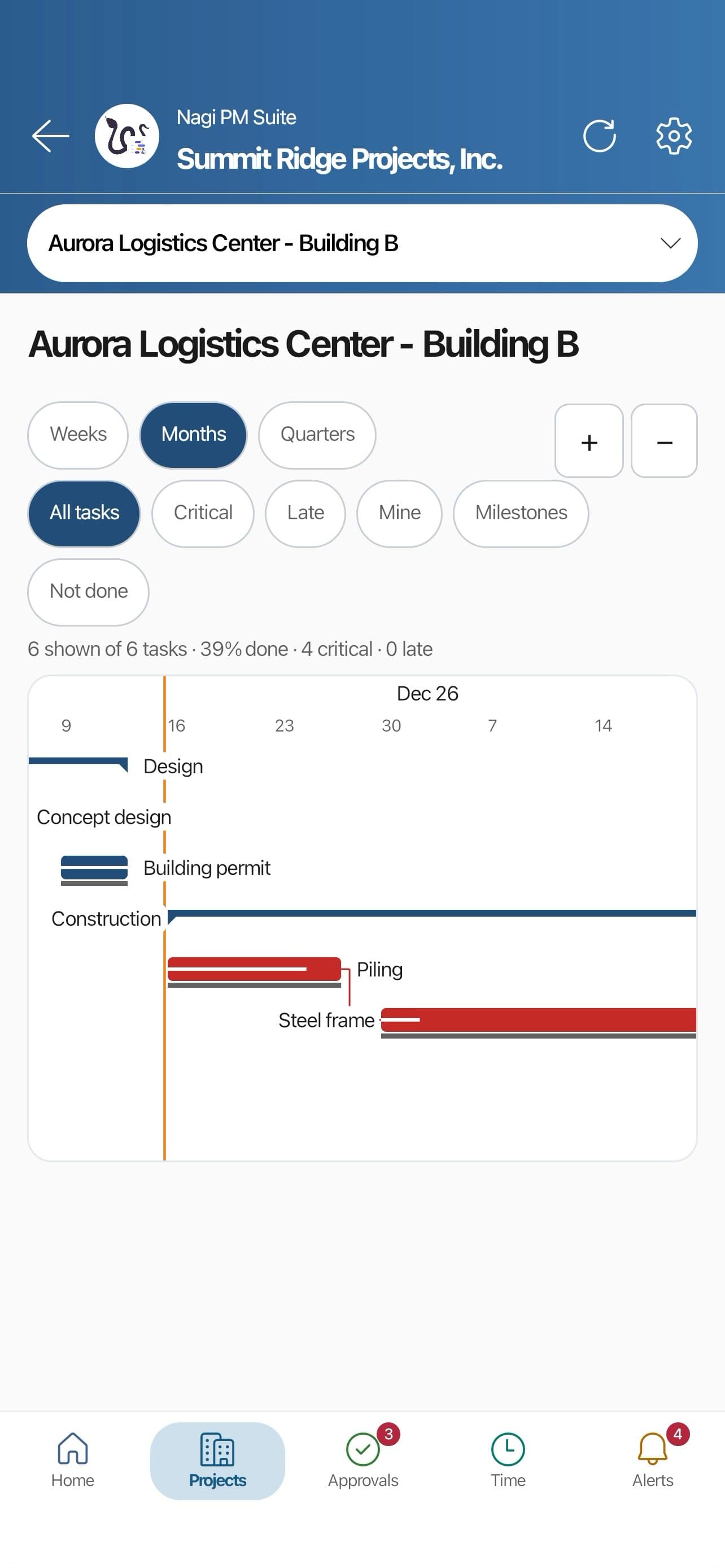
Gantt: the schedule on a small screen, critical tasks in red.
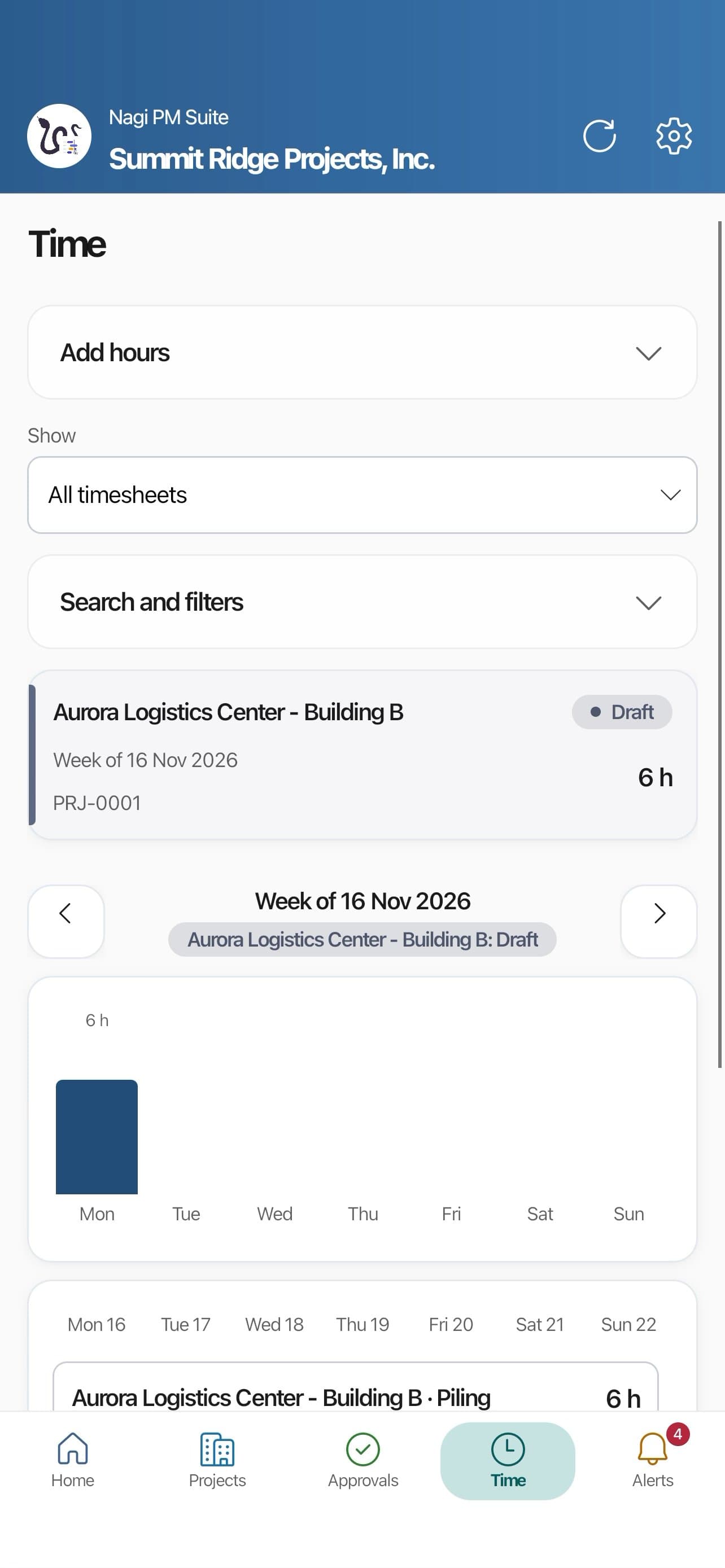
Time: enter hours by project and week.
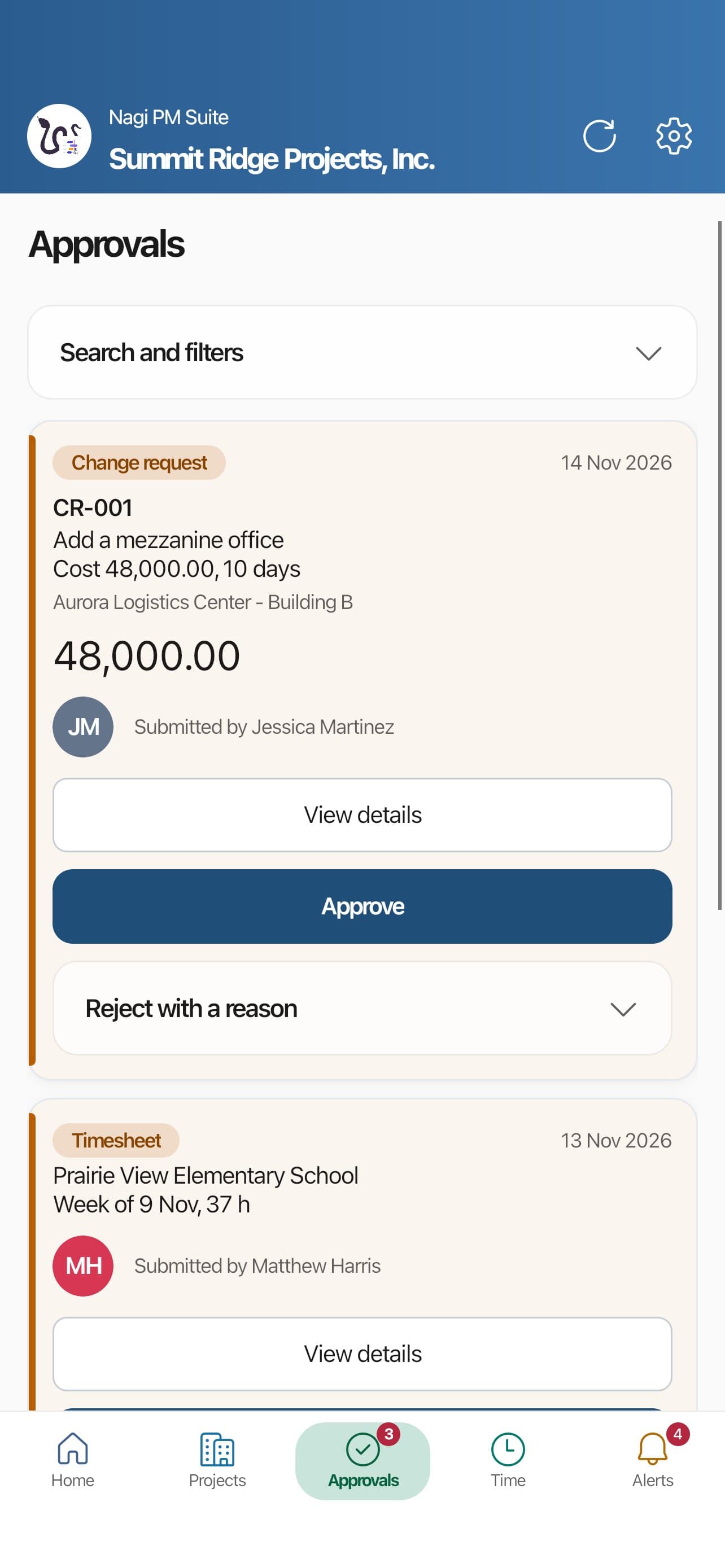
Approvals: approve or reject a change request or timesheet.
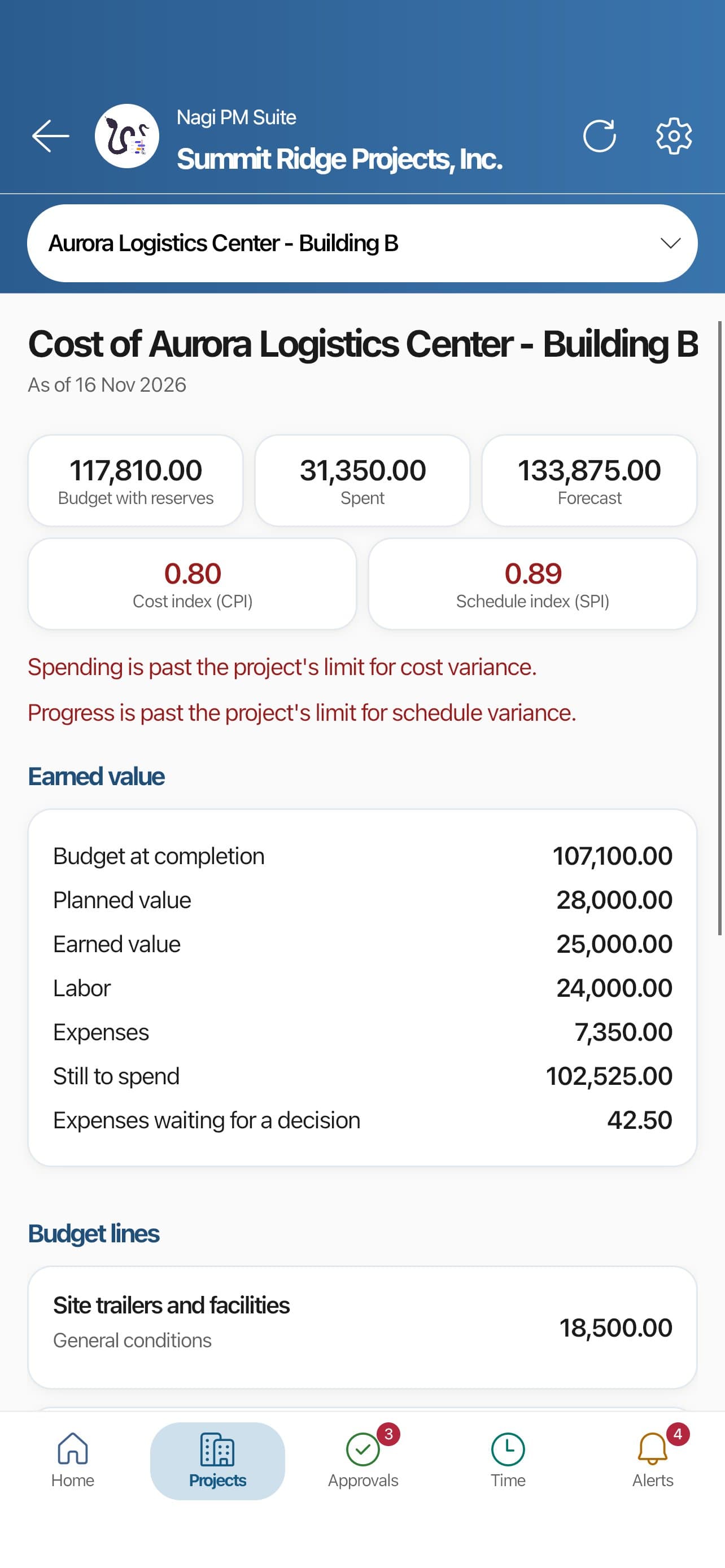
Cost: budget, spend, forecast and earned value for the project.
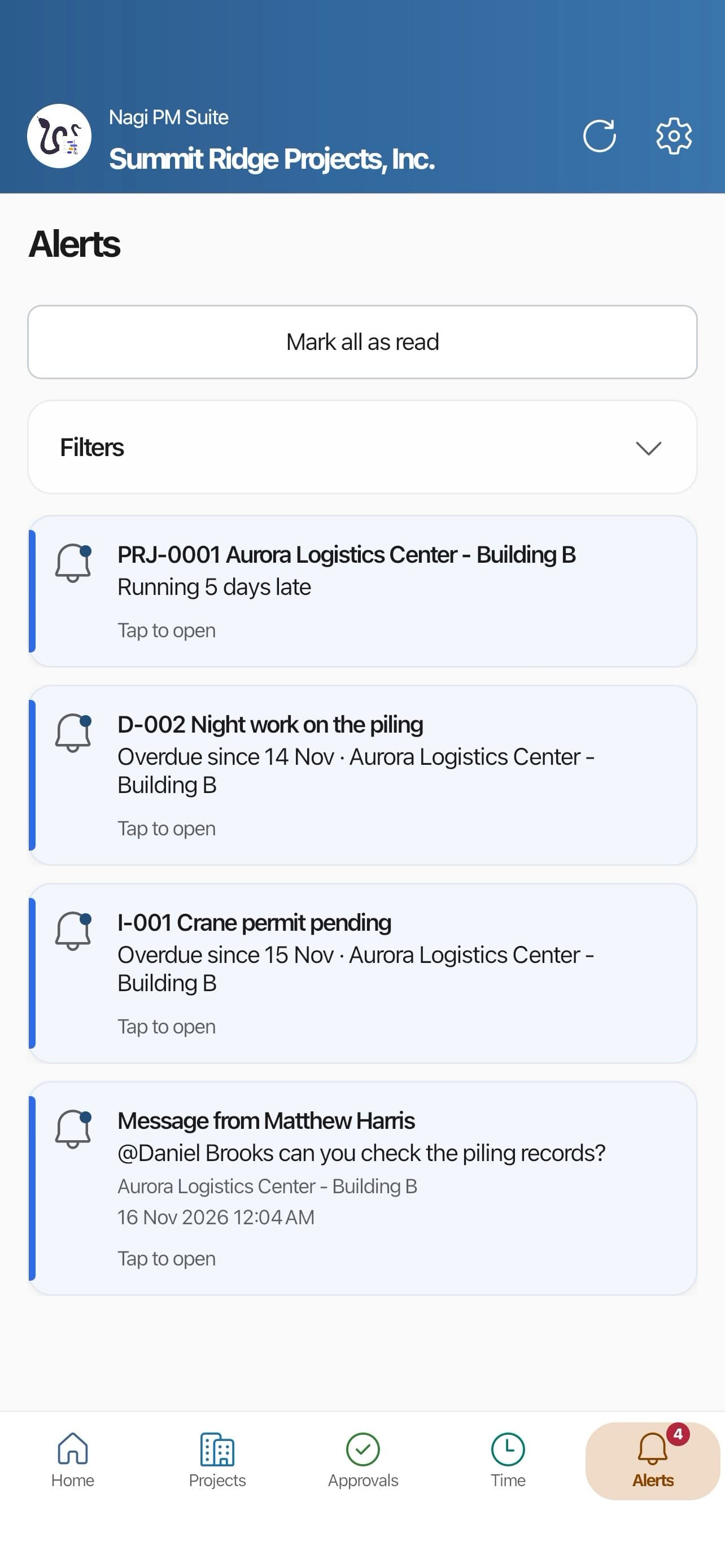
Alerts: late work and messages that need you, one tap to open.
What Nagi Project Management Suite does
Every capability listed below is in the shipping application.
SchedulingPlan the work and see what drives every date.
- WBS with unlimited levels, tasks and milestones
- All four link types, with lag and lead
- Constraints, deadlines and calendars
- Baselines and the critical path
- “Why is this date here?” shows the driving path
Agile and hybridRun sprints next to a classic plan.
- Backlog, epics and stories
- Sprints with a scrum board
- Burndown, burnup and velocity charts
- Retrospectives that turn into actions
Time and expensesHours and costs captured from the plan.
- One-click timer
- Timesheets filled from the plan
- Approval with no self-approval, and a period lock
- Expenses with approval
Risks, issues and changesEverything that can move the plan, in one place.
- One RAID register with a 3, 4 or 5 point matrix
- Decision log
- Issue log with severity and service levels
- Change requests with an impact what-if
Portfolio, stakeholders and reportsFrom one project to the whole portfolio.
- Programs and portfolios with a dashboard
- Stakeholder register with power/interest grid and RACI
- Client status packs
- Report library and dashboard designer
ViewsSee the same plan the way each person works.
- Gantt and an Excel-like grid
- Kanban board with WIP limits and swimlanes
- Calendar and timeline
- Network and WBS diagrams
- Saved views
ResourcesOne shared pool of people across every project.
- Shared resource pool with skills, rate cards, leave and calendars
- Capacity heatmap across projects
- Leveling with a preview before anything changes
Cost and earned valueBudget, actuals and forecasts from your own numbers.
- Budget lines, contingency and reserve
- Estimate versions
- Actual cost from time and expenses
- Earned value with an S-curve
- Variance thresholds
Health and schedule checksKnow how healthy a project really is.
- A health score that shows how it is made
- Declared versus computed status
- The 14 DCMA checks with GAO best practices, saved as PDF
Import, export and administrationYour data, open and under your control.
- Microsoft Project XML, Primavera XER and Excel/CSV import
- Full open export to CSV or JSON
- Nine built-in roles with per-field permissions
- Password-protected backups
- English, Spanish, French and German
Private by design
Your data, your network
Office PC
Runs your company
Employee PCs
On your network
Phones
Join by QR code: Android now, iPhone coming soon
Your project data stays on your PC. Export everything to open CSV or JSON any time.
Questions
Where is my data stored?
On your own PC, in your company's database. Other PCs in your office connect to that PC over your network. Your project data is not kept on our servers unless you choose Nagi Cloud, an optional service that keeps your company on a Nagi server instead, so your people can sign in from anywhere without your office PC staying on. You can bring the company back to your PC at any time.
Does it need an internet connection?
No. Day-to-day work runs offline on your PCs. It goes online now and then to check the license and look for updates. If it stays offline too long, the company turns read-only until it reconnects; your data is never locked.
How do other people in my office connect?
On the main PC, open Administration > Hosting and share the Employee Access Key. Each employee PC uses that key to connect. One company license includes 10 employee seats (an employee seat is one PC that connects to the main PC).
Can I open my Microsoft Project or Primavera P6 files?
Yes, through Microsoft Project XML (MSPDI) and Primavera XER files, both for import and export. The app does not open .mpp files; save your plan as XML in Microsoft Project first. A step-by-step guide for moving from Microsoft Project is built in.
Can I import from Excel?
Yes. The Excel/CSV wizard maps your columns, saves the mapping for next time, runs a dry run first, and can update existing tasks by ID.
How much does it cost?
The price is per company, with monthly, yearly and lifetime plans. The plans and prices are on this page.
Is there a free trial?
Yes. A 7-day trial runs in the web portal, with no card and nothing to install. It opens with a sample company so you can look around right away.
What happens when the trial or a license ends?
The company turns read-only. You are never locked out: you can still view your projects, run reports and export your data. Enter a paid license key and read-only mode ends, with the same company and data.
Is there a phone app?
Yes. Nagi PM Suite for Android is on Google Play, and the iPhone app is coming soon to the App Store. It works with your company's existing setup: you join once with a QR code from the office PC, then see your tasks, plans, time, approvals and risks on the phone. A license includes one phone connection for each company seat and each employee seat; the free trial includes none.
Which languages does the app support?
English, Spanish, French and German. You can change the language at any time, and the open page redraws in the new language.
System requirements
- Operating system
- Windows 10 64-bit (version 1809 or later) or Windows 11, x64
- Memory
- 4 GBRecommended: 8 GB
- Disk space
- 1 GB for the app, plus room for your data and backups
- Screen
- 1366 x 768 or larger (the window needs at least 960 x 600)
- Office network
- For other PCs to connect: the PCs on the same network, and the hosting port allowed through the main PC's firewall (the app checks the firewall rule and can repair it for you)
- Web portal
- A current version of Google Chrome or Microsoft Edge, on a computer or tablet
- Phone apps
- Android 12 or later; iPhone with iOS 16 or later (iPhone only, no iPad layout)
Releases
Every platform this product is built for. A platform’s download appears here the day it is published.
- Available now
Windows
Version 2.0.30 · November 19, 2026 · 122 MB
- Available now
Try it free for 7 days. No card, nothing to install.
Start free trial