
Construction management software for small contractors
Estimates, contracts, schedule, site reports, job costs, progress billing and the books in one program on your own PC, priced per company, not per user.
In short
Nagi Construction Management Suite is desktop business software that runs on your own computers. You buy one license per company, not one per employee. Plans start at $99.00. Each company license includes 10 employee seats; a seat is a PC, not a person. Your data stays on your Administrator PC unless you choose Nagi Cloud.
Live demo, no sign-up · Data stays on your PC · Works offline (online once every 14 days) · 5 languages
From estimate to progress billing
The estimate becomes the contract, the budget and the bill. Schedule, site and books read the same figures.
Job costing before it is late
Committed, actual and forecast cost for every cost code, with alerts for what is late or over budget.
Your data on your own PC
Everything sits in your own company database. It keeps working offline, and a backup is one file you keep.
Nagi Construction Management Suite pricing
Monthly
Renew month by month
$99.00/month
7-day refund window.
Each company license covers one company on its own Administrator PC and includes 10 employee seats. More seats and companies can be added later from your account.
$99.00/mo
Yearly
Renew once a year
50% off
Was $399.00$199.50
14-day refund window.
Each company license covers one company on its own Administrator PC and includes 10 employee seats. More seats and companies can be added later from your account.
$199.50/yr
LifetimeBest value
One payment, no expiration
Sale: 64% off
Was $699.00$249.00
You save $450.00Sale ends December 15, 2026, 23:59 UTC
14-day refund window.
Each company license covers one company on its own Administrator PC and includes 10 employee seats. More seats and companies can be added later from your account.
$249.00
Try Nagi Construction Management Suite free for 7 days, in the web portal at cms.nagisoftware.com. Nothing to install and no card.
Start my free trialOne price per company, not per user. 10 employee seats included.
Yearly and lifetime plans are discounted. The struck-through price is the price before the discount.
See it in action
The real program, on desktop, web and phone.
Real pictures and videos of the running program with a sample construction company: on Windows, in the web portal and on an Android phone. The Windows pictures show version 1.5.4.
Full walkthrough
In 1 minute
Screens
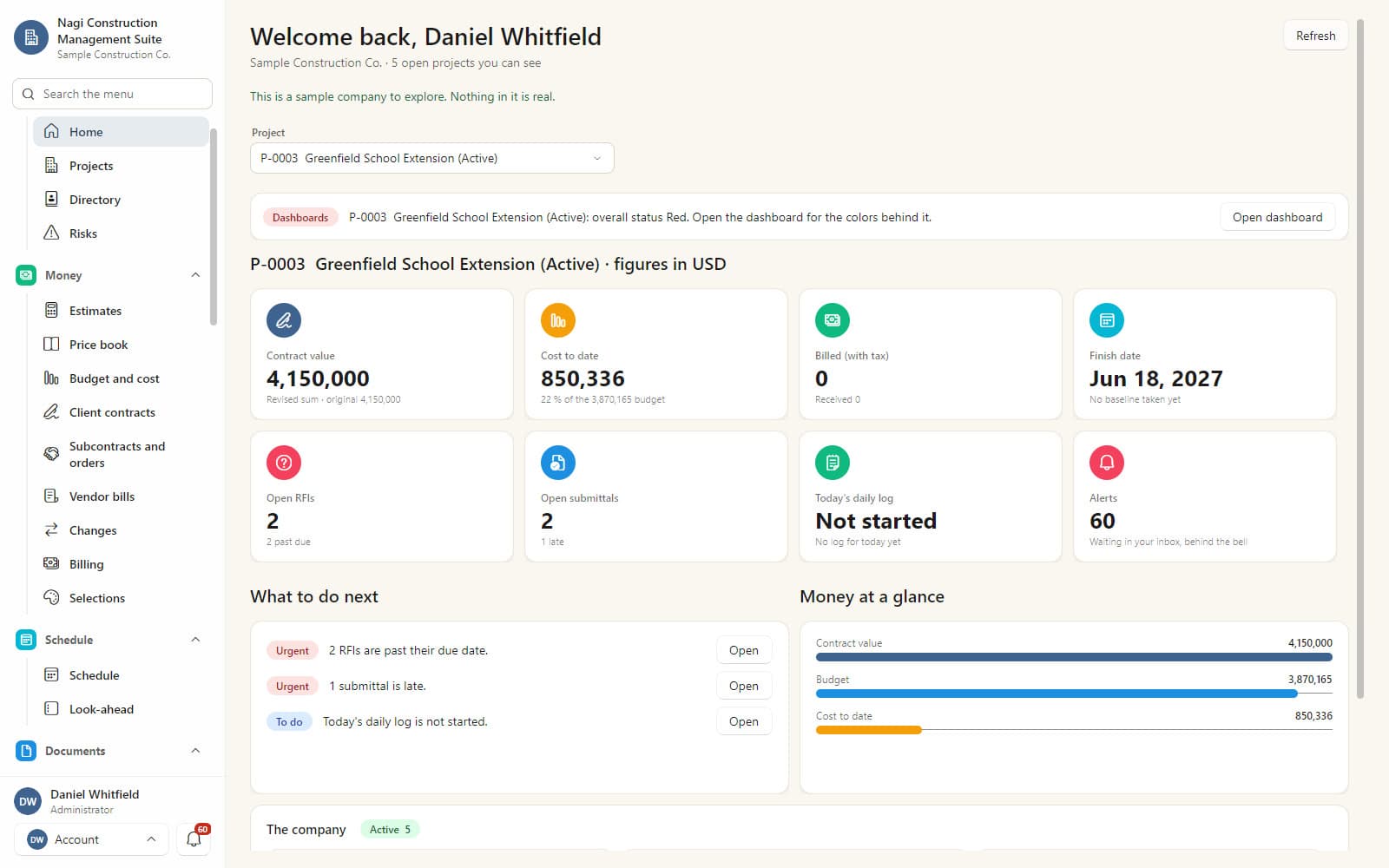
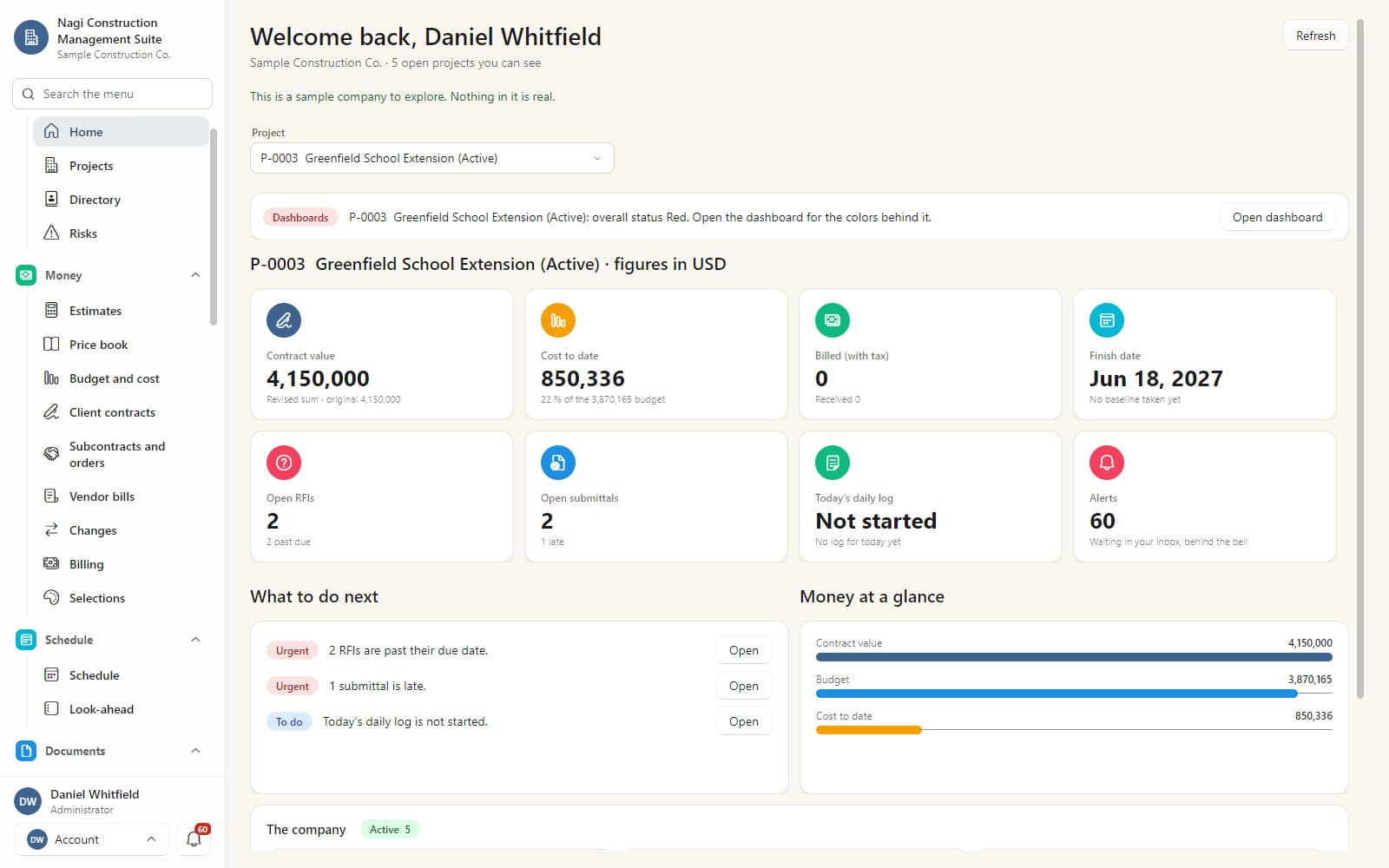
Home: the figures and next steps for the project you pick. 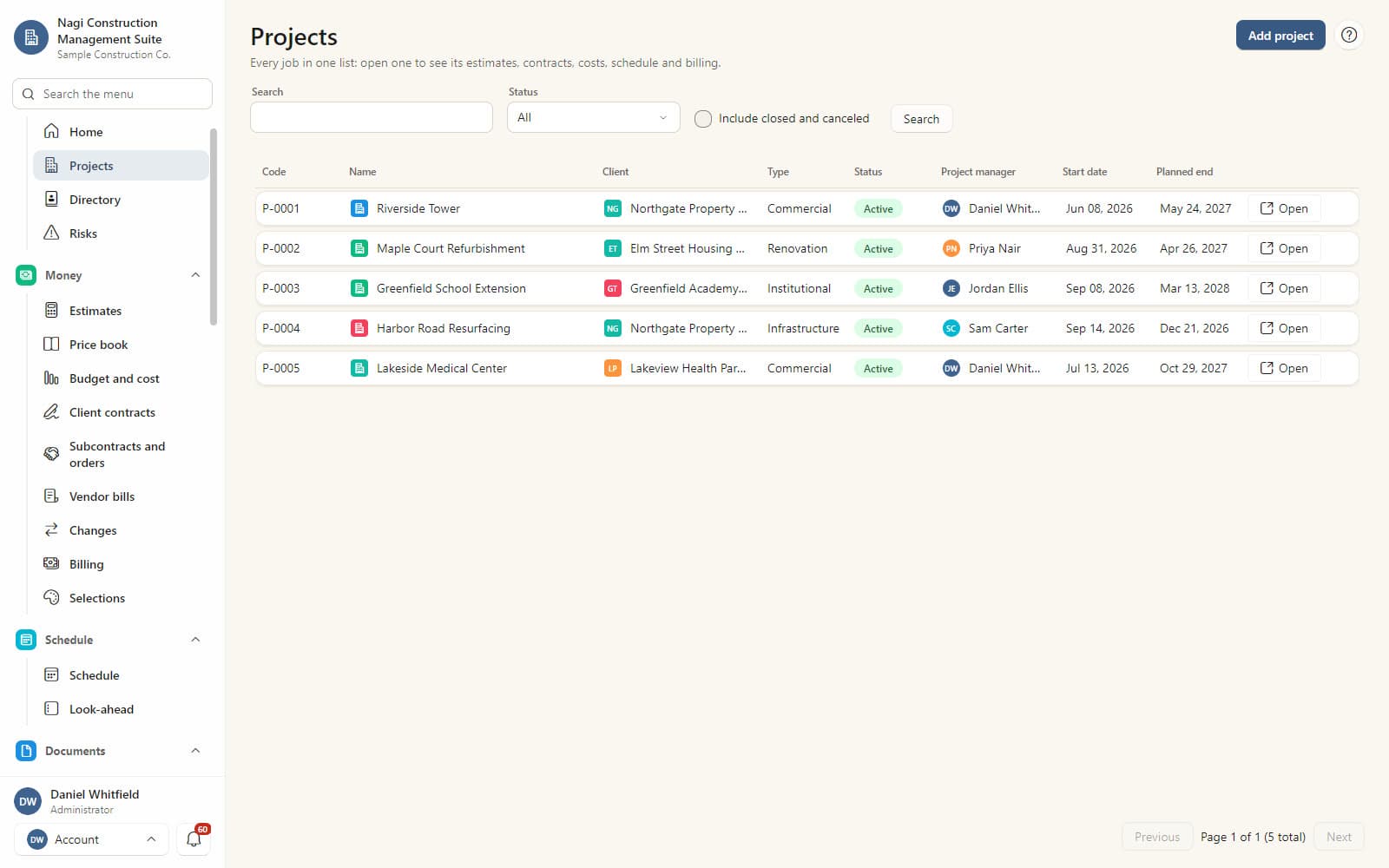
Projects: every job in one list, with its client and manager. 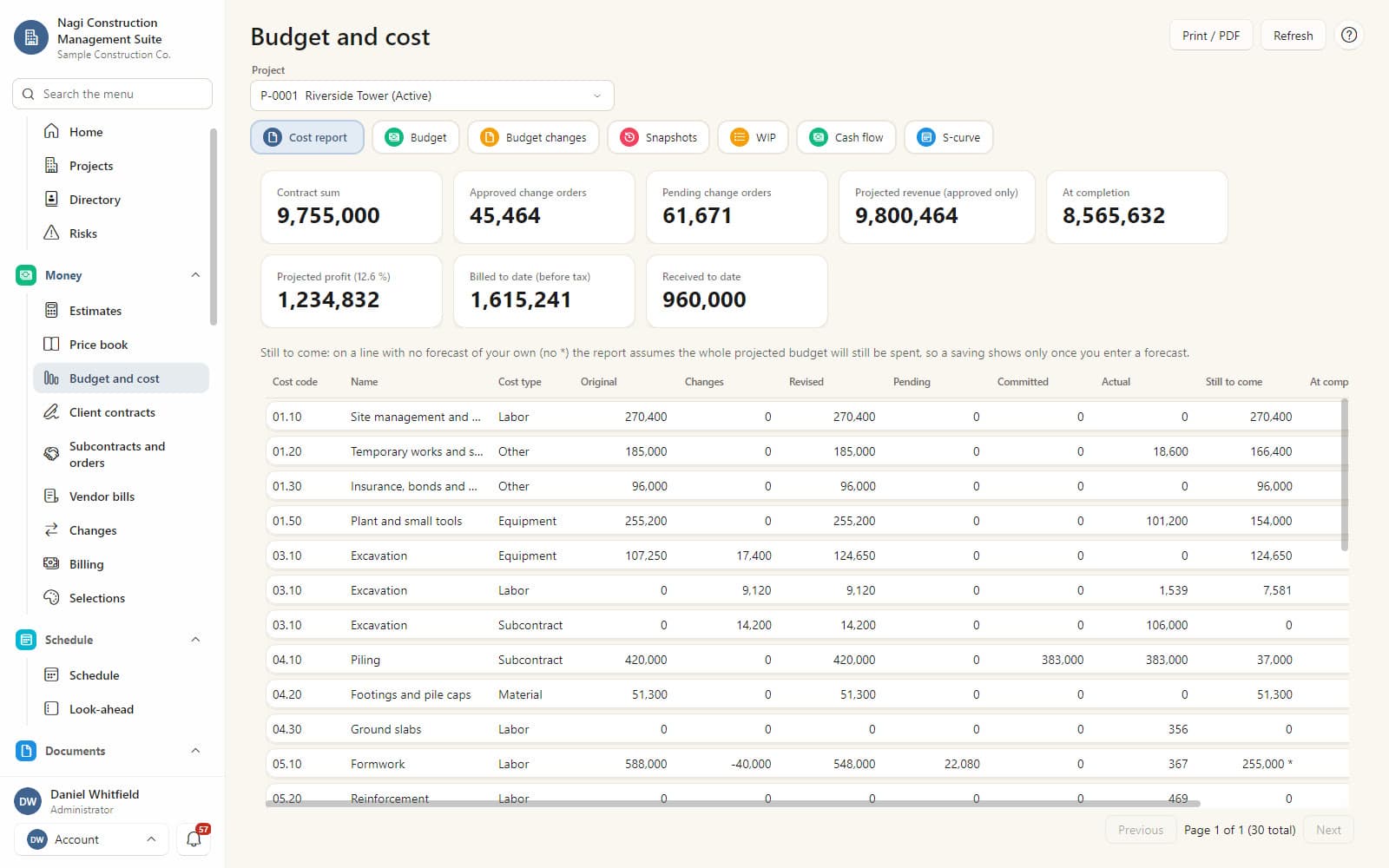
Budget and cost: know where the money goes before it is spent. 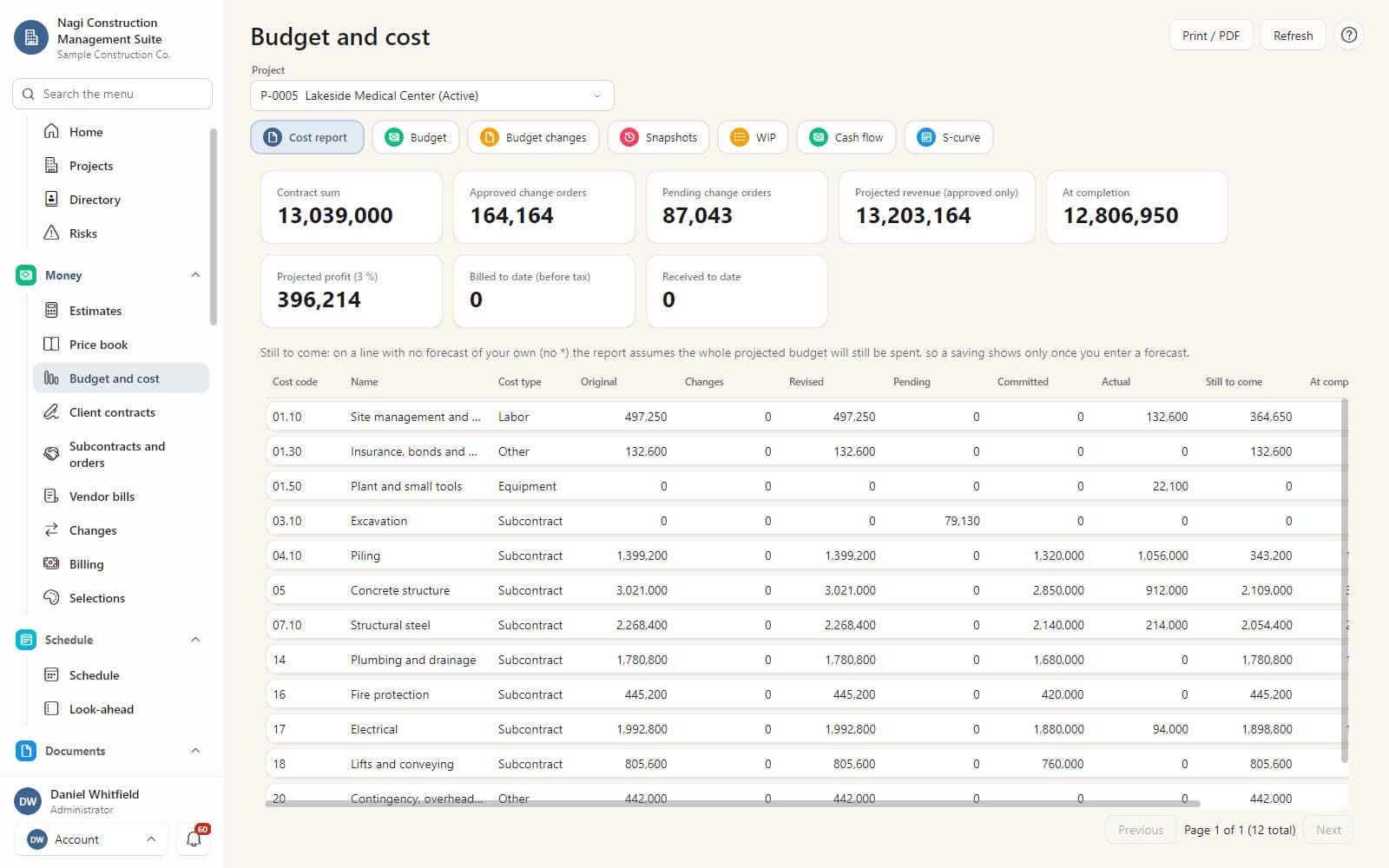
A larger job: Lakeside Medical Center, with packages for piles, steel, plumbing and more. 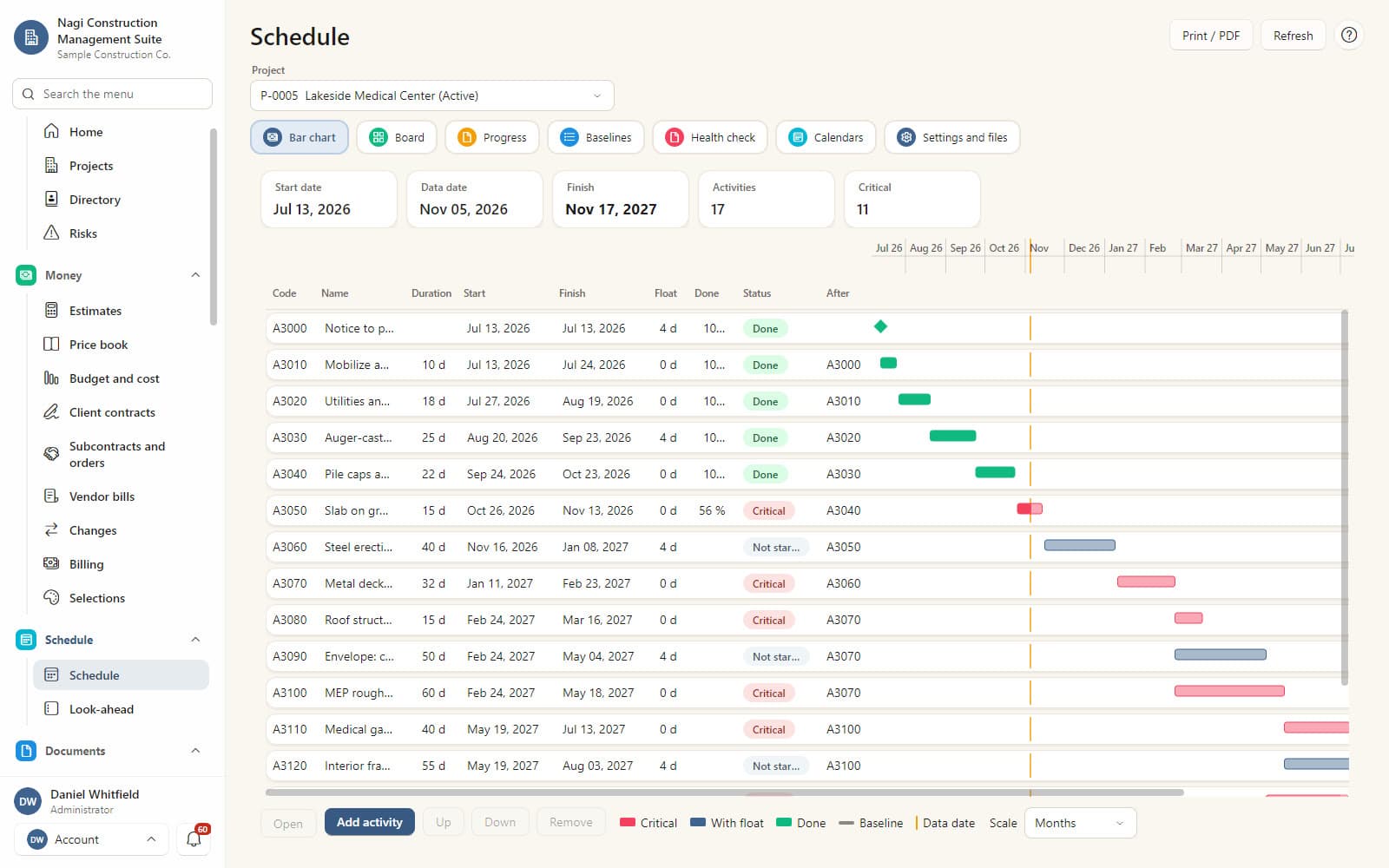
Schedule: bar chart, critical path, baseline and look-ahead. 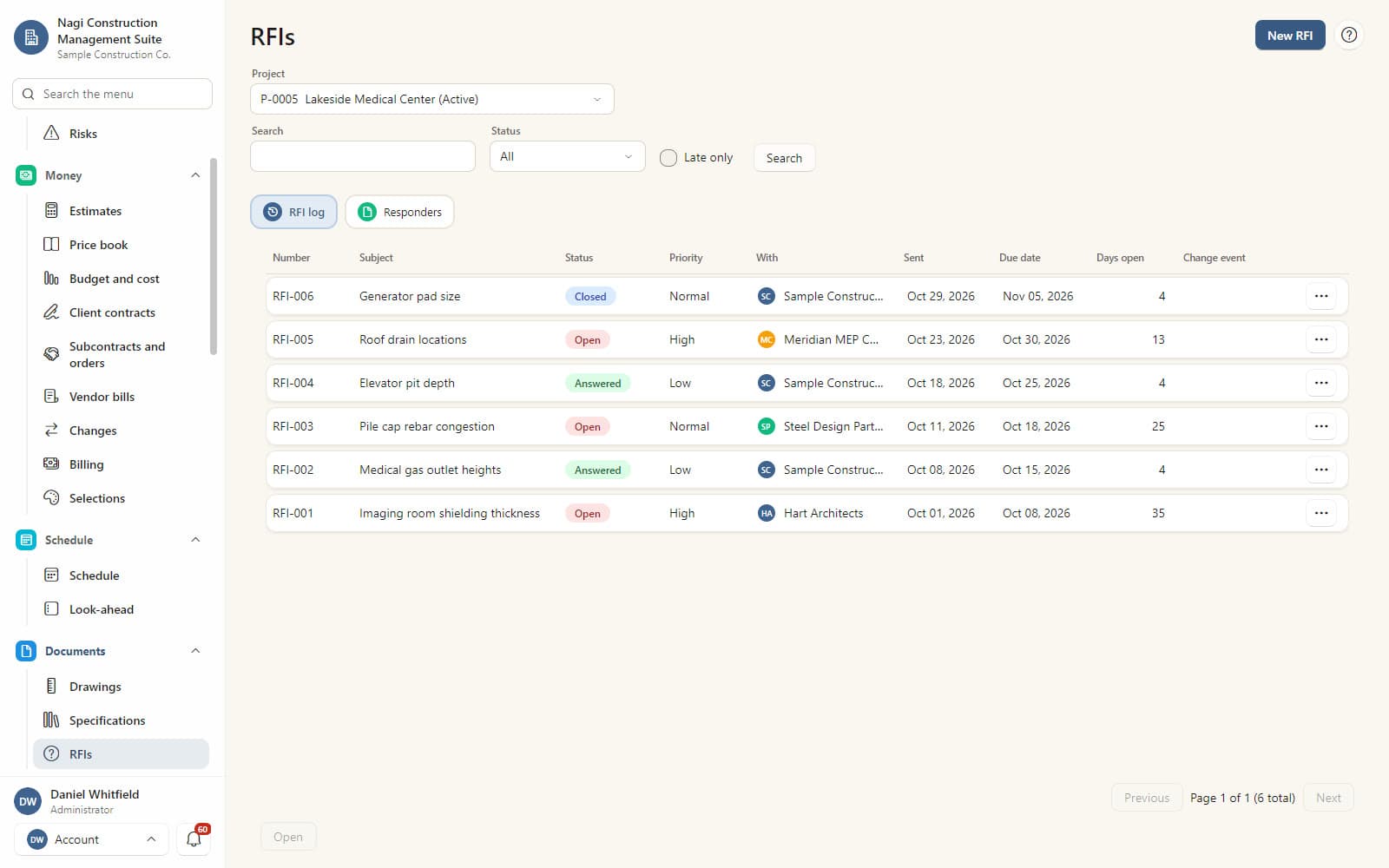
RFIs: numbered, owned and tracked to the answer. 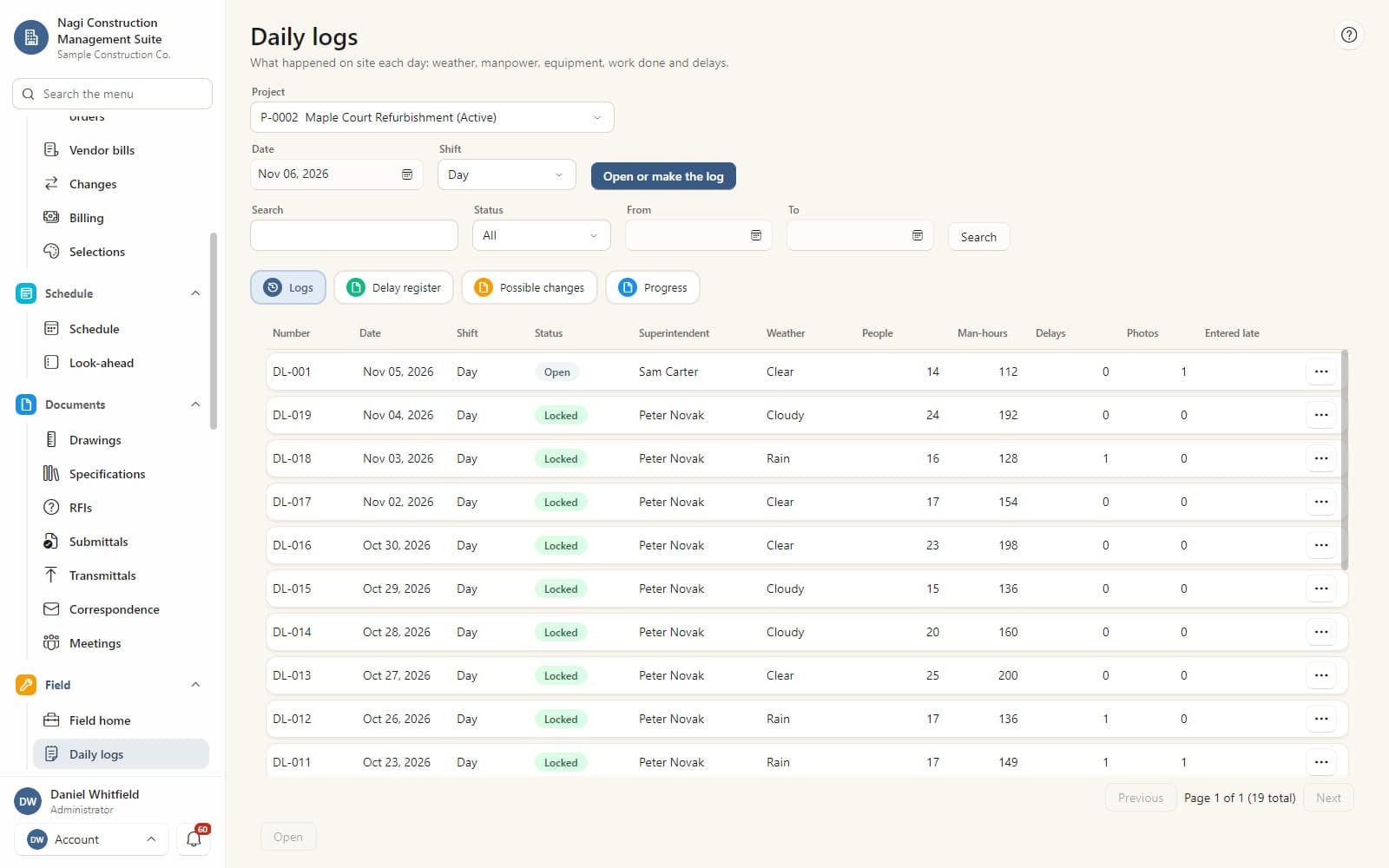
Daily logs: weather, people, equipment and delays, locked each day. 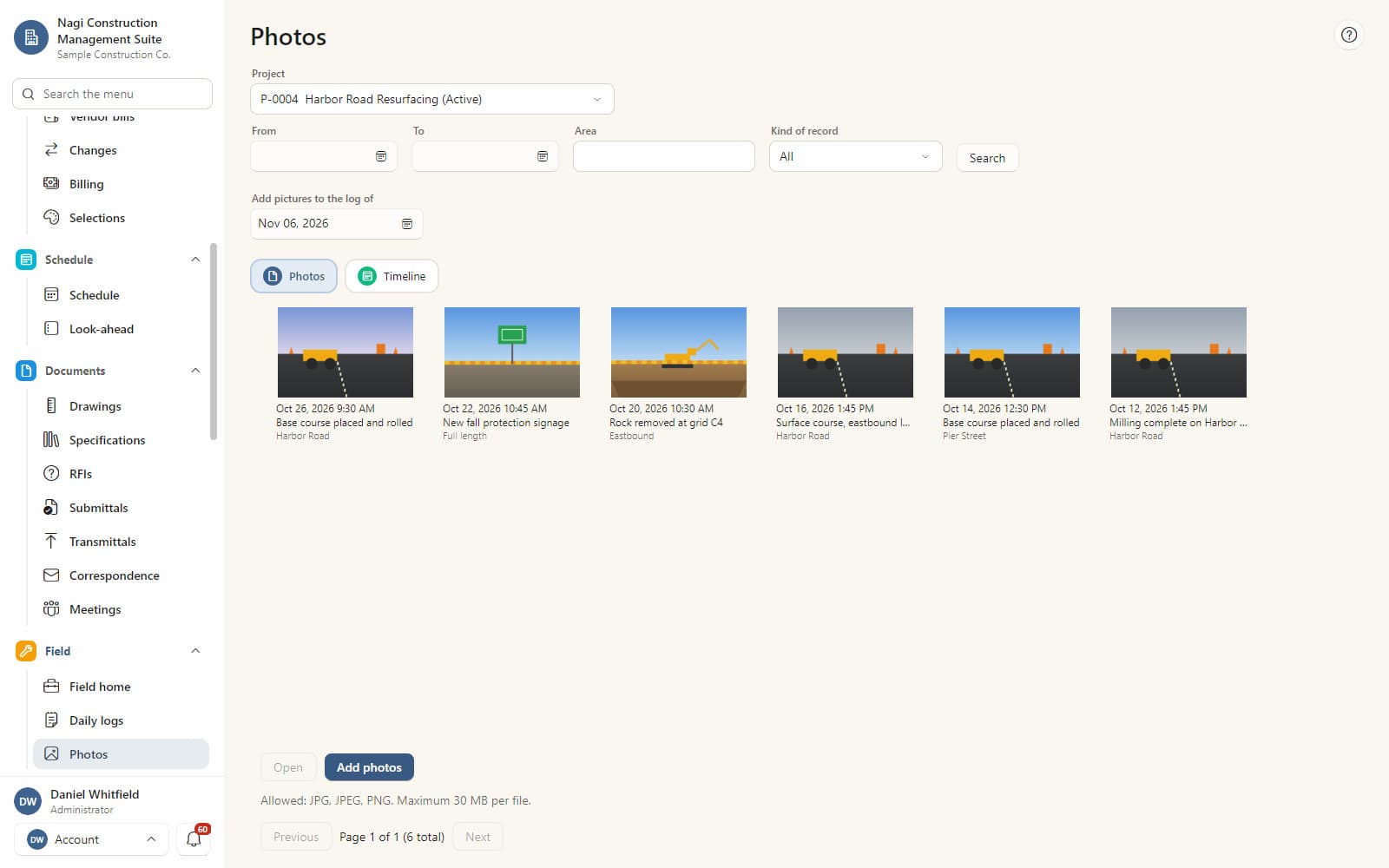
Photos: dated, tagged with the area and linked to the daily log. 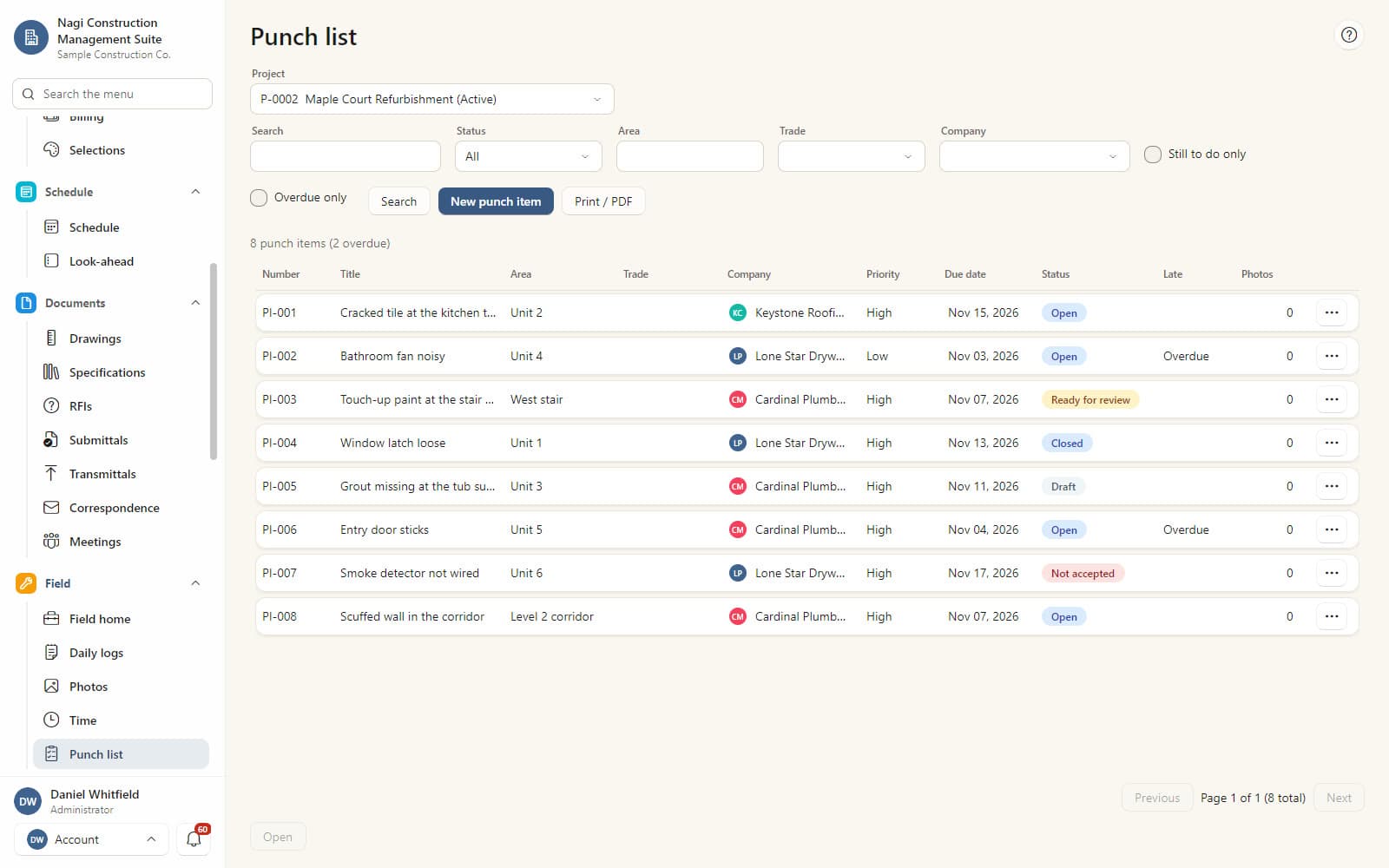
Punch list: every defect by trade and company, with a due date. 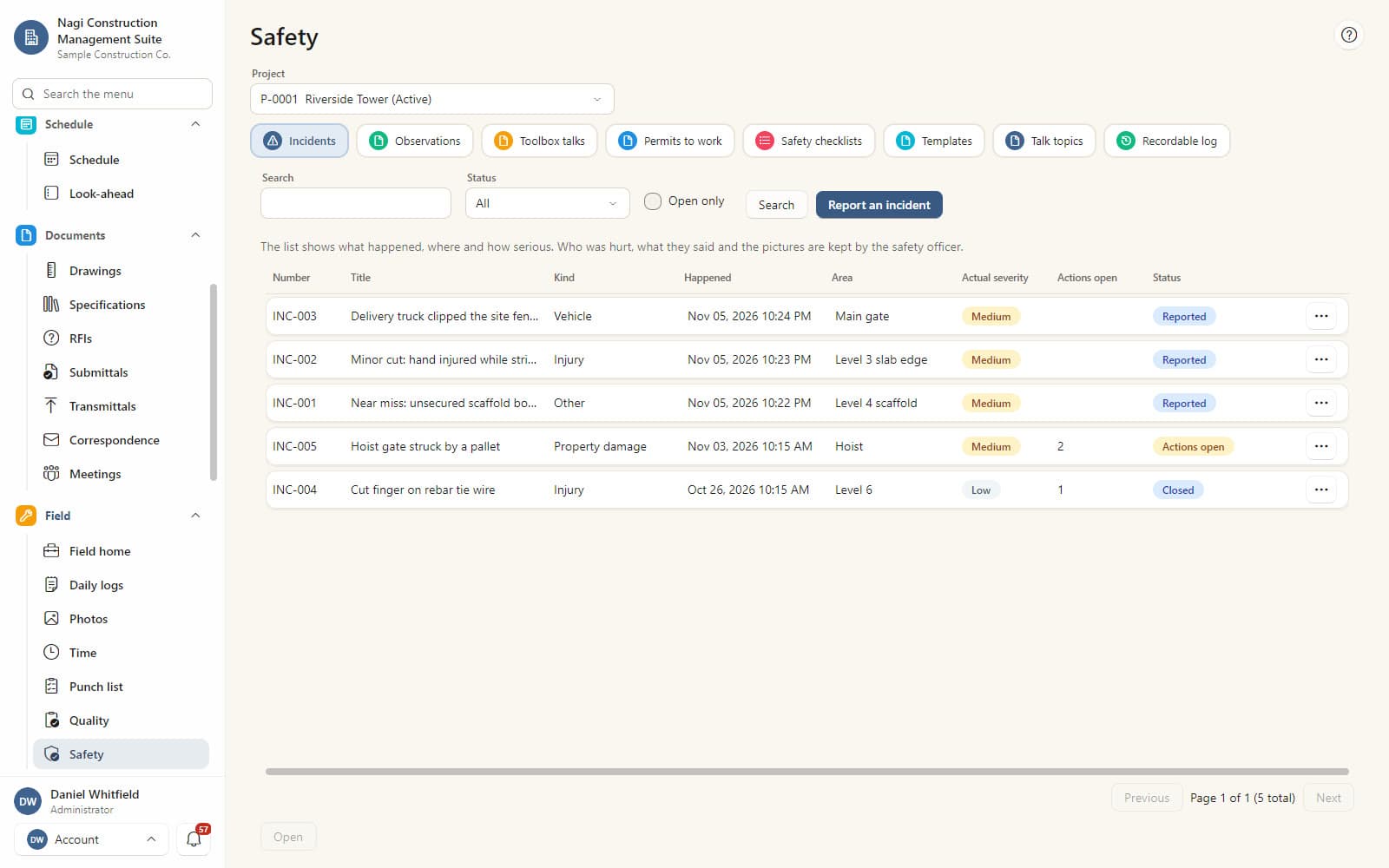
Safety: incidents, observations, toolbox talks and permits to work. 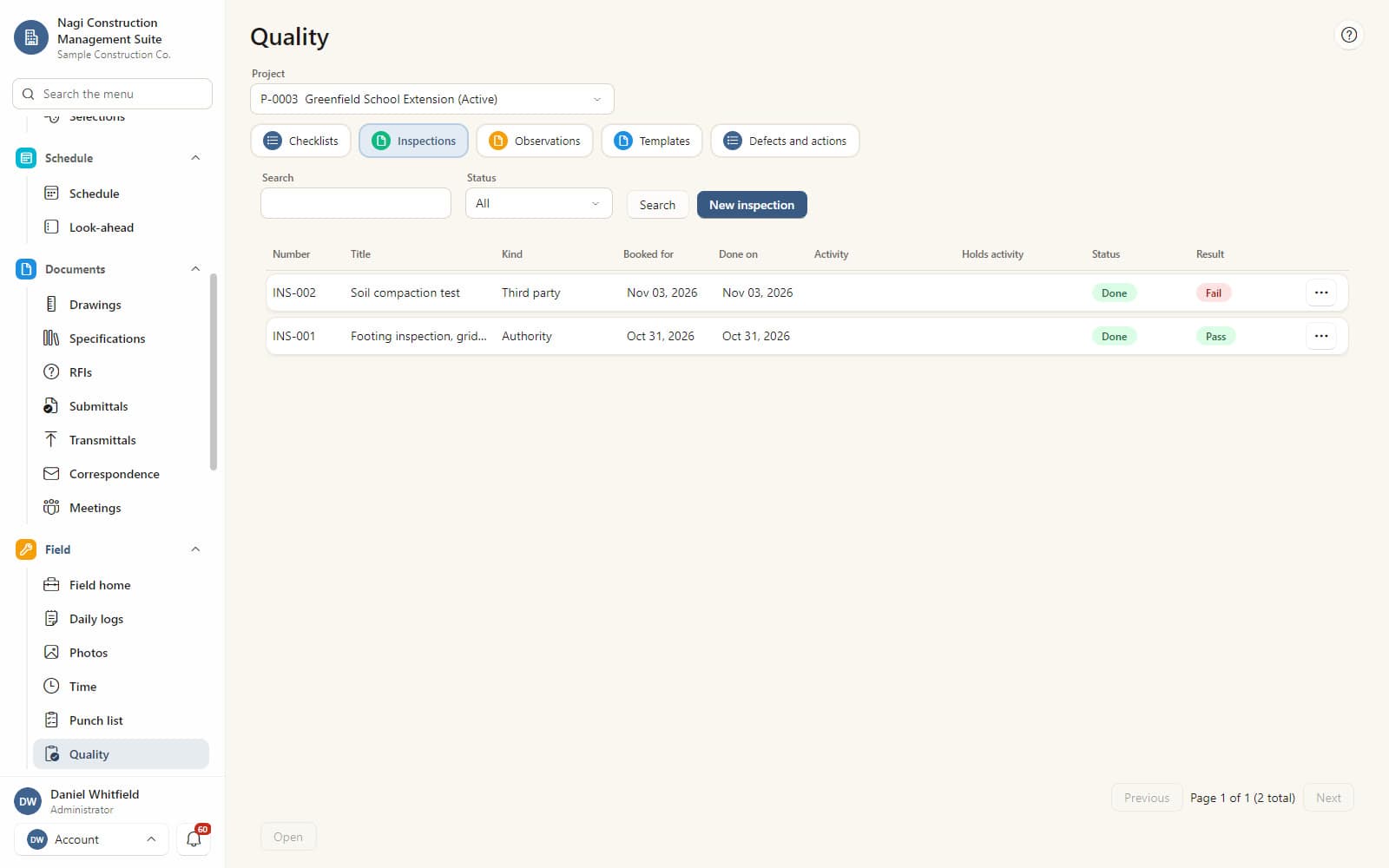
Quality: inspections and checklists with a clear result. 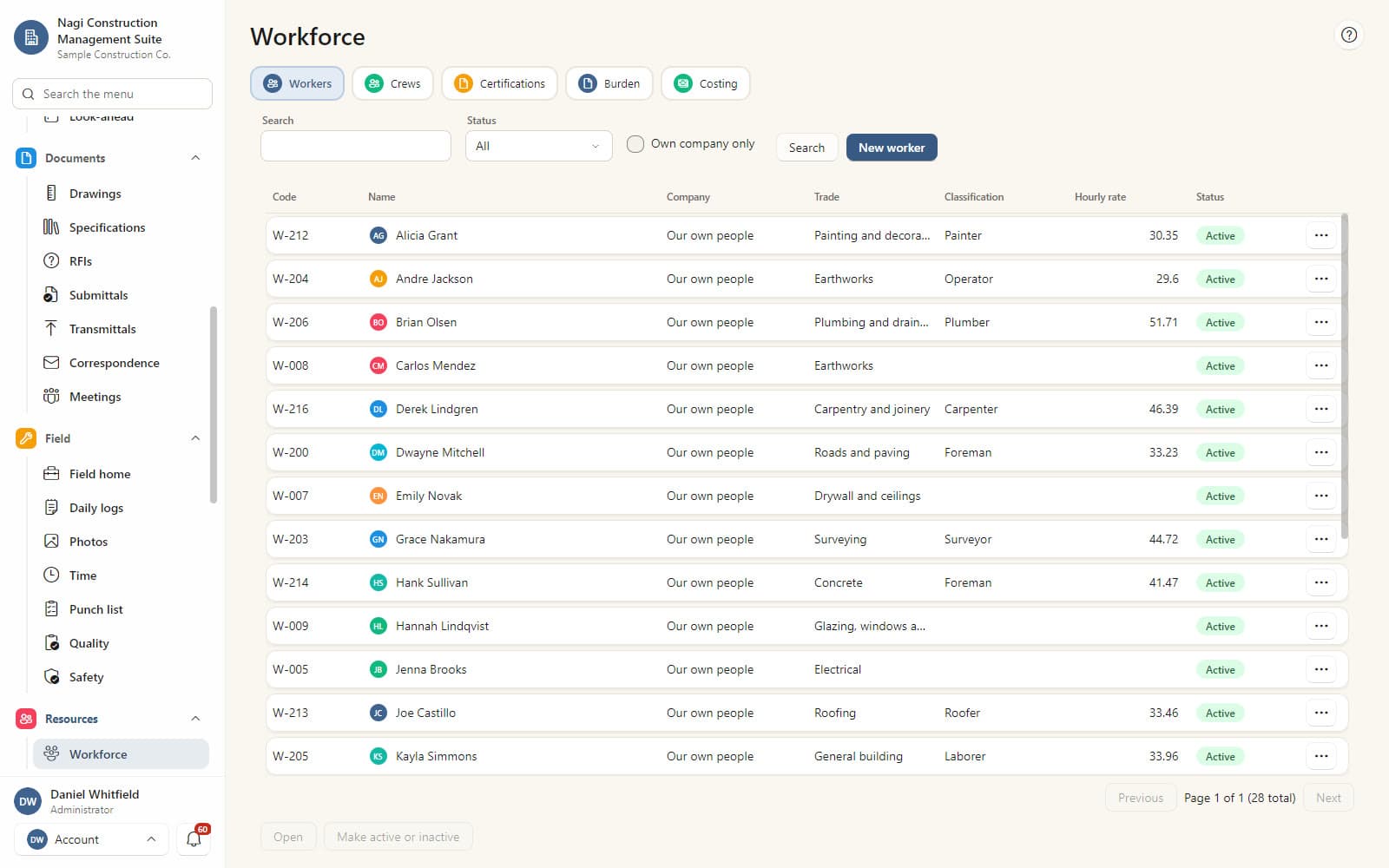
Workforce: workers, crews, certifications and labor costing. 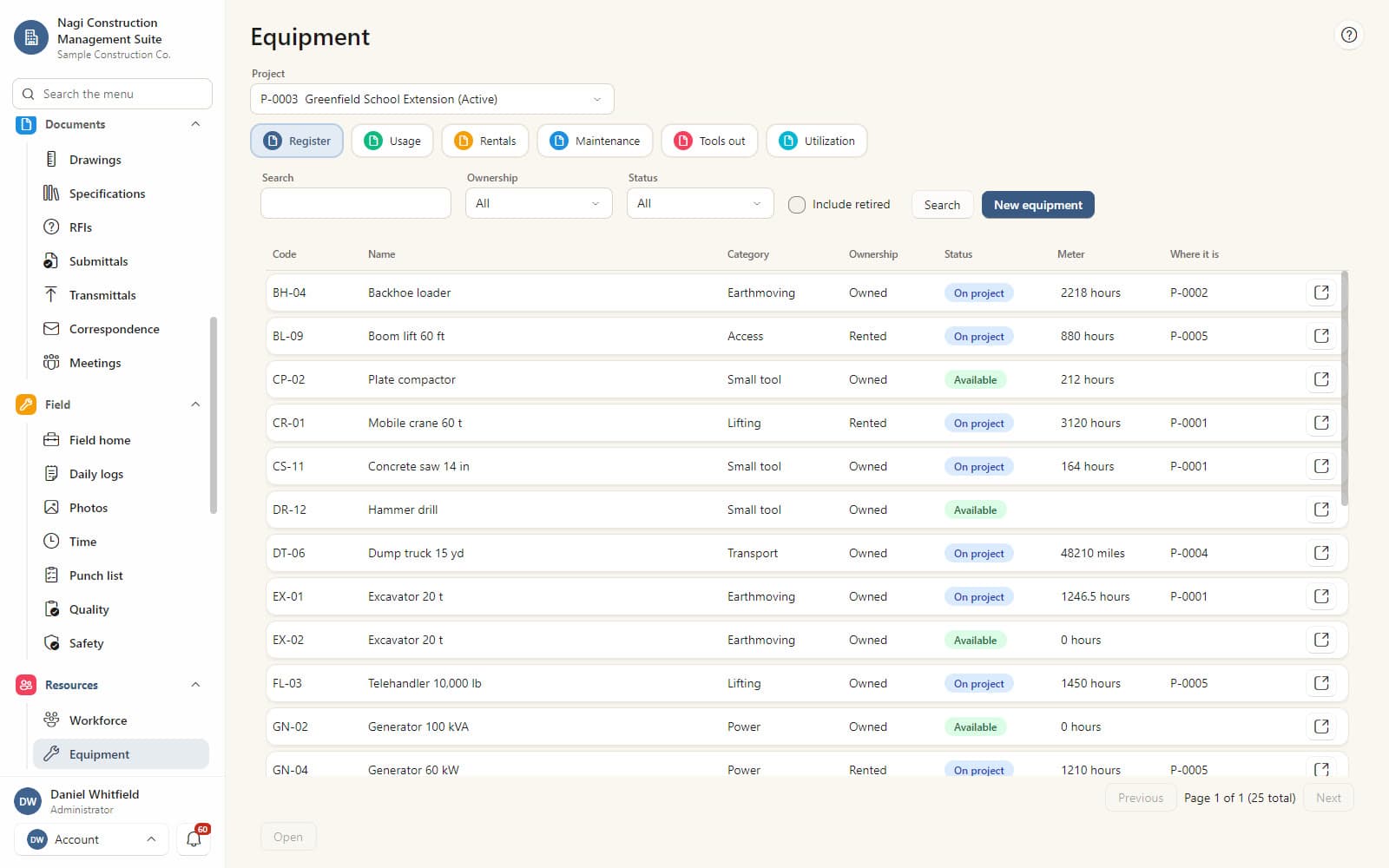
Equipment: owned and rented machines, usage, rentals and maintenance. 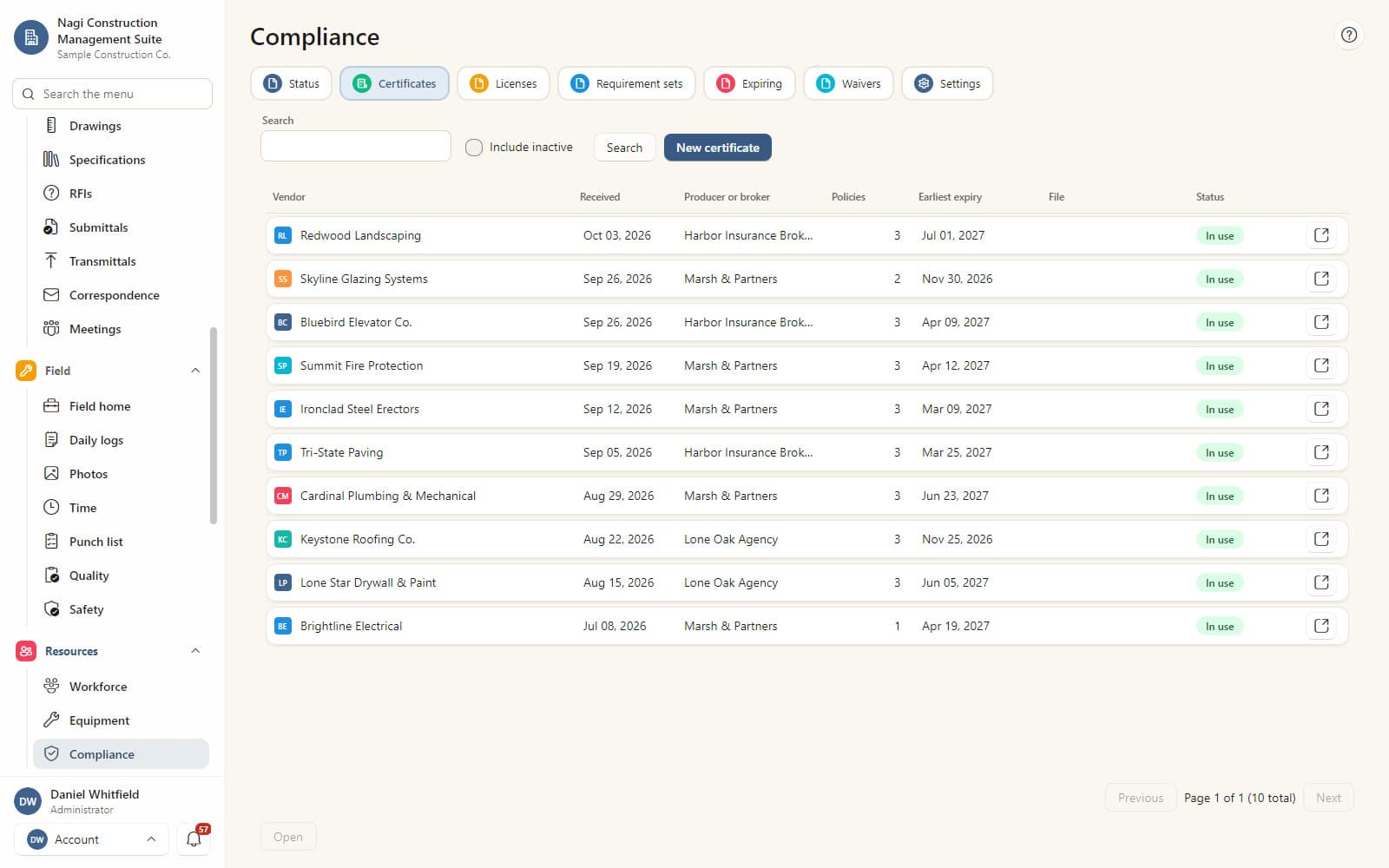
Compliance: insurance and licenses watched before they expire. 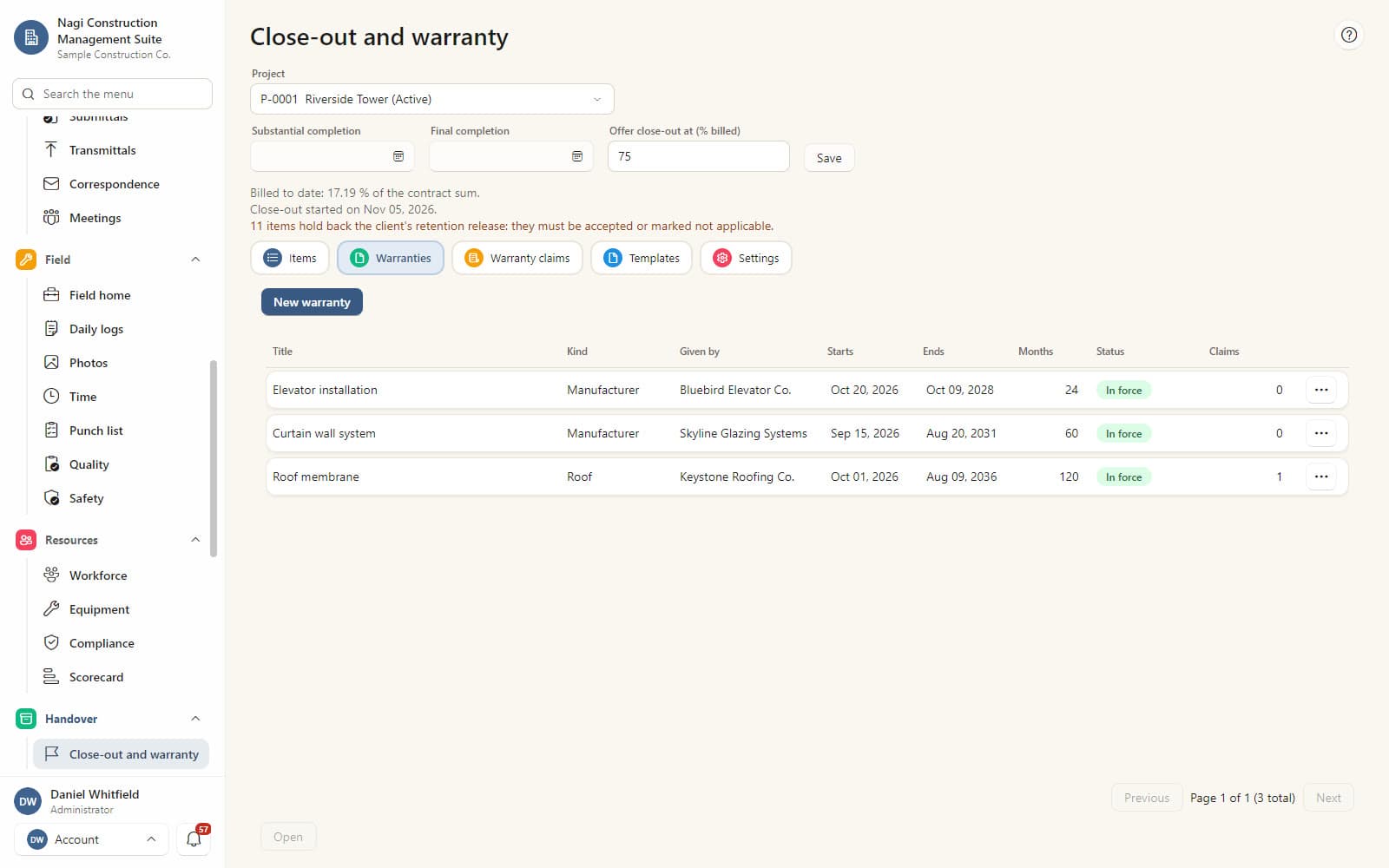
Close-out: warranties and claims after handover. 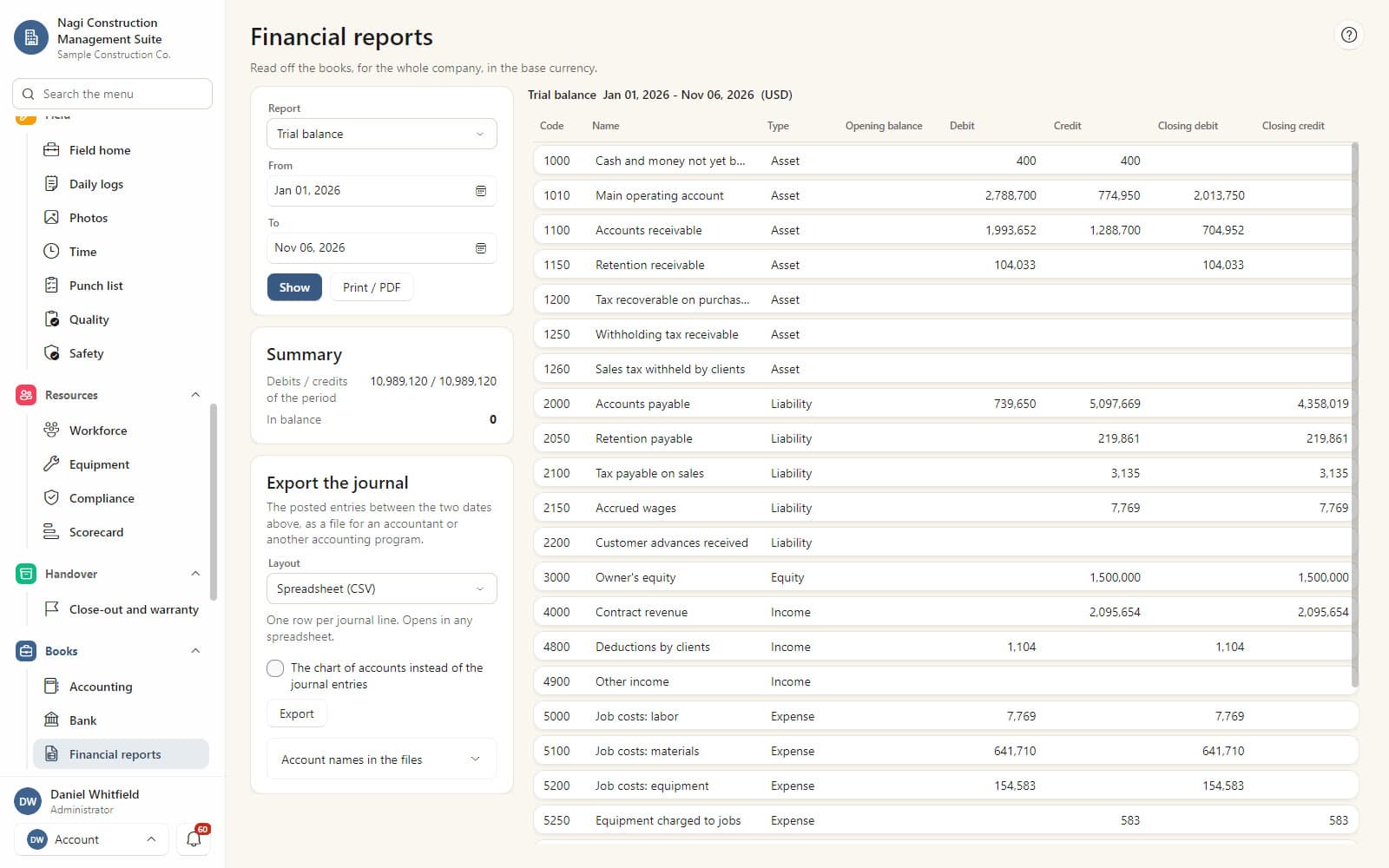
Books: trial balance, profit and loss, and balance sheet.
Phone tour (2 min 49 s)
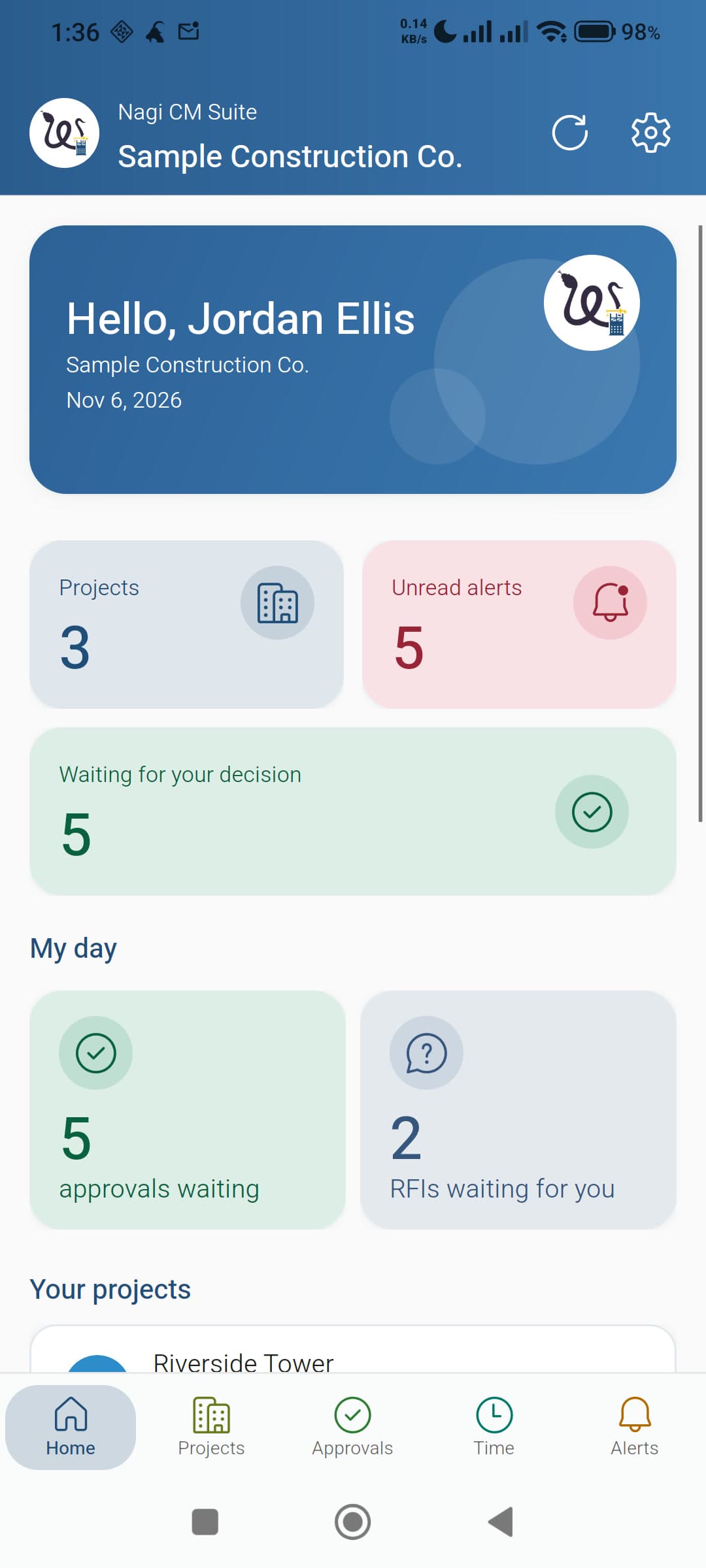
Home
My day
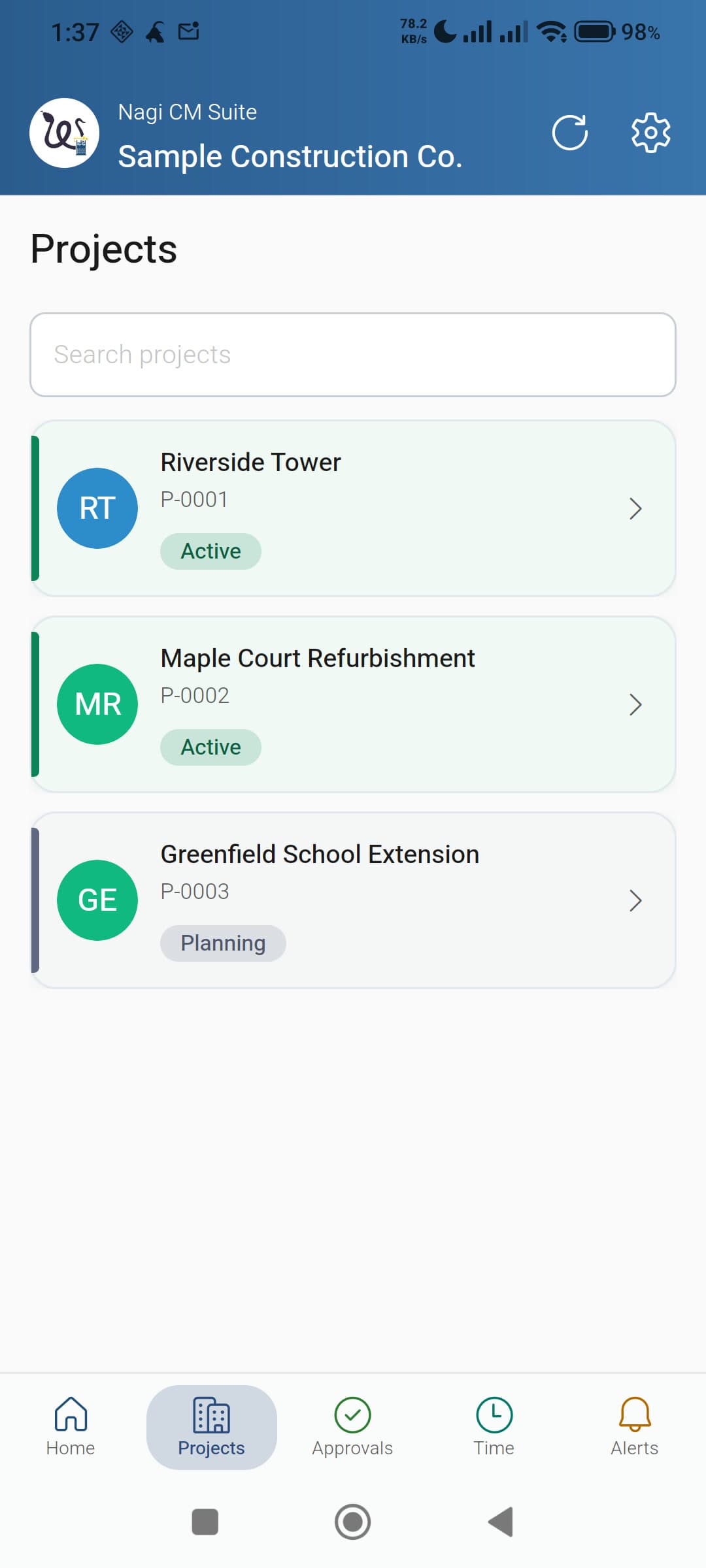
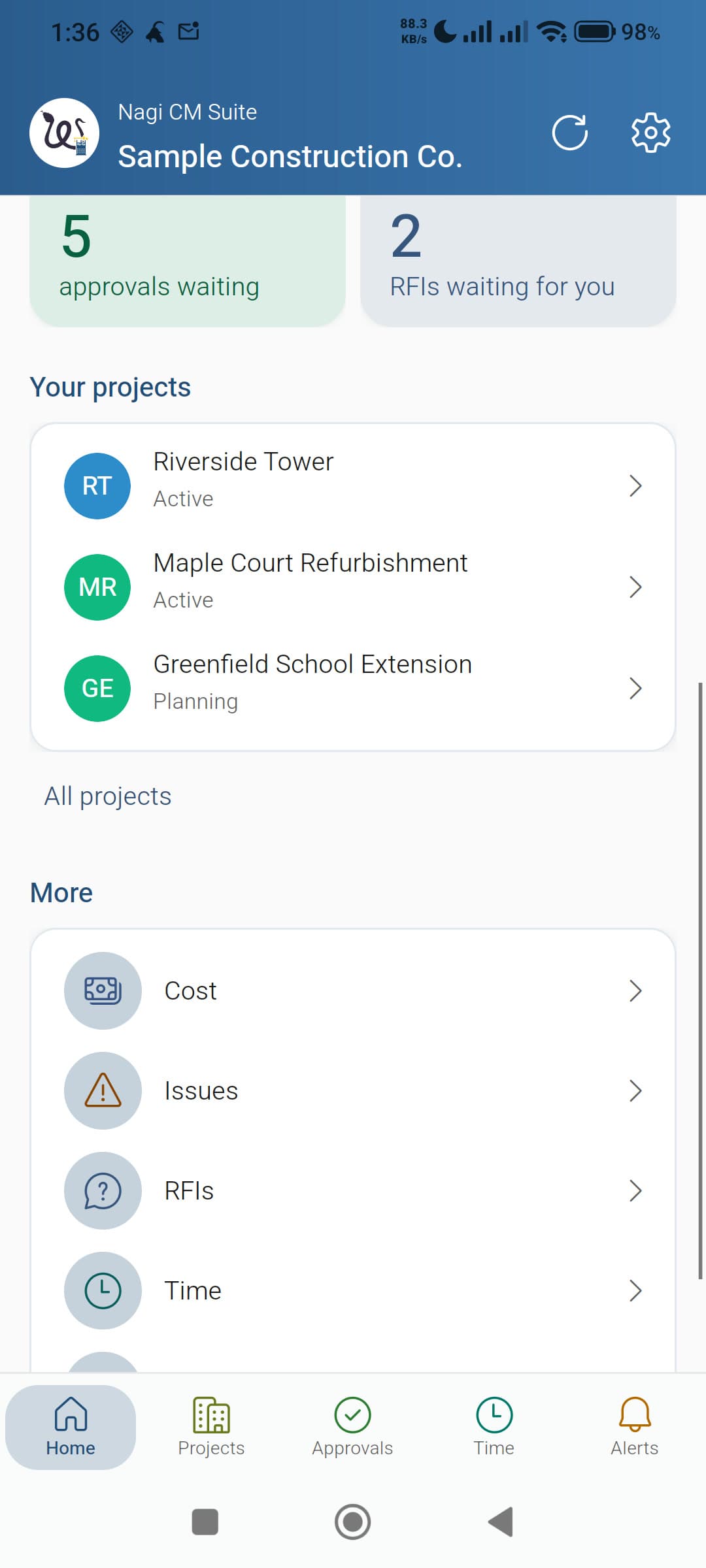
Projects
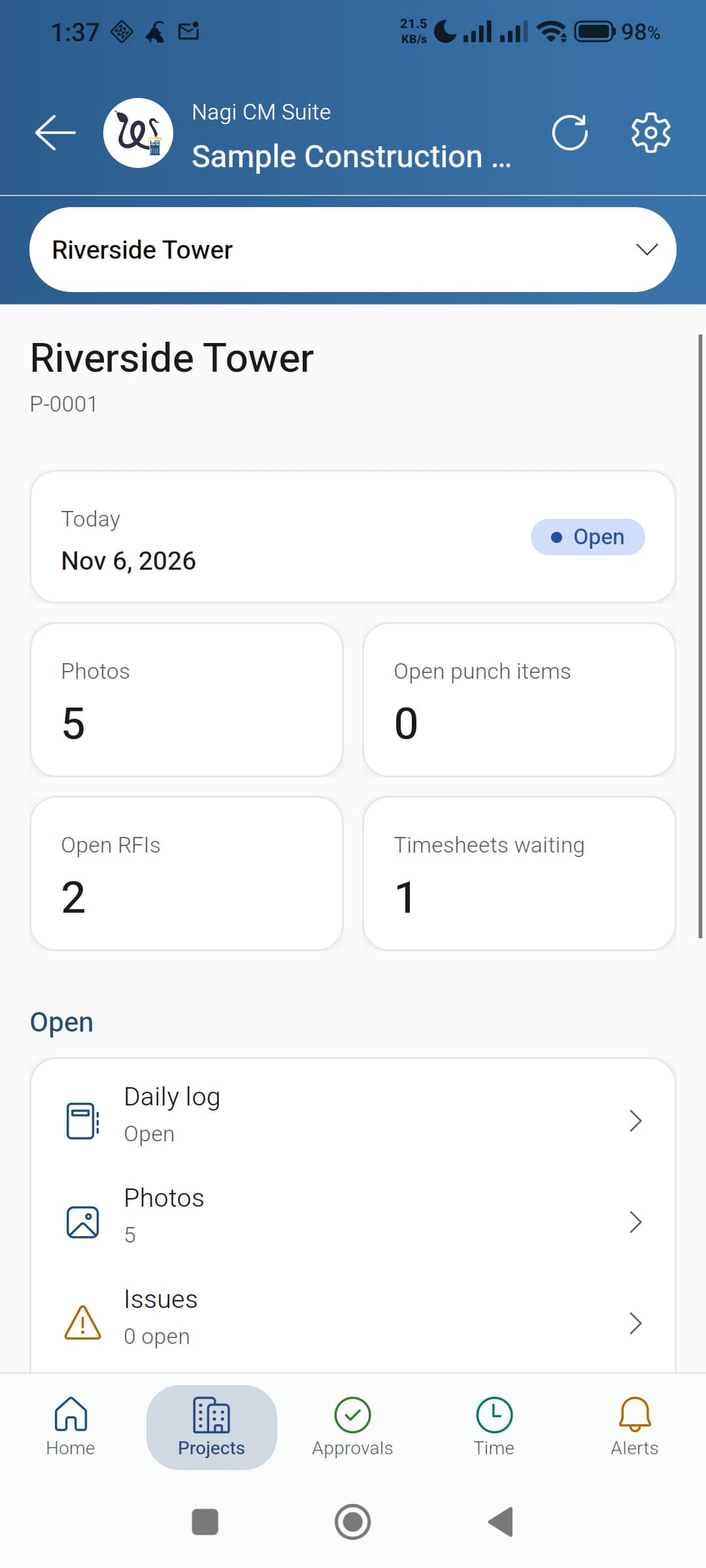
A project
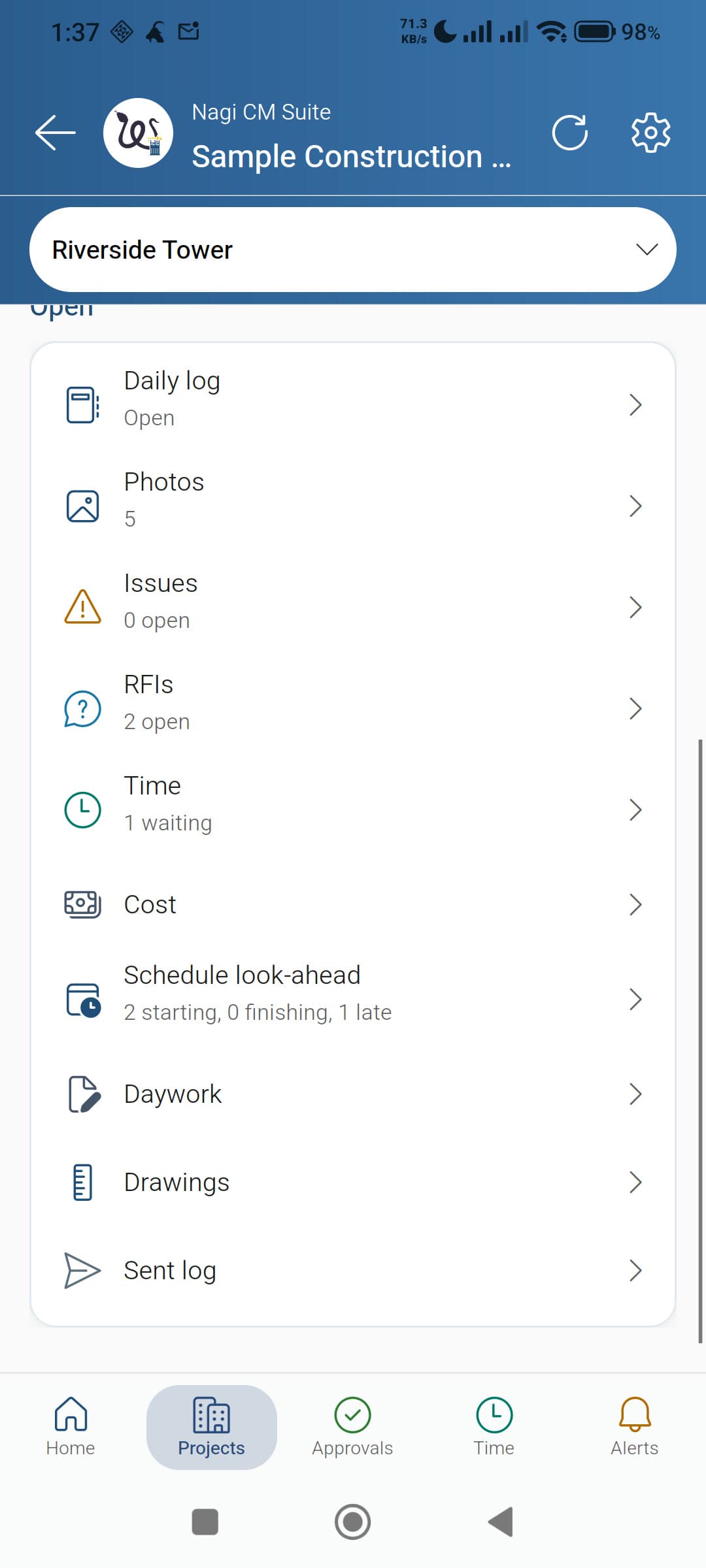
Project menu
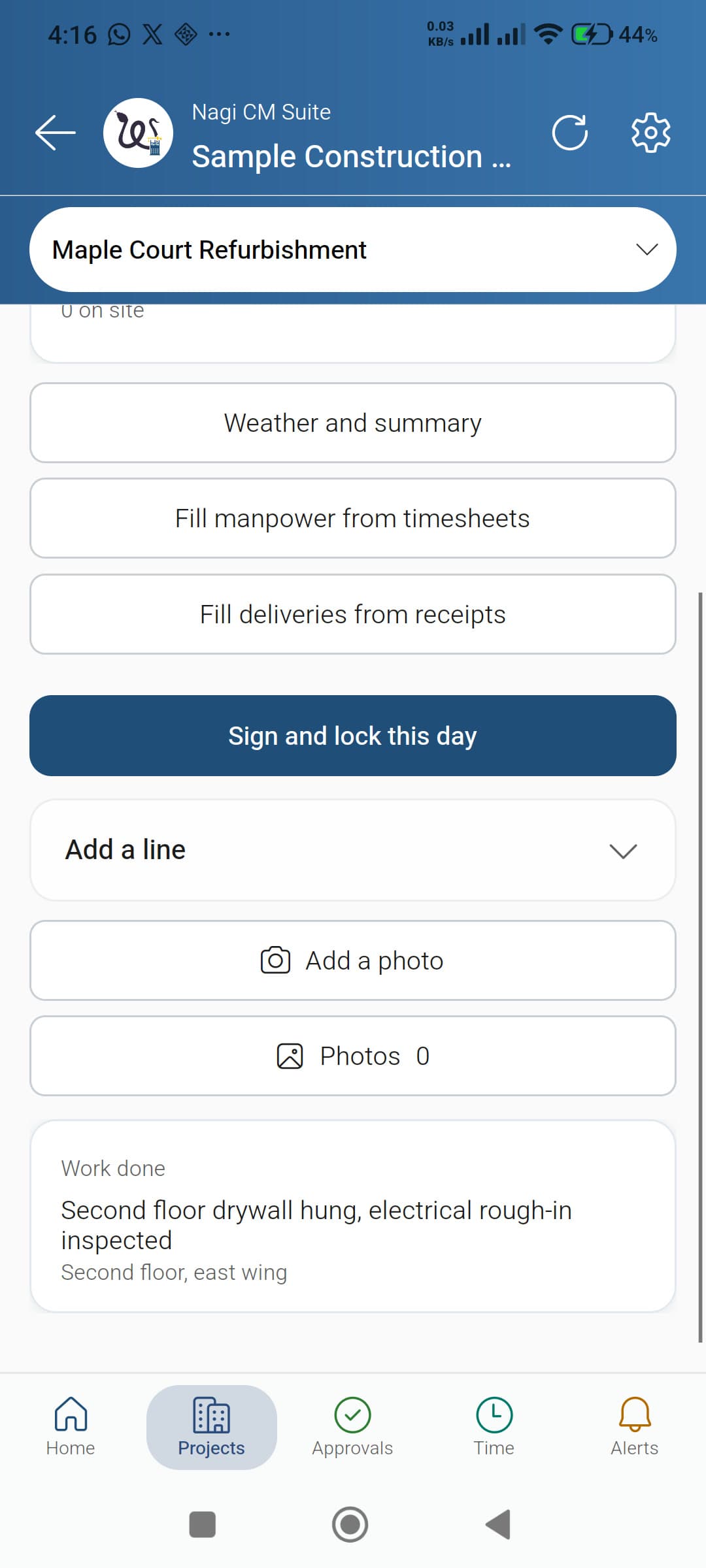
Daily log
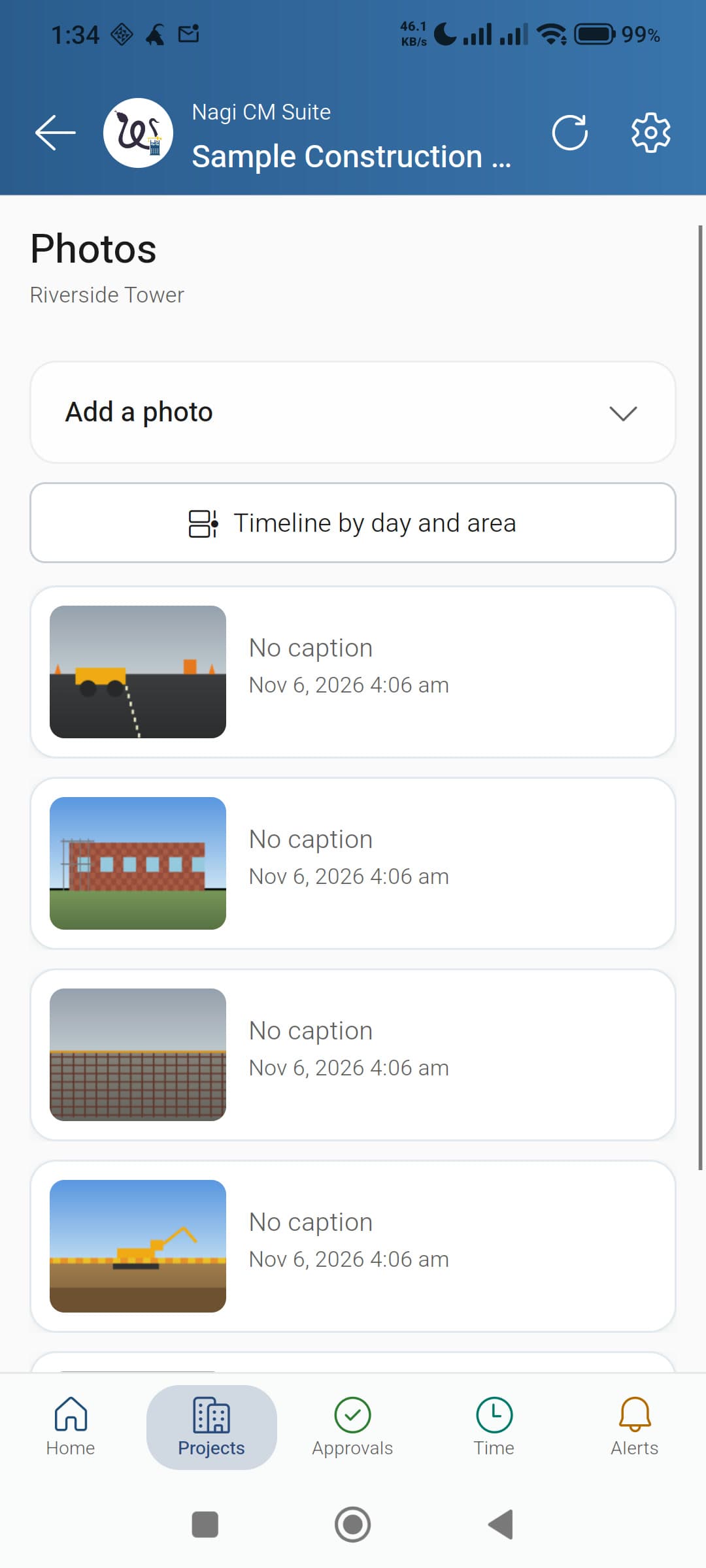
Photos
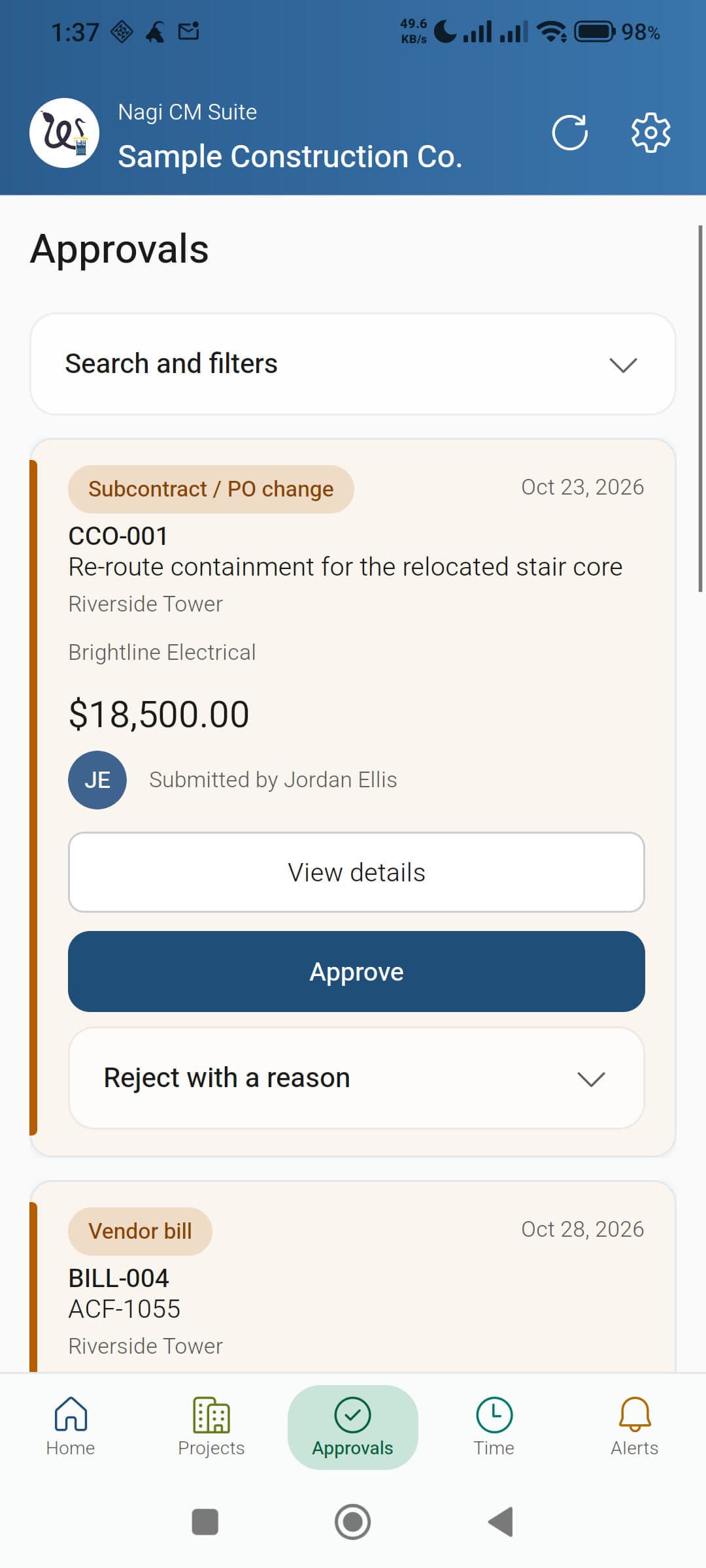
Approvals
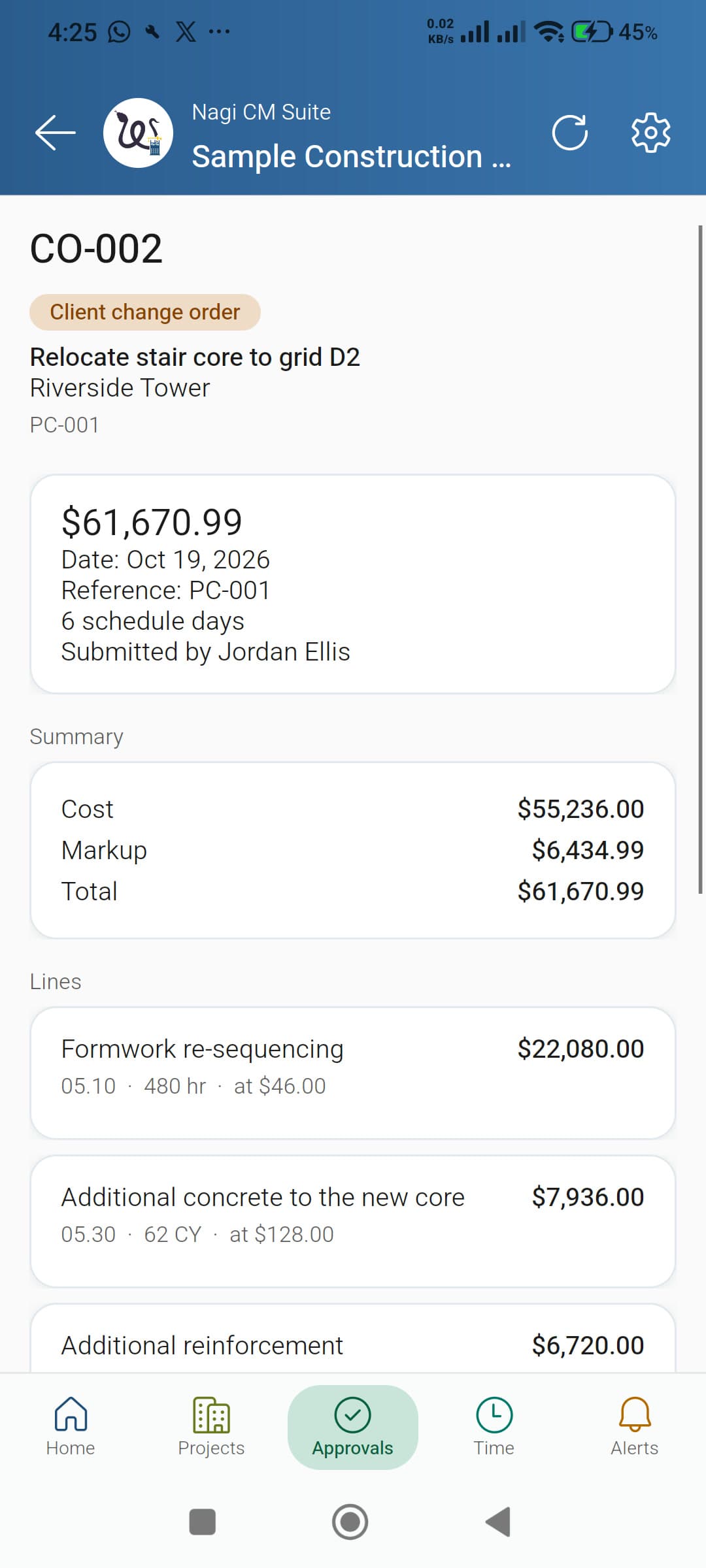
Change order
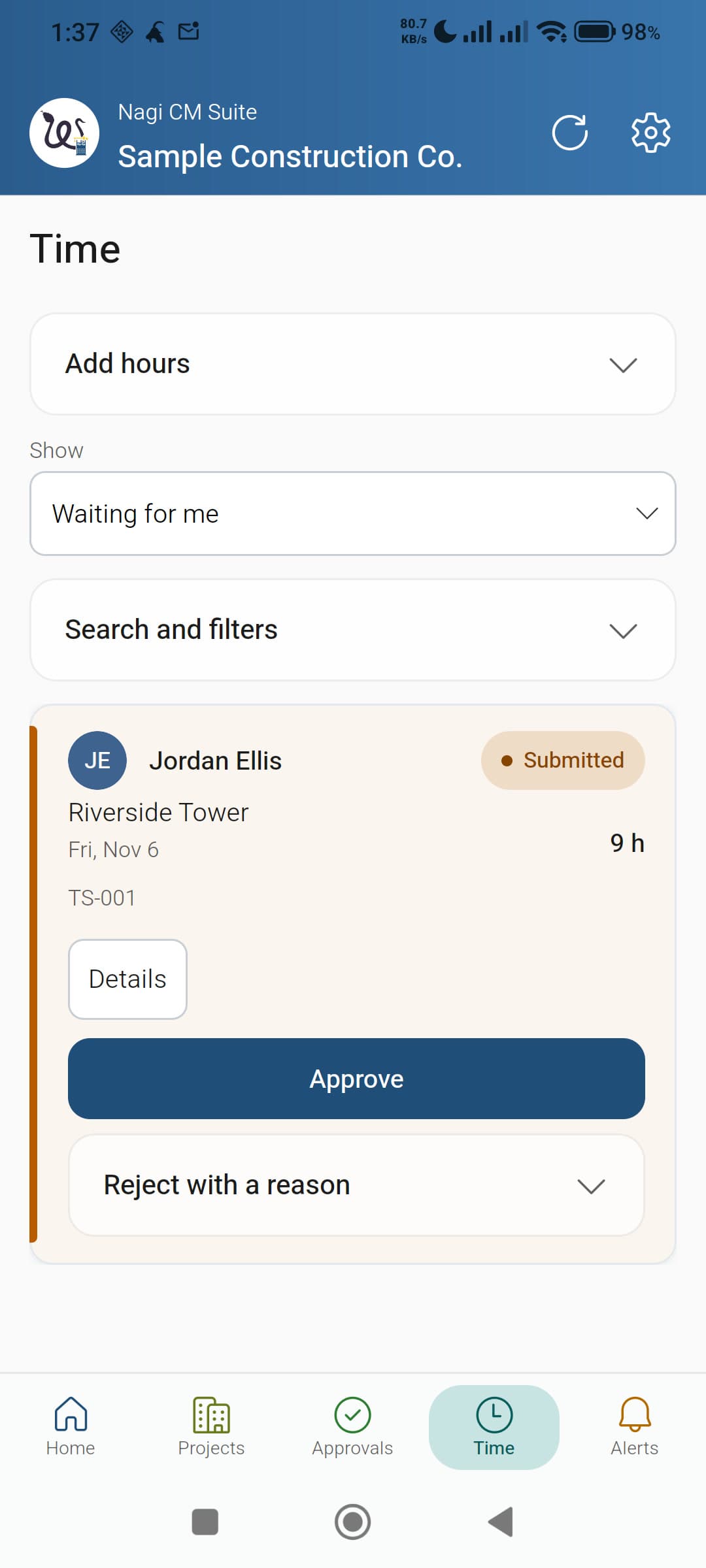
Time
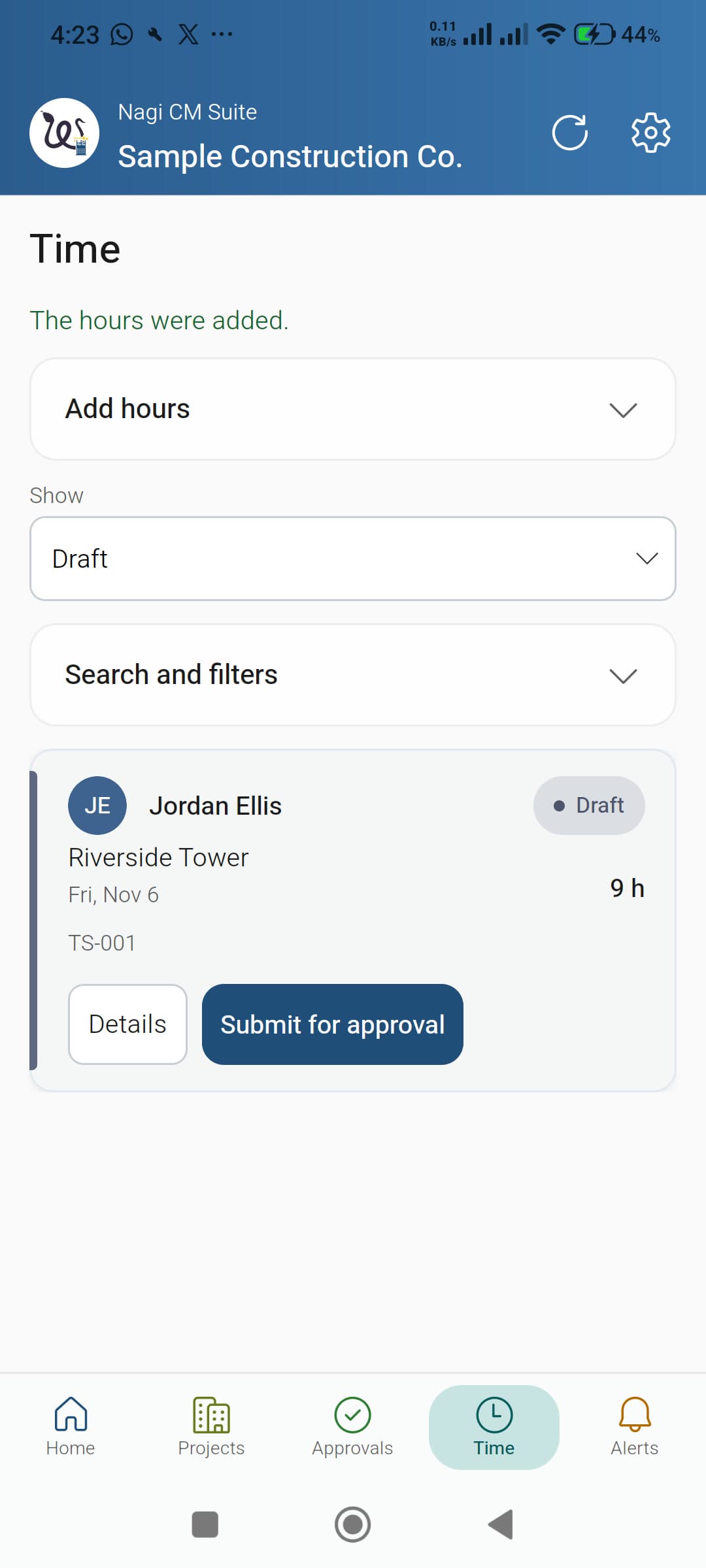
Hours added
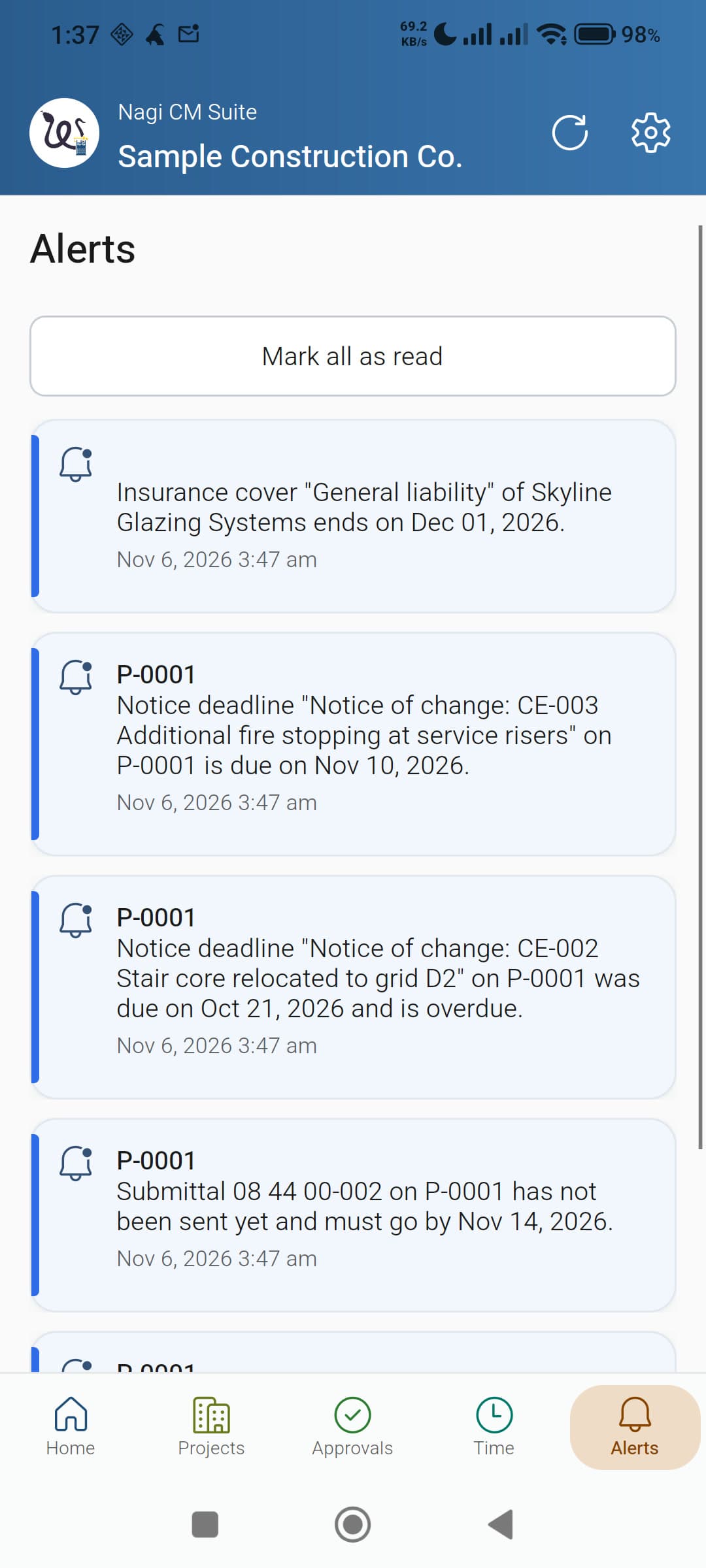
Alerts
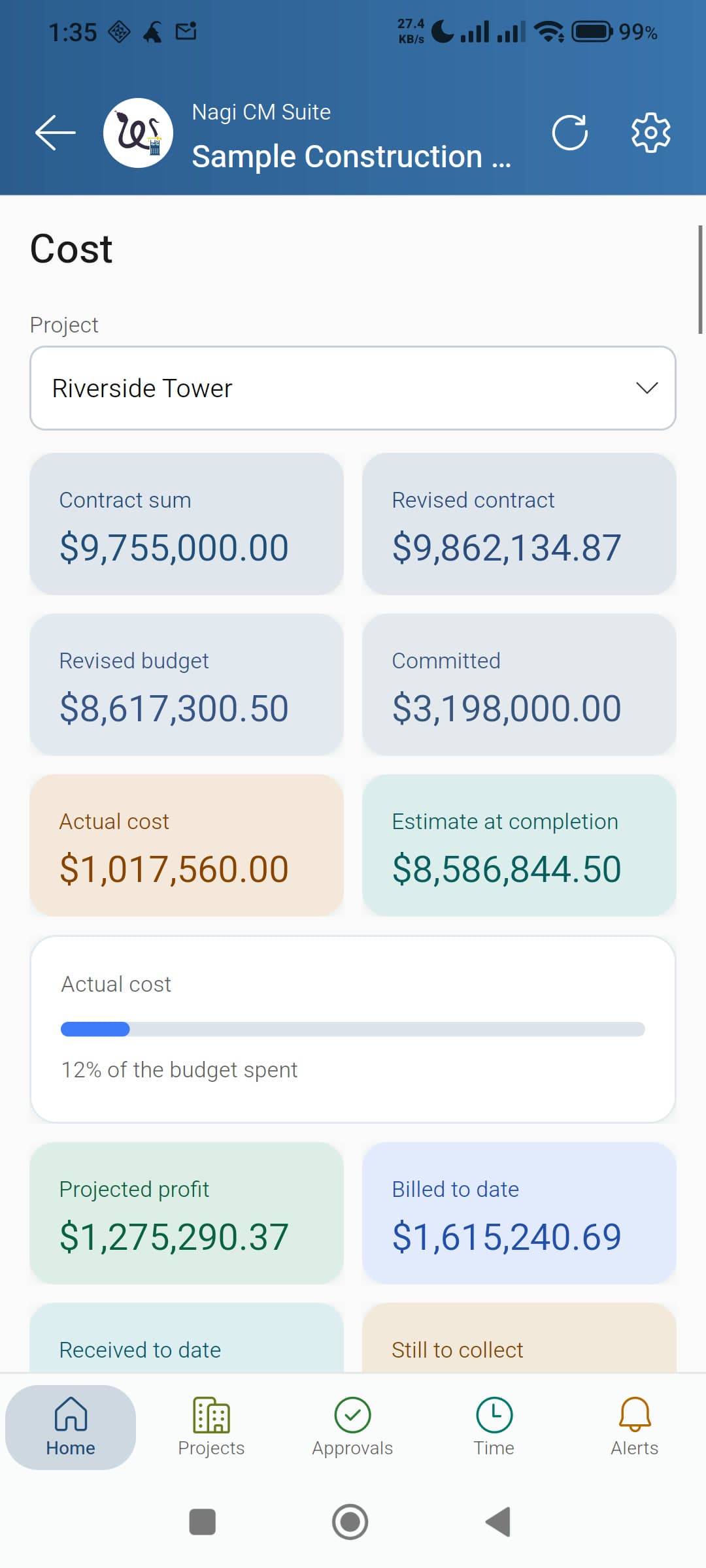
Cost
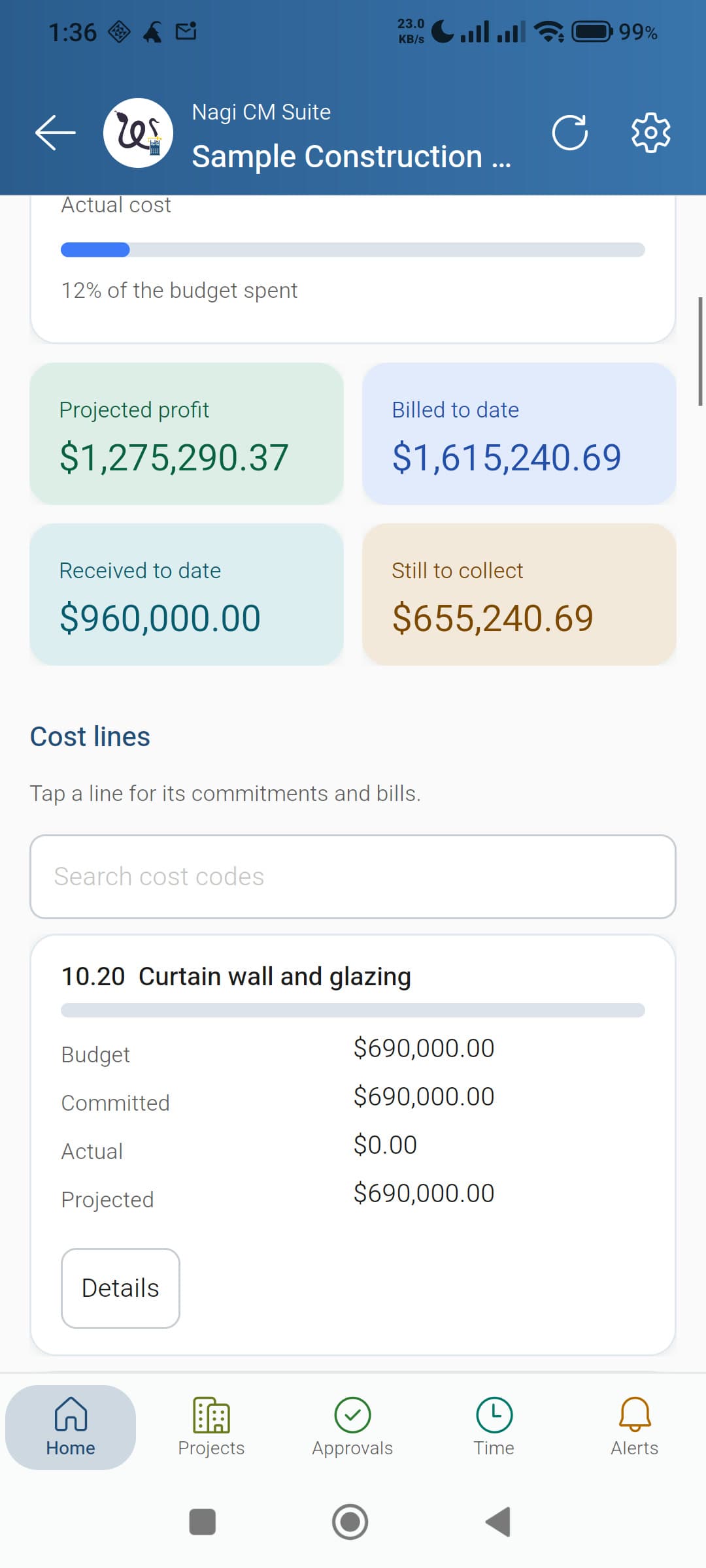
Cost lines
Shown on Android. The screens are in English.
What Nagi Construction Management Suite does
Every capability listed below is in the shipping application.
DocumentsEvery drawing, request and letter, with its history.
- Drawings
- Revisions and sheet viewing.
- Specifications, RFIs and submittals
- Also transmittals, correspondence and meeting minutes.
- Print forms and templates
- Use your own letterhead.
MoneyFrom the first estimate to the last payment.
- Estimates
- Build them from your own price book, with assemblies you reuse.
- Budget and cost control
- Committed, actual and forecast cost for every cost code.
- WIP report
- A work-in-progress schedule on the Budget and cost screen: one row per open job with percent complete, earned, billed and over or under billing. Export it to PDF, CSV or a spreadsheet.
- Client contracts
- Schedules of values and retention.
- Subcontracts and purchase orders
- Commitments tracked against the budget.
- Vendor bills
- Matched to the commitments they belong to.
- Change management
- Potential changes and change orders, with their effect on the contract, the budget and the billing.
- Progress billing
- Applications for payment built from the contract and the work done.
FieldWhat happens on site, written down where the office can see it.
- Daily logs, photos and time sheets
- A field home for the site team, with photos and captions.
- Punch list, quality and safety
- Punch items, quality observations, permits and incidents.
- Workforce, equipment and subcontractor compliance
- Who and what is on site, and whether their papers are in order.
- Selections, close-out and warranty
- Finish the job and keep the warranty on record.
ReportsWhat the owner, the client and the bank ask for.
- Dashboards and weekly status reports
- Weekly status reports as PDF.
- Report library and report packs
- Schedule them and run them again.
- Alerts
- Warnings for what is late, over budget or about to expire.
ProjectsYour jobs, the people on them, and what needs your attention today.
- Projects and parties
- Clients, subcontractors, suppliers and consultants in one directory, linked to each project.
- Risk register
- Keep the risks of each project in one list.
- A home page for today
- See what needs your attention when you open the program.
SchedulePlan the work and keep the site team on the same plan.
- Project schedule
- Tasks with dependencies. Import Microsoft Project and Primavera files.
- Look-ahead plans
- Short plans that the site team can use, with a constraint log of what is blocking each task.
BooksBookkeeping that sits next to the jobs.
- Built-in bookkeeping
- Chart of accounts, journals and bank reconciliation.
- Financial reports
- Profit and loss, balance sheet and trial balance.
AdministrationWho can do what, and keeping your company safe.
- Users and roles
- Permissions for each screen, and an audit trail of what matters.
- Company settings
- Cost codes, lists and print settings.
- Backup and restore
- The whole company, with its documents.
- Several companies, Employee PCs
- Run more than one company on a PC, and connect Employee PCs to the office PC.
- Signed updates
- New versions arrive as signed installers.
- Five languages
- English, Arabic (right to left), Spanish, French and German.
In detail
Billing and job cost, step by step
Private by design
Your data, your network
Office PC
Runs your company
Employee PCs
On your network
Nagi Cloud
Optional
Your data stays on your PC. A backup is one file you keep.
Questions
What does one license include?
One company with 10 employee seats. If you run more than one company, buy more company licenses: each one adds 10 employee seats, and all the seats are shared in one pool.
What is an employee seat?
A PC for one of your people that connects to your office PC (an Employee PC). The PC that runs the company does not use a seat.
Can I try it before I buy?
Yes, in two ways. Start the free 7-day trial in the web portal: no card, and a paid key keeps the same company. Or open the live demo, a demo company in your browser with no sign-up; nothing you do in the demo is saved.
What does it run on?
Windows 10 and 11 (64-bit), and Mac computers with Apple silicon (M1 or later) on macOS 15 or later. There is also an Android phone app; Releases on this page lists every app that is available now.
Where is my data?
In a database file on your own PC, in the company folder, together with your documents and photos. It never leaves your PC unless you move the company to Nagi Cloud or send a backup yourself.
Does it work without an internet connection?
Yes. It needs the internet only to check the license (for a few seconds, at least once every 14 days), to install updates, and for Nagi Cloud if you add it. Everything else works offline.
What is Nagi Cloud?
An optional service where your company is kept on a Nagi server, so your people can sign in from anywhere without your office PC staying on. You can bring the company back to your PC at any time. Add it to your license from Account → Licenses.
What happens if my license ends?
Nothing is deleted. The company becomes read-only: you can open, print and export everything, but not change it, until you renew.
How do I renew or add companies?
Open Administration, then License, and choose Renew, Change plan or Add companies. Each one opens your account page on this website in your browser. Nothing is bought inside the program.
Can I move to a new PC?
Yes. Make a backup (Administration, then Backup), install the program on the new PC and restore the backup. Then give the old PC's license place back on the License page.
Which languages does it speak?
English, Arabic (right to left), Spanish, French and German. Each company sets its own currency, and dates and numbers follow the language you chose.
Does it include AI?
No.
Is it a good fit for a small contractor?
Yes. It is priced per company, not per user: one company license covers one Administrator PC and 10 employee seats (a seat is a PC, not a person), with 11 phone connections. Estimates, contracts, job costs, progress billing and the books are in one program, so a small office does not need a separate tool for each. It has no payroll, so keep your payroll provider.
System requirements
- Operating system
- Windows 10 or 11 (64-bit), or a Mac with Apple silicon (M1 or later)Recommended: Windows 11
- Memory
- 4 GB for a small companyRecommended: 8 GB
- Disk space
- 2 GB for the program, plus room for your documents and photos
- Screen
- 1280 x 800
- Network
- Needed to activate the license, for a few seconds at least once every 14 days to check it, and to install updates. In between, the program runs with no internet connection.
Releases
Every platform this product is built for. A platform’s download appears here the day it is published.
- Available now
Windows
Version 1.5.8 · November 11, 2026 · 247 MB
- Available now
Mac
Version 1.5.8 · November 11, 2026 · 286 MB
For Apple Silicon Macs (M1 or later) with macOS 15 or later.
- Available now
- Available now
See it for yourself. Try the live demo, no sign-up.
Start free trial