
Offline HR Software: What Works Without Internet (and What Doesn't)
Most HR software is a website. Here is what offline HR software really means, what keeps working when the internet drops, what still needs a connection, and when a cloud tool is the better choice.
Nagi Software TeamUpdated 12 min read
Offline HR software is a program installed on your own computer that keeps working when the internet doesn't. Employee records, leave, attendance and payroll calculations live in a database on a PC in your office, and staff on the office network keep using it during an outage. "Offline" rarely means "never online", though. Most installed tools still connect now and then to check the license and fetch updates.
Nagi Software makes Nagi HR Suite, which appears in the comparison below. It's an installed HR program for Windows and Mac, so we can show exactly what keeps running without a connection, what stops, and when a cloud tool is the smarter buy.
What "offline HR software" means
Offline HR software runs on hardware you own and doesn't need a live connection to the vendor for daily work. Vendors use the word for three different setups, and only one of them works with the network cable pulled out. Ask which one you're being sold before you compare prices.
- Fully installed. The program and its database sit on your PC. It runs with the internet unplugged. This is what most people searching for "offline HR software" want.
- Self-hosted. You install a web application on your own server, or a PC acting as one. Staff open it in a browser on your network. No vendor cloud, but someone runs a server.
- Cloud with an offline mode. A hosted service whose phone app caches a few screens or stores clock-ins until the signal returns. Useful on a remote site. Your records still live with the vendor.
Our product is the first kind. The sumHR guide that ranks for this search covers the third kind well (attendance devices at mines and oil rigs that sync later). It's a different problem from running HR for an office.
Cloud vs installed HR software: the real differences
Cloud HR keeps your records in the vendor's data center and you rent access. Installed HR keeps them on a computer you control and you own the copy. That one difference decides what happens during an outage, when you stop paying, and who can read your payroll file.
Where your data lives
With a cloud HR service, your records sit with the vendor and you reach them through a browser or app. In Nagi HR Suite the data sits on the Administrator PC, in a workspace folder that holds the database, attachments, exports and backups. Nothing is uploaded unless you connect Google Drive or OneDrive for backup, or move the company to Nagi Cloud. Payroll figures, ID scans and warning letters stay in the building unless you send them out.
When the internet drops
A dropped connection on a cloud tool usually stops everything: nobody approves leave or opens a salary record until it comes back. When the vendor's own service is down, you wait too.
On an installed program, the office carries on. Staff PCs and phones on the same Wi-Fi talk to the Administrator PC through your router. You can finalize a payroll run and print payslips with the broadband box switched off.
When you stop paying (read-only vs locked out)
Few comparison pages cover this. In Nagi HR Suite, a monthly or yearly license that ends without renewal turns the app read-only: you can still open and read every record, and the data stays in the workspace folder on your PC. Renewing brings the same key back with nothing to reinstall. A lifetime license has no end date.
With a hosted service, access depends on the subscription. Read the vendor's cancellation terms and export your data before the last day.
On-premise without a server: one Administrator PC
On-premise HR used to mean a server, an IT person and a Windows Server license. For a small office it can now mean one ordinary Windows PC or Mac that holds the data, with up to 10 more PCs connecting to it over the office network. No server room, no IT contract.
In Nagi HR Suite that machine is the Administrator PC. It can be the office manager's desktop. Other people get their own access when you switch on hosting under Administration › System › Hosting:
- Same-network hosting: PCs and phones on the same router connect to the Administrator PC. Each employee PC pairs with it using the employee access key from your account. Daily use needs no internet.
- Internet hosting: devices anywhere can connect, which needs a dedicated public IP address from your internet provider.
Either way the data stays on the Administrator PC, and that PC has to be on for others to work. That's the honest trade-off of no server. If nobody wants to leave a PC running, the optional Nagi Cloud add-on moves the company to a server we run, priced per company per month and shown before you pay. At that point you're no longer offline.
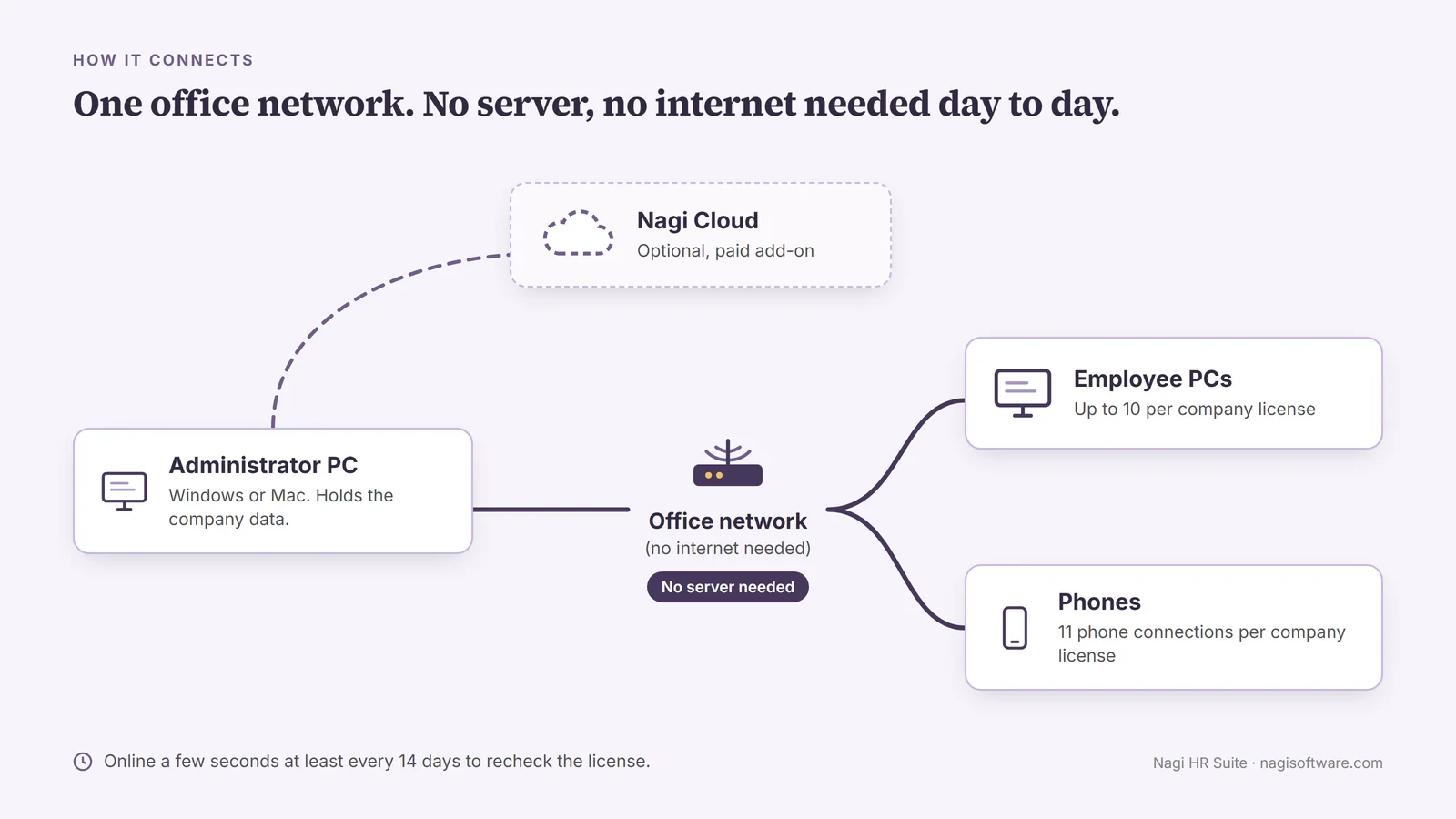
A seat is a PC, not a person. A 40-person company where the office manager and two supervisors use the desktop app needs three PCs from the license and can still keep records for all 40 people. The prices on that day: $19 a month, $190 a year or $349 once.
What works offline in Nagi HR Suite, module by module
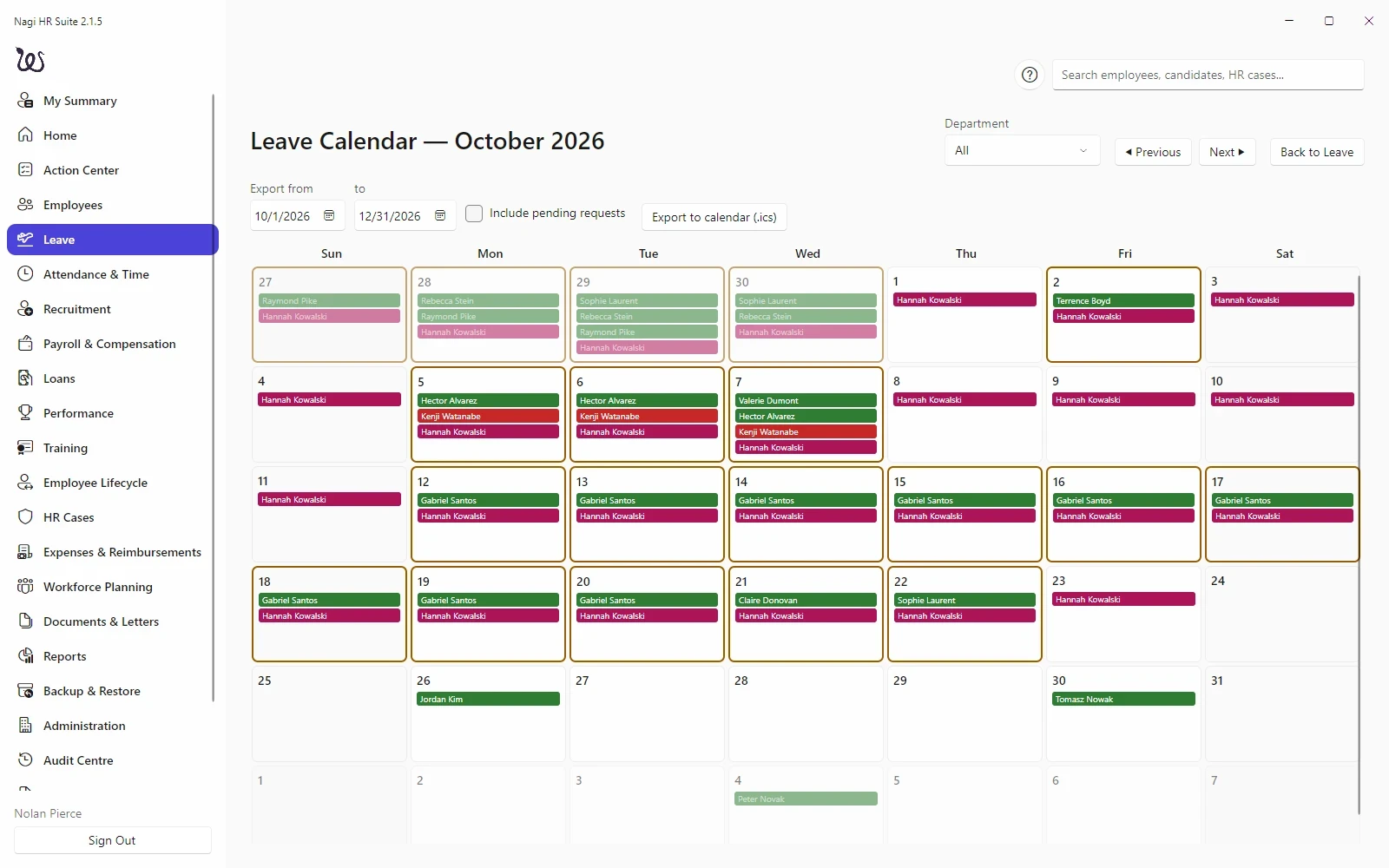
After activation, every module runs on the Administrator PC with no internet. The same goes for employee PCs and phones on the office network. The table below lists what you can do in each module with the router's internet light off.
| Module | What you can do offline |
|---|---|
| Employees | Records with document attachments, organization structure, CSV/XLSX import with a dry run, lifecycle timeline |
| Leave | Requests, approvals, balances, calendar, monthly matrix, business-day counting with your holiday calendar |
| Attendance | Clock data with automatic present, late, absent and on-leave status |
| Timesheets | Weekly timesheets with approval and overtime multipliers that feed payroll |
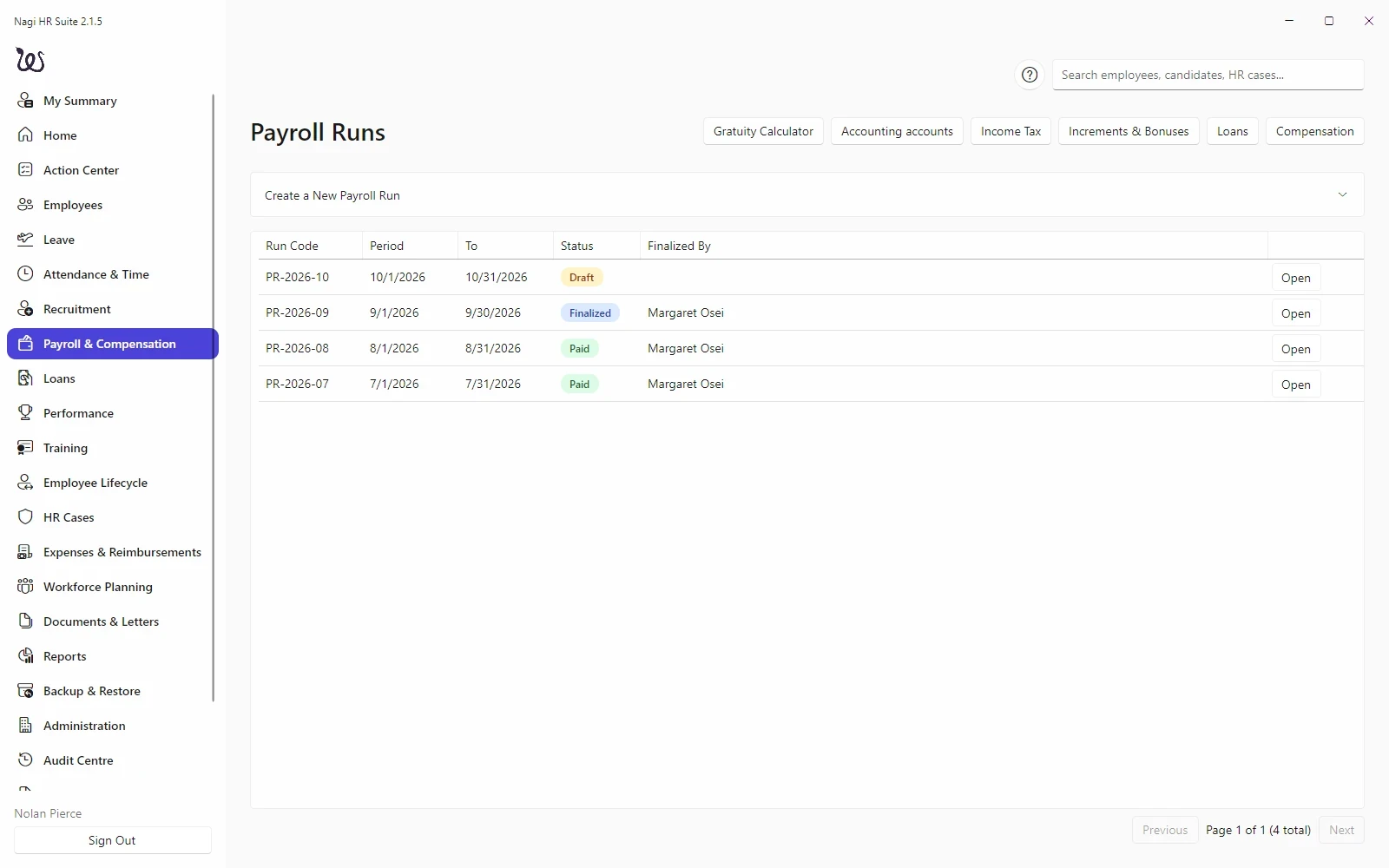
| Payroll run | Draft → finalized → paid runs, built from your own salary components, attendance and leave |
| Payslips | Branded PDF payslips, one employee or the whole run |
| Recruitment | Pipeline stages, candidates, interviews, offer and rejection letters |
| Letters | Offer, appointment, experience, warning, termination and other letters from templates |
| Reports | Employee, leave, attendance, recruitment, payroll and performance reports to PDF or Excel |
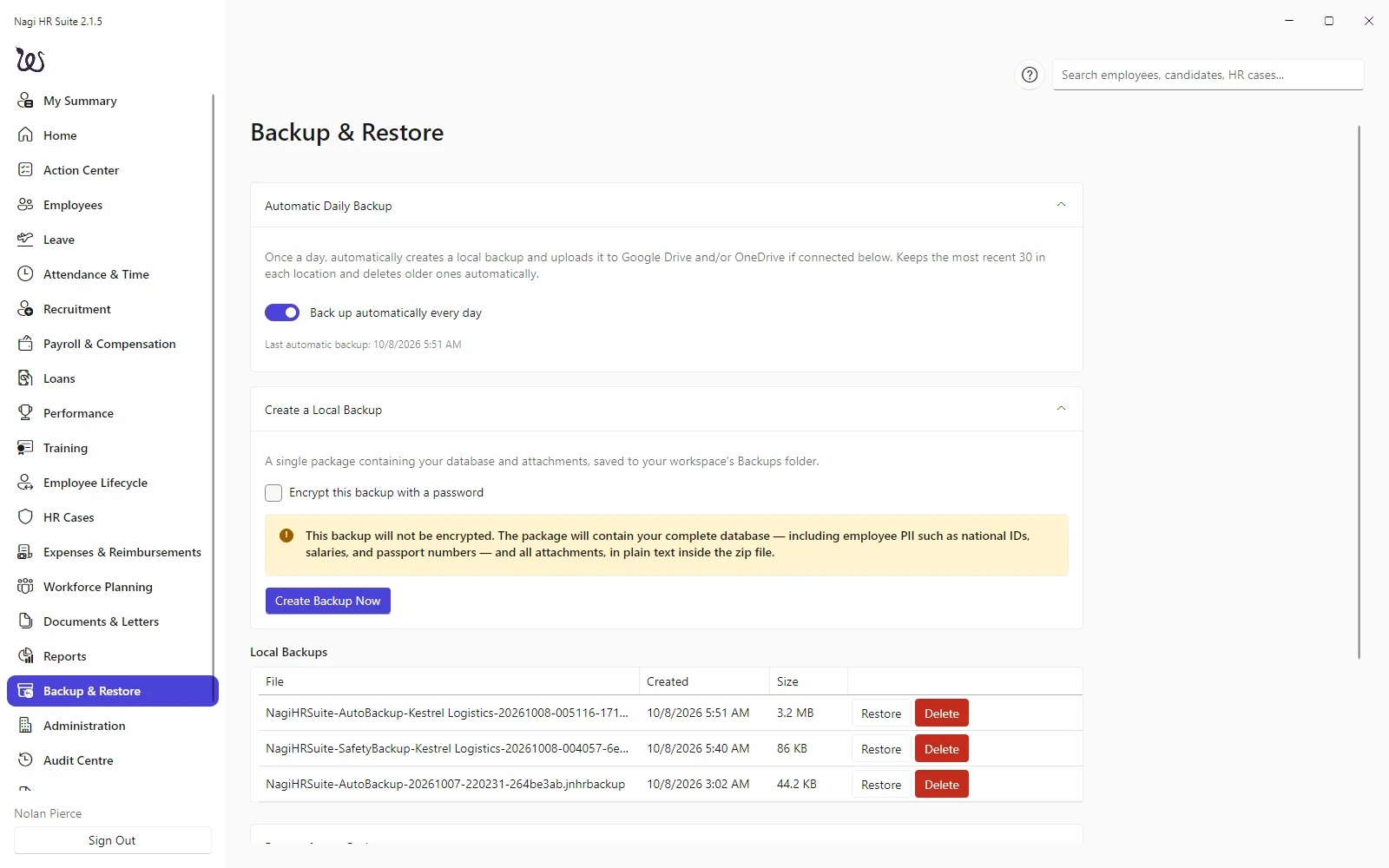
| Backups | One-click backup packages and automatic daily backups on the PC |
Payroll here is a gross-to-net calculation. You define the components, allowances and deductions; it produces payslips and reports. It does not apply any country's tax rules, does not file taxes and has no direct deposit, so your accountant or payroll provider keeps the filings.
What still needs internet
Offline software that hides its online moments causes the worst surprises. Ours needs a connection for activation, a license check every 14 days, updates, cloud backups, and anything that links devices outside your office. Daily HR work needs none of them.
- Activation. The Administrator PC connects once to activate the license.
- The 14-day check. It then needs a few seconds online at least once every 14 days. An outage shorter than that never locks you out; go past it and the app asks you to reconnect first. This applies to every plan, lifetime included.
- Employee PCs. Each connects once to activate its seat and can then work offline for up to 14 days.
- Updates. The app looks for a new version at start-up when it can reach us.
- Internet hosting, Nagi Cloud and the web portal. Anything outside your building runs over the internet.
- Google Drive and OneDrive backups, at the moment they upload.
So the accurate claim is "runs without internet day to day, connects briefly every two weeks." If your site has no internet access at all, ever, this isn't the right product for it.
Windows, Mac and phones: what runs where
There are native Nagi HR Suite apps for Windows 10 and 11 (64-bit) and for Apple silicon Macs (M1 or later, macOS 15 or later). One license covers both, so a mixed office can share one company. Android 12+ and iPhone (iOS 16+) apps join over the office network.
The Mac question deserves a straight answer. The best-known guide to HR software for Mac, on MacHow2, lists tools such as BambooHR, Deel and Paylocity that run in a browser; its "native" pick is Daylite, which is a CRM. A browser works fine on a Mac. What it can't do is keep your records on that Mac.
Our Mac version does everything the Windows version does (per the product page). The Administrator PC can be either. Version 2.3.1 is current for both.
Phones work like this:
- They join the company by scanning a QR code made on the office PC.
- Each phone uses one phone connection from a shared pool: one for the company seat and one per employee seat, so 11 on a standard license. Every extra employee seat adds one.
- Staff can see leave balances, request leave, clock in and out, open payslips, submit expense claims with a receipt photo, and read their letters. Managers approve their team's leave, timesheets and expenses.
- On the office Wi-Fi they need no internet. From home or a client site they need internet hosting or Nagi Cloud.
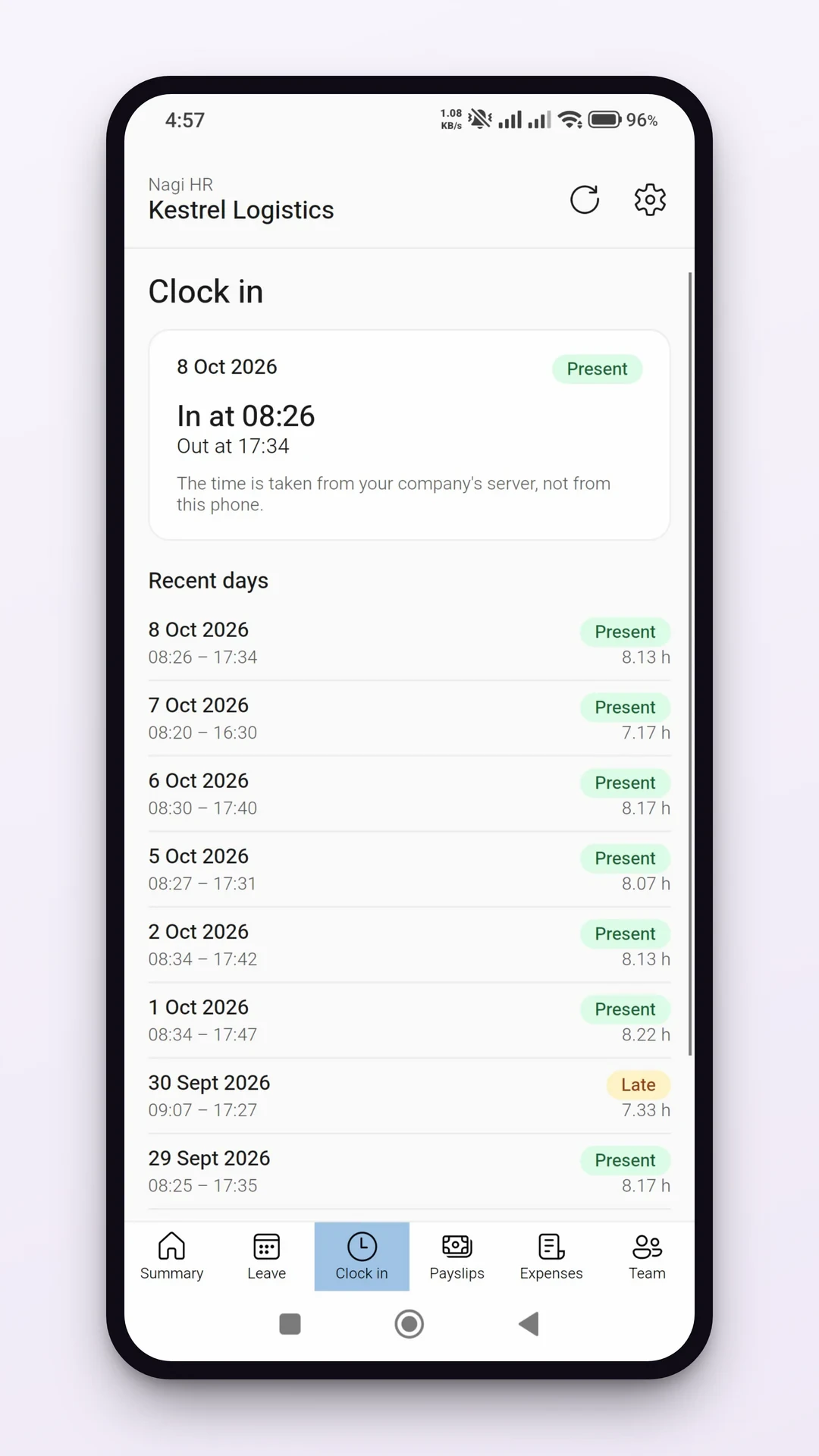
The trial runs in the browser at hr.nagisoftware.com for 7 days, with one company, up to 10 employee records and no phone connections. It isn't offline. When you buy, you install the Windows or Mac app, activate it with your paid key and restore the backup you downloaded during the trial.
Other offline and self-hosted options
If you want HR data off a vendor's cloud, the realistic routes are an installed program or a self-hosted web app. We checked four alternatives on 13 November 2026. The table compares them on the questions that decide offline use: where data lives, what runs it, and what it costs.
Where your HR data lives
| Nagi HR Suite | BambooHR | Zoho People | OrangeHRM (self-hosted) | IceHrm | |
|---|---|---|---|---|---|
| Runs without internet | Yes, after activation; online a few seconds every 14 days | Not listed (web app) | Not listed (web app) | On your own network, on the server you install | Self-hosted editions run on your server |
| Data stored on | Your Administrator PC (Nagi Cloud optional) | Vendor's cloud | Vendor's cloud | Your server | Your server, or vendor cloud on the cloud plan |
| Installed app (Win/Mac) | Windows and Mac | No, browser | No, browser | No, web app you host | No, web app you host |
| Phone app | Android and iPhone | iOS and Android | Not listed on pricing page | Mobile app listed for Starter | Mobile app listed for the free core |
| Price basis | Per company license | Per employee per month; flat monthly up to 25 employees | Per user | Starter free; Advanced per employee per month | Free core; Pro yearly by team size; cloud per employee |
| Listed price | $19/month, $190/year or $349 once | Core $10 per employee/month; $250/month flat for 25 or fewer | See Zoho's page (free edition for a few users) | Starter free; Advanced quote only | Pro $599/year up to 50 employees; cloud $12/month up to 6 employees, then $1.10 each |
| Payroll tax filing | Not included | US payroll add-on (quote) | Not listed on People pricing page | Not listed | Not listed |
| Trial | 7 days in the browser, no card | Free trial, no card (length not stated) | 30 days | Advanced 30 days | See vendor's page |
Prices as listed on each vendor's pricing page on 13 November 2026, in the vendor's currency, before tax. Prices change; check the vendor's page. BambooHR's plan card shows Core at $10 and its FAQ at $10.25.
Rival prices last checked on 15 November 2026 on each vendor's public pricing page.
A few notes on the self-hosted routes:
- OrangeHRM Starter is free, open-source HR software covering records, leave, time, recruitment and performance. You run it on a server and staff open it in a browser. Its paid Advanced edition is quoted per employee per month and can be hosted on-premises, according to OrangeHRM's pricing page.
- Horilla is open source under LGPL-2.1, free to self-host with all modules, and installs with Docker. Its managed cloud is $7 per user per month (horilla.com, 13 November 2026).
- IceHrm has a free open-source core. Its own article (updated 6 November 2026) lists IceHrmPro, self-hosted, at $599 a year for up to 50 employees with renewals from $499 a year.
All three keep data with you. All three also need someone comfortable running a web server, database updates and HTTPS. That's the job an installed desktop program removes.
When cloud HR is the better choice
Pick a cloud HR tool if you need payroll taxes filed for you, if your team has no office PC to leave on, or if you depend on integrations. Offline software fits a small office that wants its records on its own machine and is willing to own the backups. To see what paying once saves against renting, the free subscription vs one-time license calculator compares the two year by year, and our other calculators are on the free tools page.
You want US payroll taxes filed. Federal and state filings, direct deposit and W-2s need a payroll service. Our software calculates pay and prints payslips; it files nothing. That's a hard limit, not a missing setting.
Your team has no office. If everyone works remotely, a hosted tool is simpler. Nagi Cloud covers this for Nagi HR Suite, but then the data sits on our server, not offline.
You rely on integrations. BambooHR lists over 150 integration partners on its pricing page. Nagi HR Suite connects to Google Drive and OneDrive for backup and nothing else.
Nobody will own backups. An installed program makes that your job. If you know it won't get done, a vendor that backs up for you is safer.
None of those apply? Then put the records on a PC you control. Start with the Nagi HR Suite page and the installation guide, read about Nagi Cloud in case you need remote access later, and see what HR software costs at 10, 25 and 50 employees. If you're setting up records from scratch, our personnel file checklist lists what to keep. Licensing details are in the FAQ.
BambooHR, Zoho People, OrangeHRM, IceHrm, Horilla, Deel, Paylocity and Daylite are trademarks of their respective owners. Nagi Software is not affiliated with, endorsed by or sponsored by them. Comparisons use information published by each vendor on the date shown.
Frequently asked questions
- Does offline HR software get updates?
Yes, when it can reach the internet. Nagi HR Suite checks for a newer version when it starts and offers to install it, and the current release is always in your account. Updates are included with every license. Between updates the app runs with no connection, so you decide when to go online.
- Is my data backed up if my PC dies?
Only if you made a backup, because the data lives on your own PC. Nagi HR Suite keeps automatic daily backups (the newest 30), makes one-click backup packages with optional AES-256-GCM encryption, and can upload encrypted copies to your own Google Drive or OneDrive. To recover, install on the new PC, activate with the same key, remove the old PC under Account → Licenses and restore the latest backup.
- Can employees use their phones with offline HR software?
Yes, on the office network. The Nagi HR Suite Android and iPhone apps join with a QR code from the office PC and reach the Administrator PC over Wi-Fi with no internet. A company license includes 11 phone connections: one for the company seat and one for each of the 10 employee seats. Away from the office, phones need internet hosting or Nagi Cloud.
- Is there HR software for Mac that isn't a web app?
Yes. Nagi HR Suite has a native Mac app for Apple silicon (M1 or later) on macOS 15 or later, and the same license also covers Windows 10 and 11. Most HR tools sold for Mac, including BambooHR, run in a browser instead.
- Do I need a server for on-premise HR software?
Not always. Self-hosted web apps such as OrangeHRM Starter, Horilla or IceHrm need a server (or a PC set up as one) that you install and maintain. An installed program like Nagi HR Suite keeps its database on one ordinary Windows PC or Mac, the Administrator PC, and the other PCs connect to it over your office network.
- What happens if I don't connect for 14 days?
Nagi HR Suite asks you to reconnect before you continue working. The Administrator PC needs a few seconds online at least once every 14 days to recheck the license, on every plan including lifetime. Your data is untouched; once the check succeeds, you carry on where you stopped.
Sources
- Nagi HR Suite product page (offline, data, platforms, modules), checked November 13, 2026
- Nagi Software pricing page, checked November 13, 2026
- Nagi Software FAQ (revalidation, seats, phone connections), checked November 13, 2026
- BambooHR pricing page, checked November 13, 2026
- BambooHR free trial sign-up page, checked November 13, 2026
- BambooHR help: download and configure the mobile app, checked November 13, 2026
- Zoho People pricing page, checked November 13, 2026
- OrangeHRM pricing page, checked November 13, 2026
- IceHrm: Is IceHrm free? (editions and prices, updated 6 November 2026), checked November 13, 2026
- Horilla home page (license, self-hosting, cloud price), checked November 13, 2026
- MacHow2: best HR software for Mac (2025), checked November 13, 2026
The product in this post
Nagi HR Suite
HR, attendance, leave and payroll in one desktop application.
- offline
- desktop-hr-software
- on-premise
- hr-software-for-mac
- hr-software
- comparison